
Quick Answer
Use the Arizona Corporation Commission eCorp Business Search to run an Arizona entity search by business name, entity ID, statutory agent name, or principal name. Arizona business records are handled by the Corporation Commission rather than the Secretary of State, so start with eCorp and review former-name and filing-history tabs when they appear. A no-match result is only preliminary; final acceptance depends on the Commission’s filing or name-reservation review.
How to Search Arizona Business Entity Records
The Arizona entity search flow is straightforward but requires a CAPTCHA verification step before viewing results. You can access detailed records including full filing histories directly through the eCorp portal.
Access the Entity Database
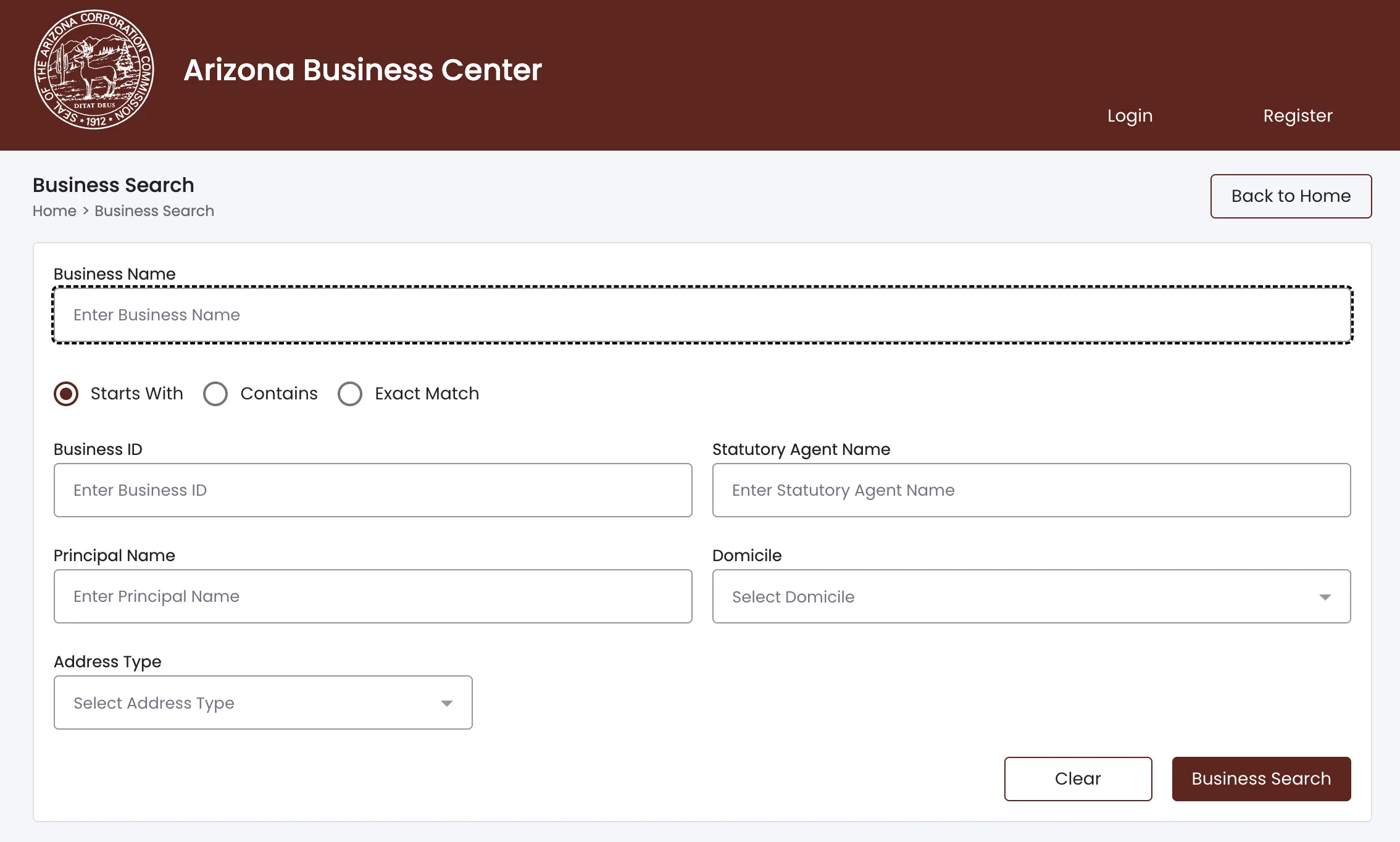
Go directly to the Arizona Corporations Commission website at https://arizonabusinesscenter.azcc.gov/businesssearch.
Use the Search Options
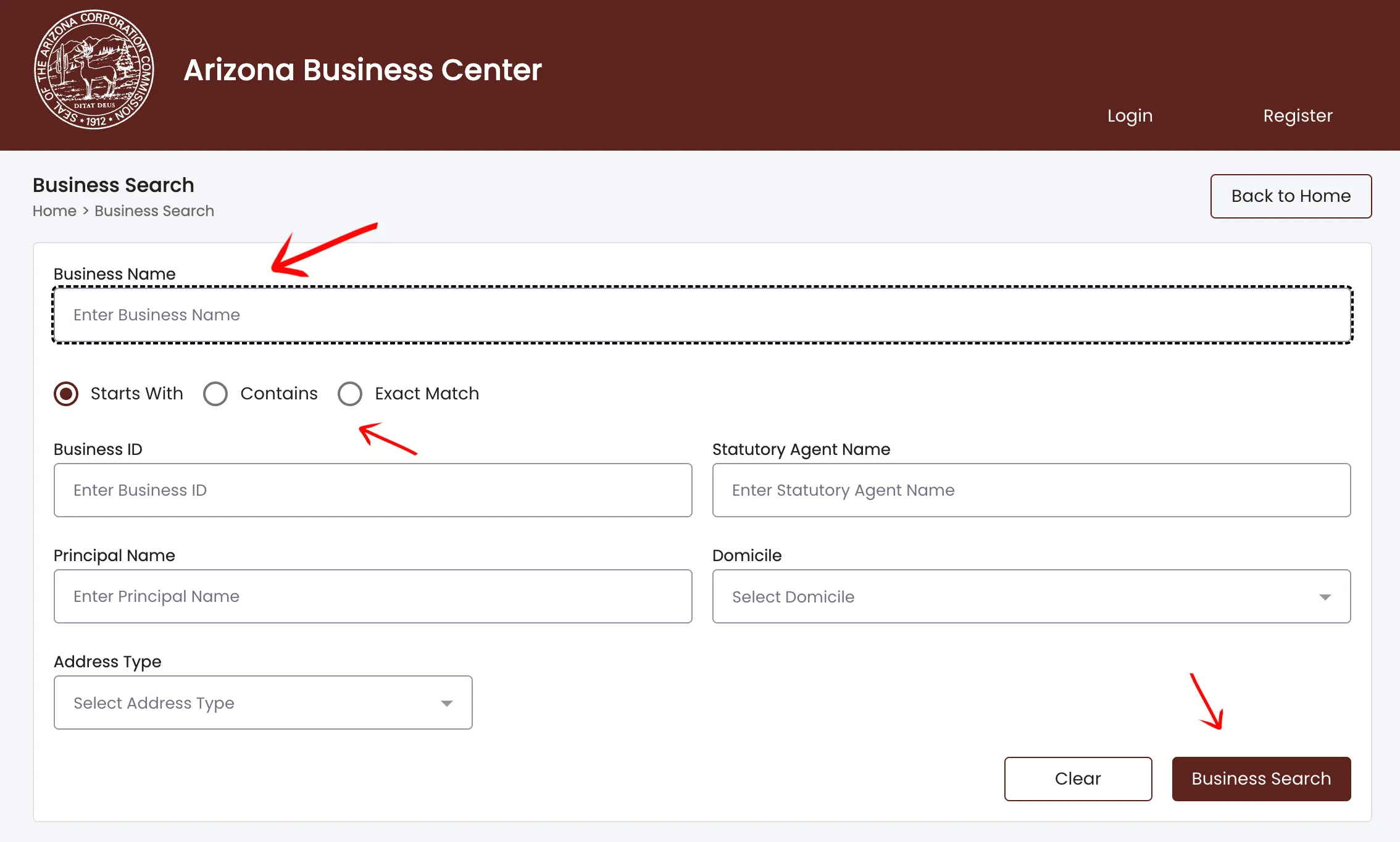
Type a business name or phrase in the search box. Select the appropriate radio button, then click “Business Search.” You can supply additional criteria to tighten your search:
- Business ID
- Statutory Agent Name
- Principal Name
- Domicile
- Address Type
Verify Your Intention
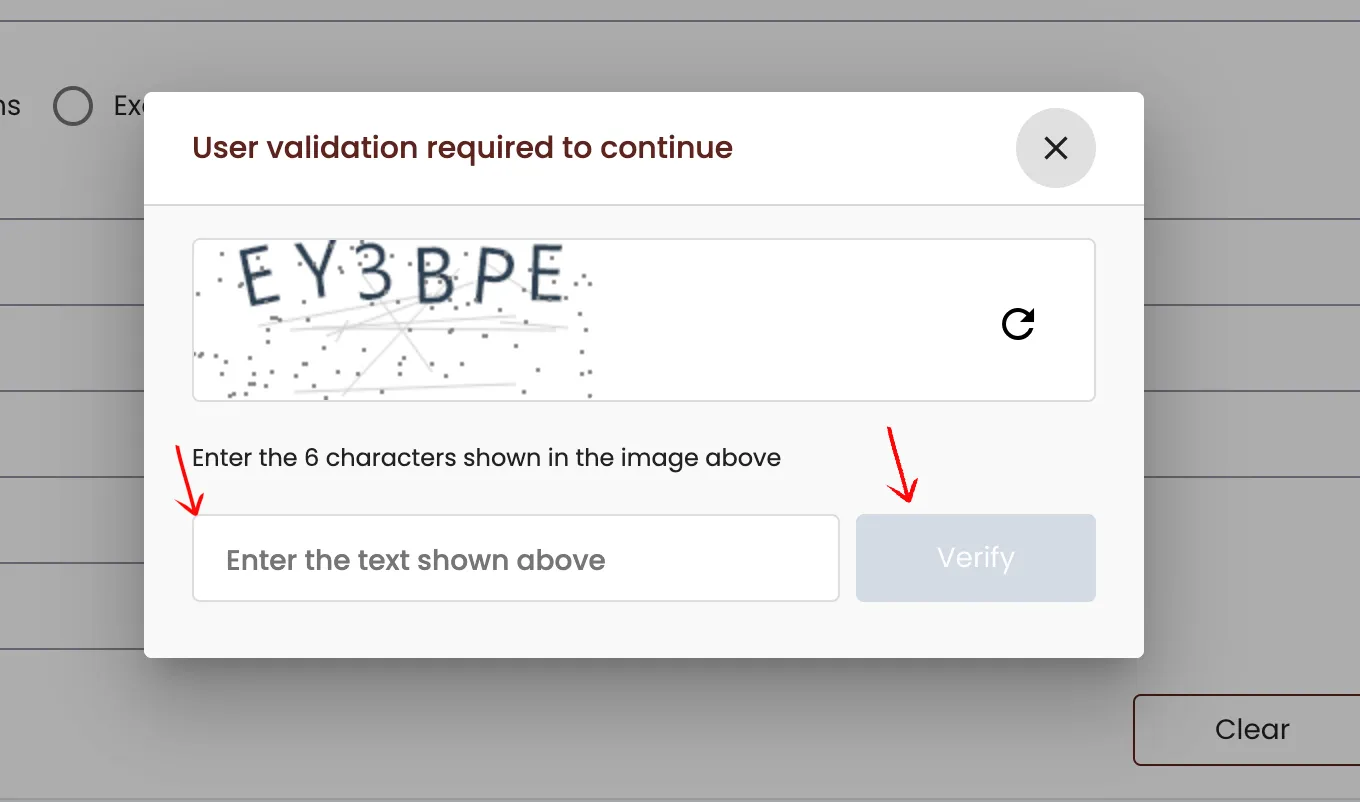
Verify that you are human by selecting the “I’m not a robot” button and clicking “Submit” to proceed.
Select the Entity from the Search Results
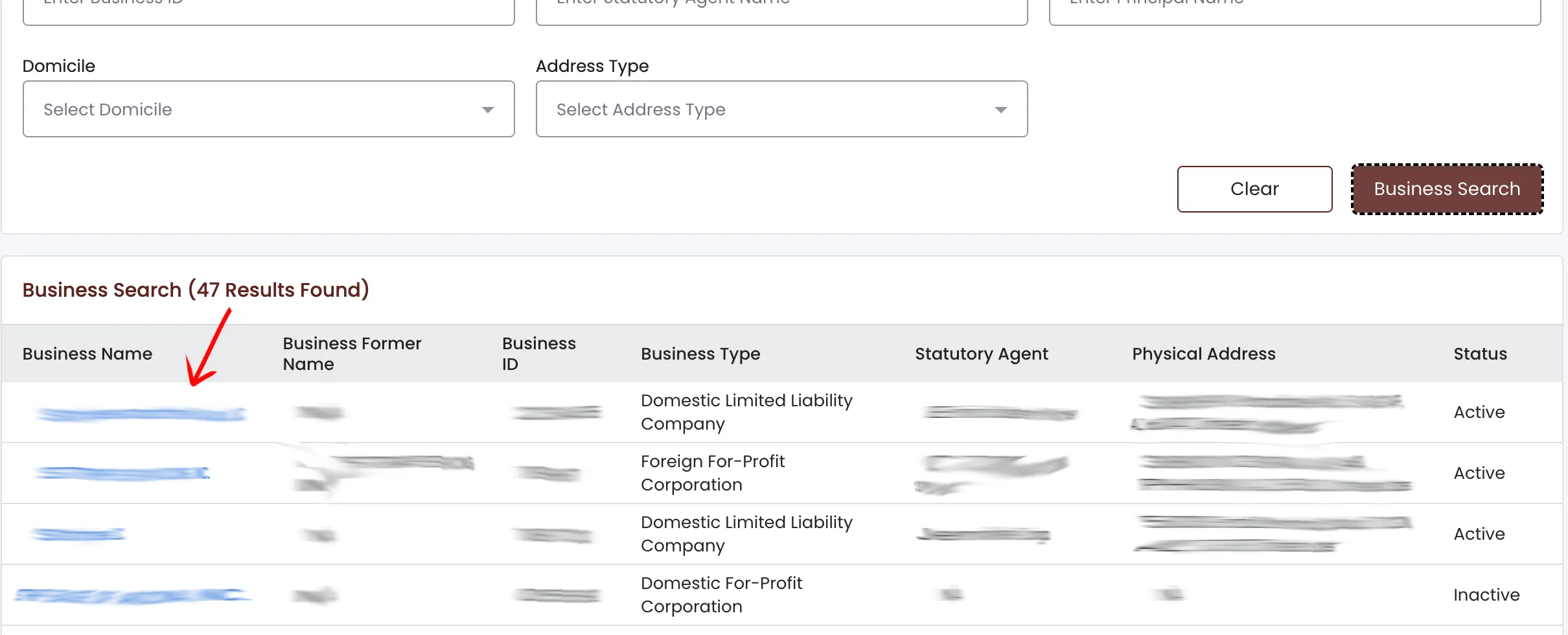
A table displays the results once the verification process is complete. Locate the appropriate entity and select it from the first column under “Business Name.” Review the available columns:
- Business Name
- Business Former Name
- Business ID
- Business Type
- Statutory Agent
- Physical Address
- Status
View the Entity Details Page
The entity information page provides basic business details and supplements them with specific data points:
- Business Name, Business Type, and Business ID
- Business Status and the Reason for Status
- True Name in Domicile, State of Formation/Jurisdiction, Known Place of Business
- Date of Formation and Date of Formation in Domicile Jurisdiction, Status Date
- Annual Report/COD Due Date, Last Annual Report/COD Filed, and Years Due
- Period of Duration
Review the remaining public information sections. Additional tabs provide more data:
- Character of Business
- Principal Office or Statutory Agent Information in Foreign Jurisdiction
- Authorized Shares information
- Statutory Agent Information and Principals Information
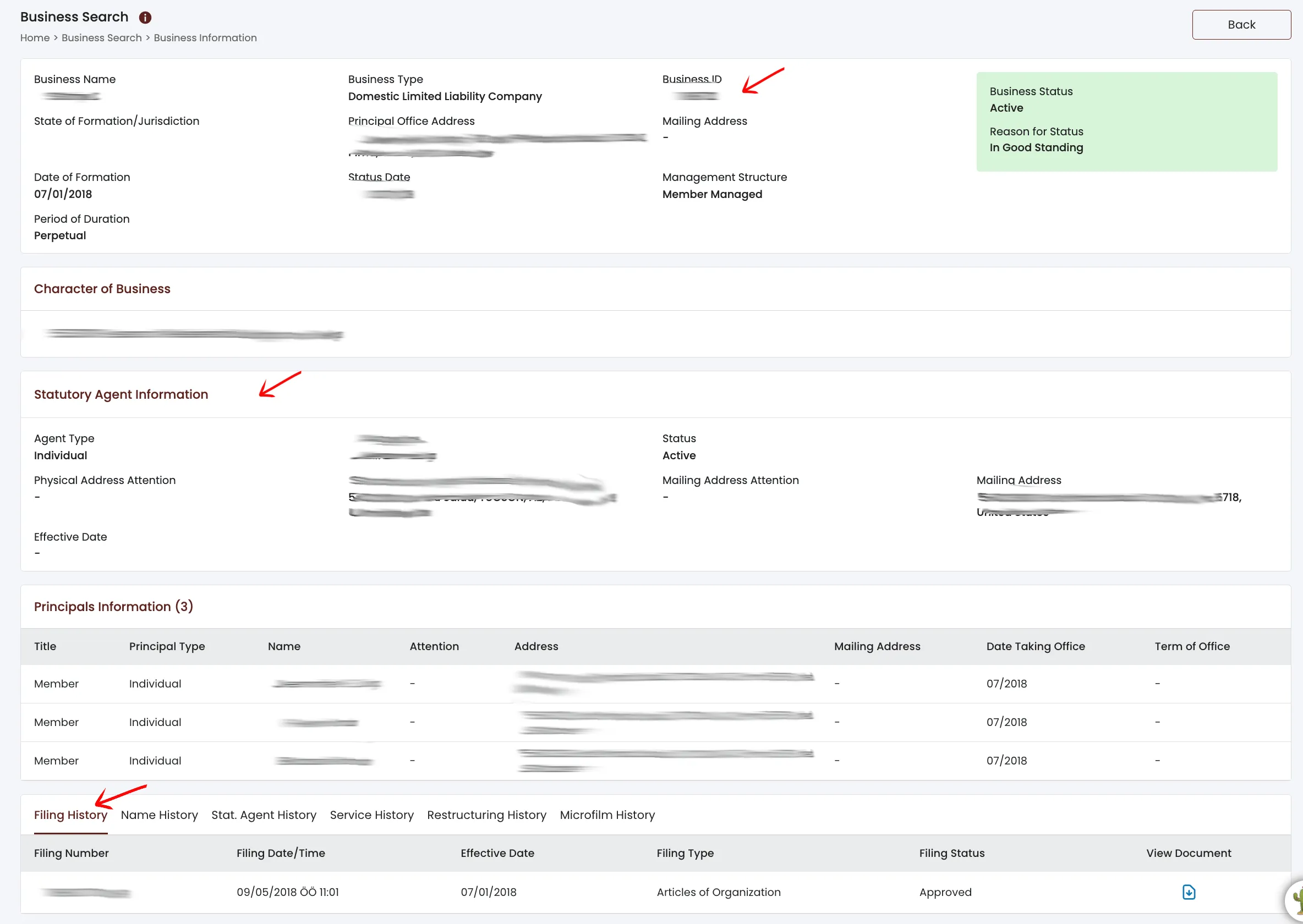
Investigate Specific Information Regarding the Entity
The bottom of the details page displays several tabs reporting past entity information.
Select the Filing History tab to review past filing information. Review the table columns:
- Filing Number
- Filing Date Effective Date
- Filing Type, Filing Status
- View Document (Select the document image to view the reported paperwork)
Select the Name History tab to access a report on previous entity names. Each row presents the Business Name along with:
- True Name in Domicile
- Filing Number
- Filing date
- Filing Description
- Effective Start Date
- End Date
- Reservation/Registration ID
Select the Stat. Agent History tab to view statutory agent documentation:
- Filing Number
- Filing Date
- Agent Name
- Effective Date
Select the Service History tab to view document history between the government and the entity, arranged by Filing Date:
- Filing Date
- Work Order Number
- Filing Type
- Status
- View Document
Select the Restructuring History tab to review changes in operation or management. The table presents paperwork on file with the state:
- Filing Number
- Filing Date
- Effective Date
- Filing Type
- View Document (if available)
Select the Microfilm History tab to view available documents on microfilm:
- Location Number/Barcode Number
- Date Received
- Description
- View Documents
A no-match search result is only a preliminary screening signal. Verify the proposed name in Arizona eCorp and wait for the Corporation Commission filing or name-reservation review before treating the name as accepted.

If the search results return no close matches for Arizona, treat that as a preliminary screening signal only. Verify the name in the official state database, and wait for the state filing or name-reservation review before treating the name as accepted.
How to Interpret Arizona Results
An Arizona entity result can help you identify whether a business already exists, whether a record is active, and what filings or documents may be available. For name planning, review exact matches and similar names carefully. The eCorp portal also shows former names, which is important for identifying potential name conflicts that may still be protected.
The Arizona Corporation Commission makes most filed documents available directly through the entity details page. If you are reviewing an existing company, checking the “Filing History” tab can provide access to the original Articles of Organization and other submitted records.
Arizona Business Name and Filing Notes
The Arizona Corporation Commission lists a standard processing fee of $50 for a domestic Limited Liability Company Articles of Organization filing. Arizona is unique in that it generally requires most new LLCs to publish a “Notice of Formation” in a local newspaper for three consecutive weeks, unless the Statutory Agent is located in Maricopa or Pima County (where the state publishes it online for free).
For name planning, search the official database first, then verify publication requirements and other formation rules on the Arizona Corporation Commission website before filing.
Common Mistakes
- Searching the Secretary of State website instead of the Corporation Commission. In Arizona, the Corporation Commission handles business entities.
- Forgetting to check the former names or assuming a name is fully clear without checking variants.
- Overlooking the county-specific publication requirements when calculating the cost to form an LLC.
- Treating a broad name search as a formal name reservation.
Sources Reviewed
- Arizona Corporation Commission eCorp Business Search
- Arizona Corporation Commission Business Portal
- Arizona Corporation Commission Corporations Division
- Arizona Corporation Commission Fee and Payment Information
- Arizona Corporation Commission Business Services FAQs
Search beyond Arizona
Company names are registered state by state, so a name that is taken in Arizona may still be available elsewhere. The Secretary of State business search directory lists the official registry, agency contacts, and filing fees for all 50 states, the free LLC lookup guide covers name checks and LLC record details in every state, and our guide to nationwide business entity search explains how to check several states at once.