
Quick Answer
Use the Texas Comptroller Franchise Tax Account Status Search portal to run a Texas business name availability check and entity search by business name, taxpayer number, or Secretary of State file number. For name research, search the proposed wording in the Entity Name field and compare matching active records. A no-match result is only preliminary; final name acceptance depends on the appropriate Texas filing or reservation review.
How to Search Texas Business Entity Records
While the Texas Secretary of State (SOS) registers businesses, its online database (SOSDirect) requires a paid account and charges a fee per search. For free name availability and business status checks, you can search public records using the Texas Comptroller’s online portal.
Access the Texas Business Entity Search Page
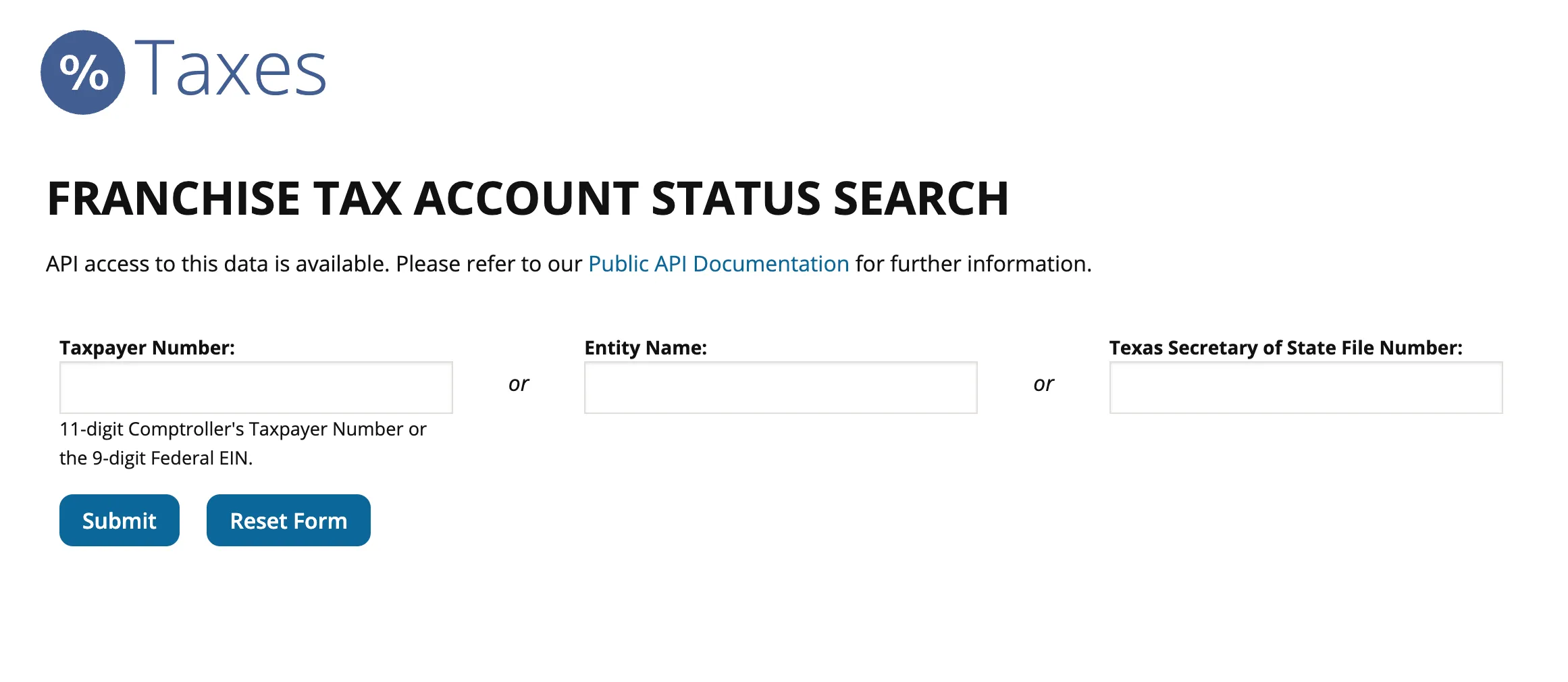
Go to the official Texas Business Entity Search page to begin.
Search for the Business Entity
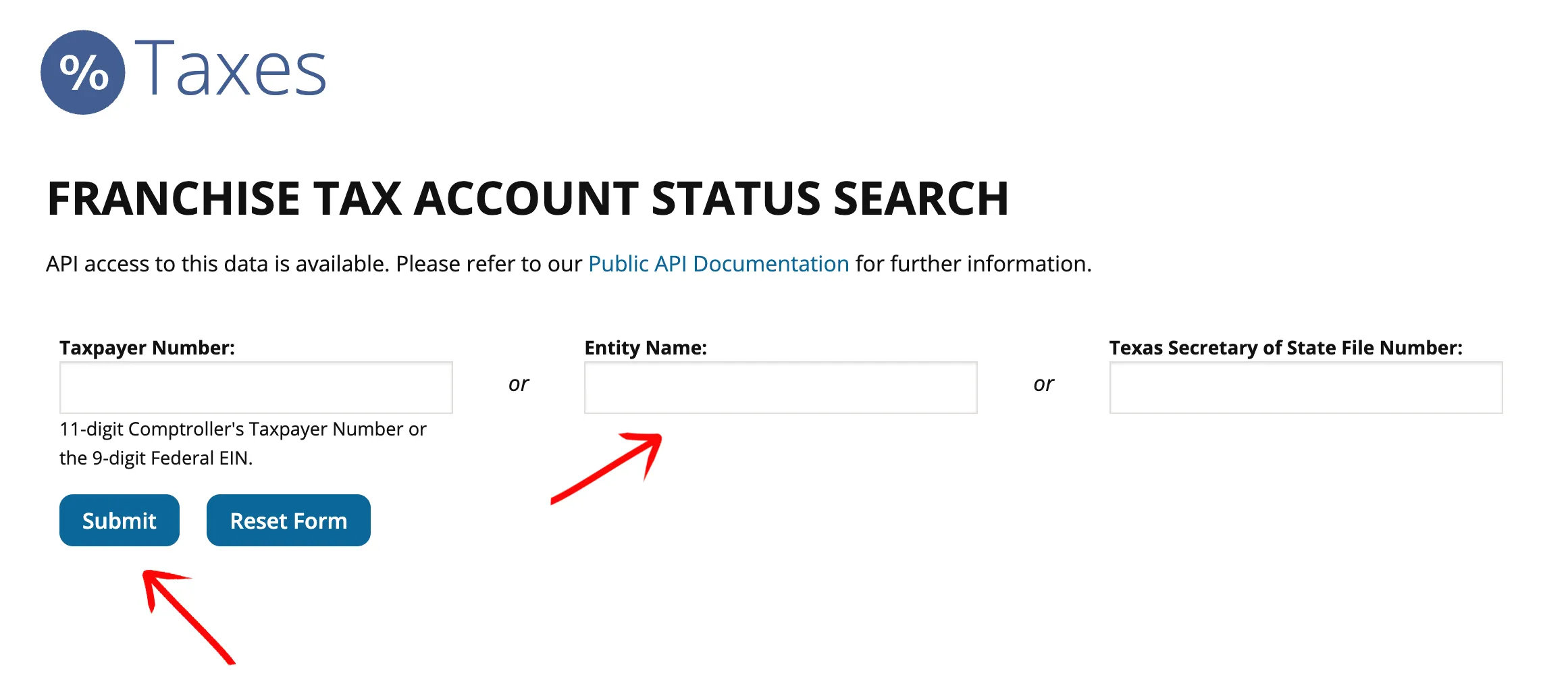
Type your target business name or a relevant keyword into the Entity Name text box. Click the Submit button to execute your query. You can also search by:
- Taxpayer Number (11-digit Comptroller number or 9-digit Federal EIN)
- Texas Secretary of State File Number (10-digit number)
Locate the Entity in the Results Table
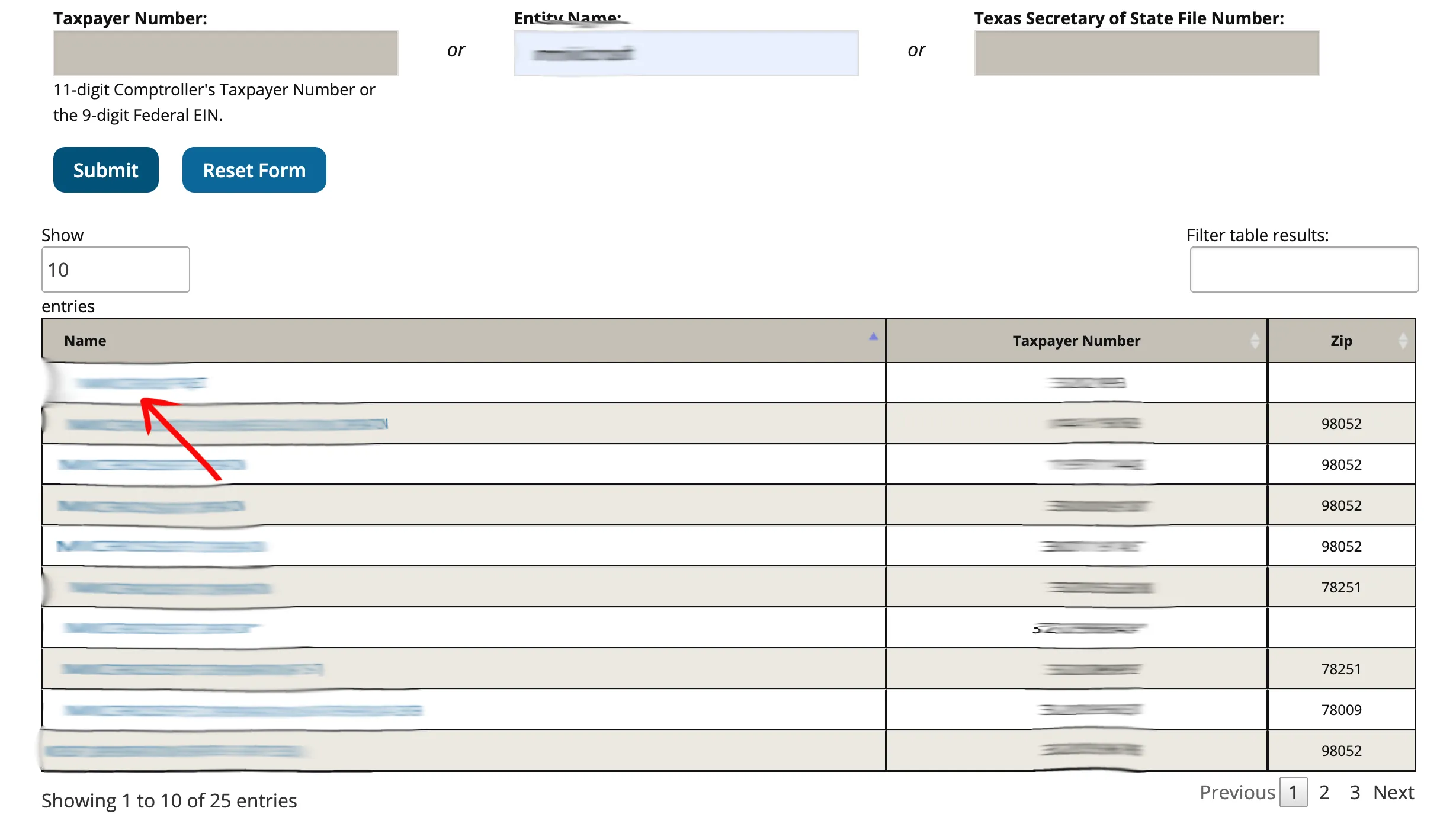
Scan the first column of the results table to find the desired business name. Verify the entry using the additional columns provided, then click directly on the business name link in the first column to view detailed information. The results table displays the following data points:
- Name (with a clickable link)
- Taxpayer’s Number
- Zip
Review Entity Details
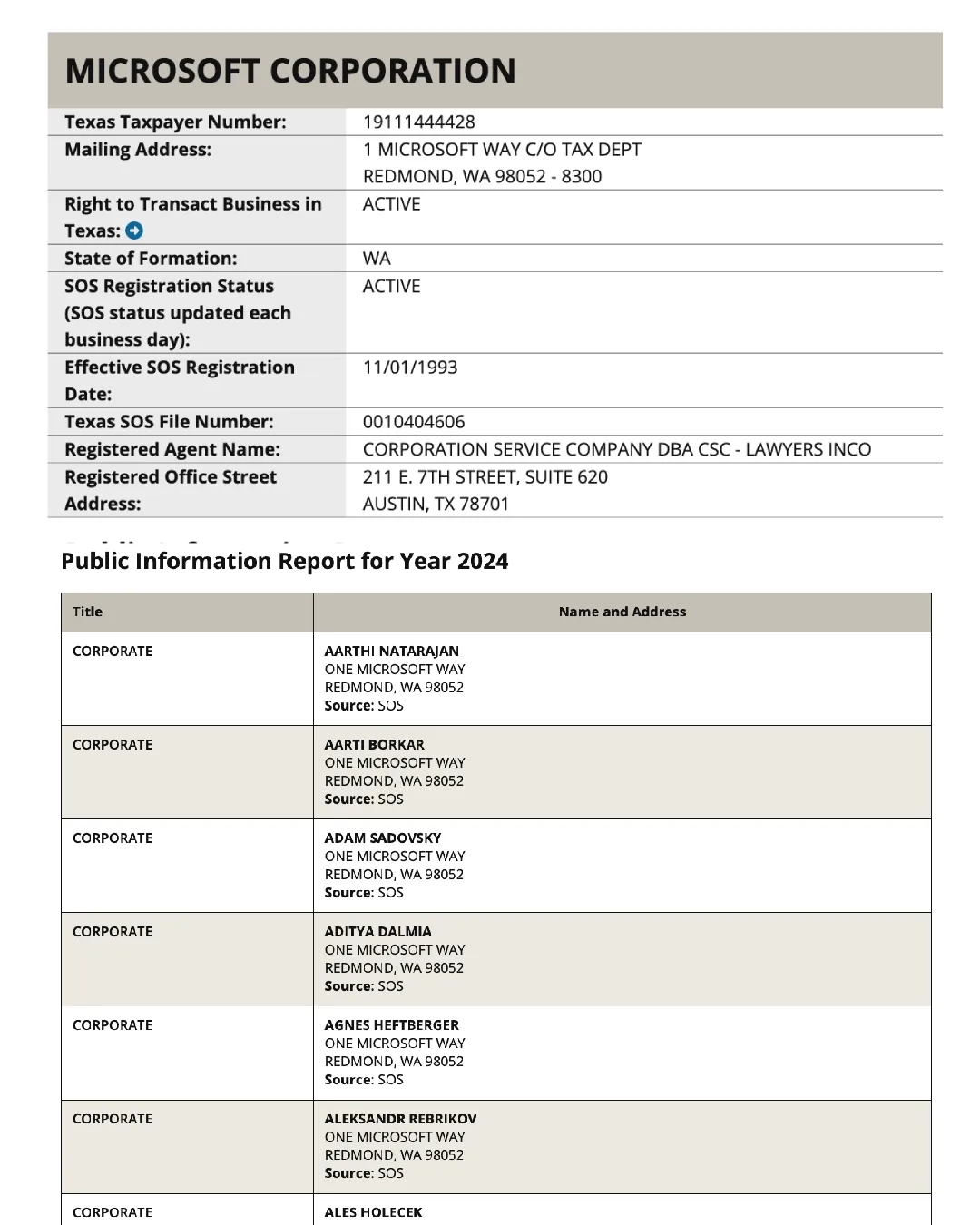
Examine the table of information provided for the selected business entity. This includes:
- Texas Taxpayer Number and Mailing Address
- Right to Transact Business in Texas (e.g., ACTIVE or INACTIVE)
- State of Formation and SOS Registration Status
- Effective SOS Registration Date and Texas SOS File Number
- Registered Agent Name and Registered Office Street Address
Scroll down to the lower area of the page to view the Public Information Report section, which lists officer, director, or manager titles, names, and addresses.
If the search results return no close matches for Texas, treat that as a preliminary screening signal only. Verify the name in the official state database, and wait for the state filing or name-reservation review before treating the name as accepted.
How to Interpret Texas Results
A business search in Texas helps you verify an existing company’s registration or check if a name is available for a new LLC or corporation:
- Right to Transact Business - Active: The business is active, compliant with franchise tax requirements, and holds the exclusive right to use its name.
- Right to Transact Business - Franchise Tax Ended / Dissolved: The company is no longer active in Texas. Dissolved or cancelled names may become available for use, though restrictions or transition periods might apply.
- Name Distinguishability: Under Texas law, a proposed business name must be distinguishable from all other active registered names (including corporations, LLCs, limited partnerships, and trade names). Spacing, punctuation, capitalization, and entity endings (such as LLC, L.L.C., Inc., or Corp.) are not enough to make a name distinguishable.
Checking Texas Business Name Availability
Before submitting a certificate of formation or reserving a name, test your proposed entity name against Texas public records. In Texas, name availability is governed by specific statutory standards rather than simple keyword matching:
- Texas Distinguishability Standard (BOC § 5.053): Under the Texas Business Organizations Code, a proposed name must be distinguishable on the records of the Secretary of State from all other active domestic and foreign filing entities, reserved names, and registered series of an LLC. Differences in entity identifiers (such as LLC, L.L.C., Limited Liability Company, or Inc.), punctuation, capitalization, or spacing do not create legal distinguishability. For example, if Lone Star Logistics LLC is on file, Lone Star Logistics Inc. or Lone Star Logistics, L.L.C. cannot be registered.
- Restricted and Prohibited Words: Texas law restricts terms that imply affiliation with veterans organizations, lottery operations, or financial institutions without prior authorization. Words such as veteran, legion, disabled, war, lotto, lottery, bank, trust, or university require regulatory approval or agency consent before the Secretary of State will accept the filing.
- Preliminary Search vs. Final SOS Approval: Searching the Comptroller free Franchise Tax database provides an immediate preliminary screen for active businesses using the name. However, final legal clearance occurs only when the Texas Secretary of State formally reviews and accepts your Certificate of Formation (Form 205). Informal preliminary name availability inquiries can also be made directly with the SOS Corporations Section at (512) 463-5555 or by email to corpinfo@sos.texas.gov.
- Holding a Name via Form 501: If your name appears available but you are not ready to file articles of formation immediately, you can lock the name for 120 days by filing an Application for Reservation of an Entity Name (Texas SOS Form 501). The statutory filing fee is $40 ($41.08 when paid online with the standard 2.7 percent credit card convenience fee).
Texas Comptroller Entity Search vs. SOSDirect
Texas splits business records between two agencies, which is why a Texas Comptroller entity search looks different from every other state’s lookup. The Comptroller of Public Accounts runs the free public tool this guide walks through: the Franchise Tax Account Status search, widely known as the Taxable Entity Search. The Secretary of State’s own database, SOSDirect, sits behind an account and charges a statutorily authorized $1.00 per search (the fee is not charged when you place an order or filing from your search results).
Start with the free Comptroller search. It queries the Comptroller’s taxable-entity records and returns the fields that matter for name research: right to transact business, SOS registration status, the Texas SOS file number, and the registered agent. Switch to SOSDirect when you need what only the filing agency holds: certified copies, certificates of fact, full filing history, or submitting a filing itself. The SOS file number shown in a Comptroller result is the bridge between the two systems. It identifies the same entity in SOSDirect.
Texas Business Name and Filing Notes
Texas is split between Comptroller account-status lookup and Secretary of State filing work, so treat the search result as research before using the correct filing path:
- LLC Filing Fees: Filing the Certificate of Formation for a domestic Texas LLC costs $300.
- Name Reservation: You can reserve a business name for up to 120 days by filing an Application for Name Reservation (Form 501). The fee is $40 ($41.08 with card convenience fee).
- Annual Reports: Texas LLCs do not file a traditional annual report with the Secretary of State. Instead, they must file an annual Franchise Tax Report and a Public Information Report (PIR) with the Texas Comptroller. These filings are due by May 15 each year. Most small businesses owe $0 in franchise tax (if their annual revenue is below the state’s no-tax-due threshold), but filing the Public Information Report is mandatory to keep the LLC in active standing.
- Foreign LLCs: To register an out-of-state LLC to do business in Texas, you must file an Application for Registration of a Foreign Limited Liability Company (Form 304). The filing fee is $750.
Common Mistakes
- Searching Only the Exact Business Name: Always search for just the core distinctive words of your name. Searching only the full name with designators might miss similar active names that the Secretary of State will reject.
- Including Suffixes in Search Queries: Do not include entity designators like “LLC” or “Inc” in the search box, as the system may return no results or inaccurate matches.
- Assuming an Entity Identifier Clears a Conflicting Name: Adding or removing “LLC”, “Inc.”, or changing punctuation does not make a name distinguishable under Texas law.
- Missing the May 15 Franchise Tax Filing: Even if your LLC owes $0 in franchise tax, you must file the Franchise Tax No Tax Due Information Report and the Public Information Report by May 15. Failing to do so will result in late penalties and can lead to forfeiture of your right to transact business in Texas.
- Assuming Initial Results Guarantee Approval: A search that returns no matches is a helpful first step, but only the Secretary of State can officially approve your business name when processing the formation documents.
Sources Reviewed
- Texas Comptroller Franchise Tax Account Status Search
- Texas SOSDirect Online Business Service
- Texas SOS Name Filings FAQs
- Texas Business Organizations Code — Name of Filing Entity (BOC § 5.053)
- Texas Secretary of State Business Services
- Texas Secretary of State Business Forms and Fees
- Texas Comptroller Franchise Tax Forms and Info
- Texas SOS Certificate of Formation Form 205 Instructions
Search beyond Texas
Company names are registered state by state, so a name that is taken in Texas may still be available elsewhere. The Secretary of State business search directory lists the official registry, agency contacts, and filing fees for all 50 states, the free LLC lookup guide covers name checks and LLC record details in every state, and our guide to nationwide business entity search explains how to check several states at once.
Registering in a nearby state instead? See the New Mexico business entity search, Oklahoma business entity search, and Louisiana business entity search guides.