
Quick Answer
Use the Utah Division of Corporations and Commercial Code Business Entity Search portal to run a Utah entity search by business name, entity number, assumed name, or principal name. For name research, enter the proposed wording in the Name field and compare matching records before filing. A clear search is only preliminary until Utah reviews the filing or reservation.
How to Search Utah Business Entity Records
The official business registry is maintained by the Utah Division of Corporations and Commercial Code. You can search the public database for free online.
Access the Search Portal
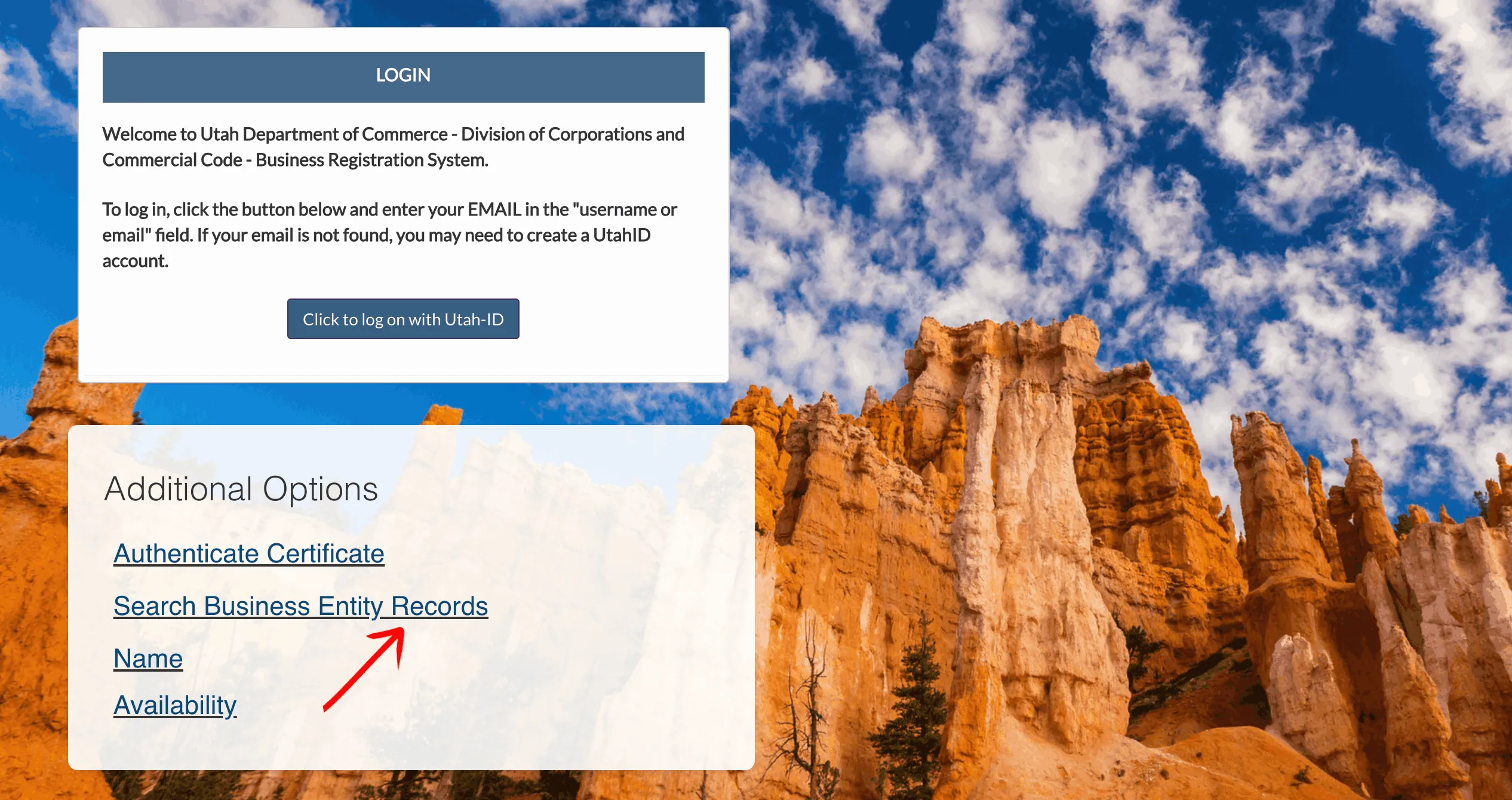
Go to the official Utah Business Registration page. Scroll down to the Additional Options box and click the Search Business Entity Records link.
Define Basic Search Parameters
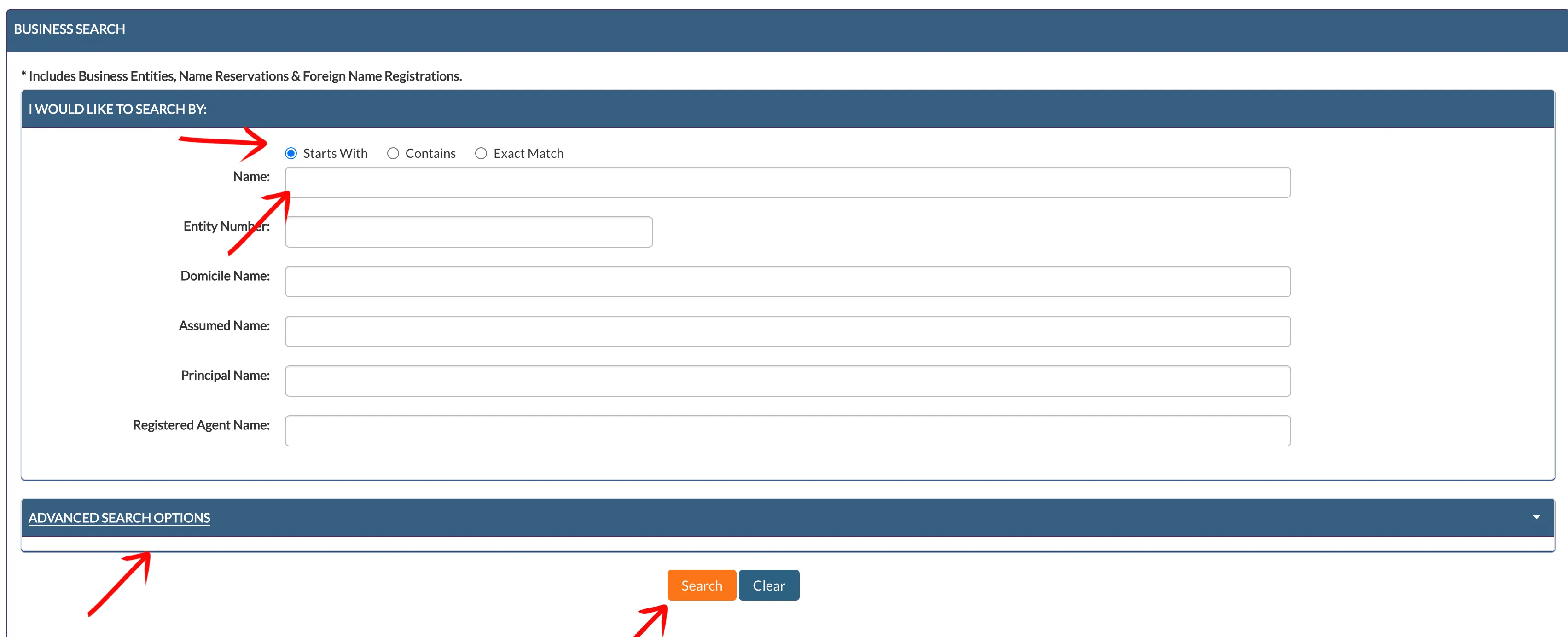
Define how the query matches your proposed business name:
- Starts With
- Contains
- Exact Match
Enter your proposed business name in the Name input field. You can also search using other text boxes, such as Entity Number, Domicile Name, Assumed Name, or Principal Name. Click the orange Search button to execute.
Configure Advanced Search Options (Optional)
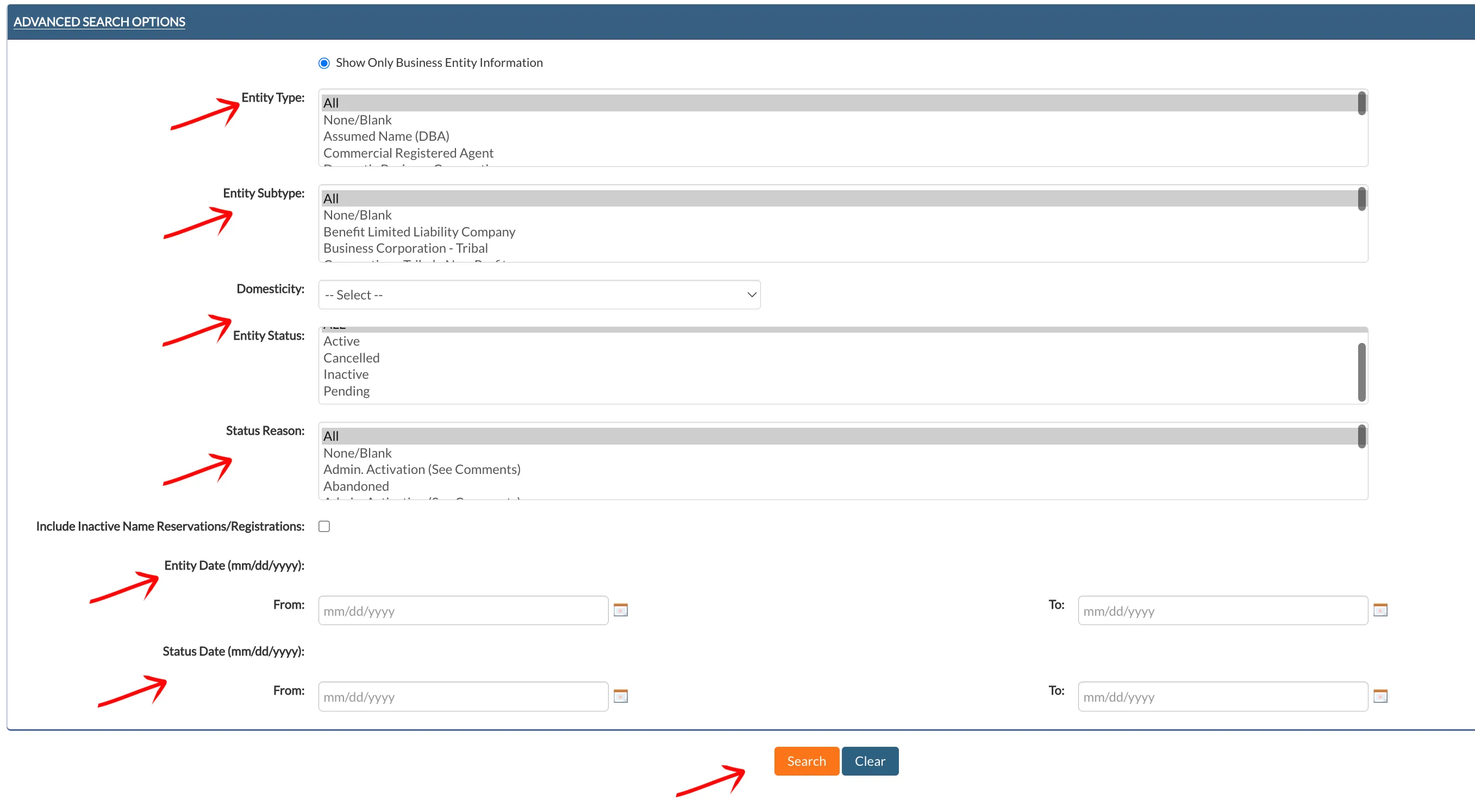
If you want to filter your results, click the Advanced Search Options bar to expand the panel. Here, you can specify:
- Entity Type and Entity Subtype
- Domesticity and Entity Status (e.g., Active or Inactive)
- Status Reason (e.g., Administratively Dissolved)
- Include inactive names by checking the Include Inactive Name Reservations/Registrations checkbox
- Define a date range for formation or status changes using the From and To date pickers
Click the orange Search button once you have configured your advanced criteria.
Review the Search Results Table
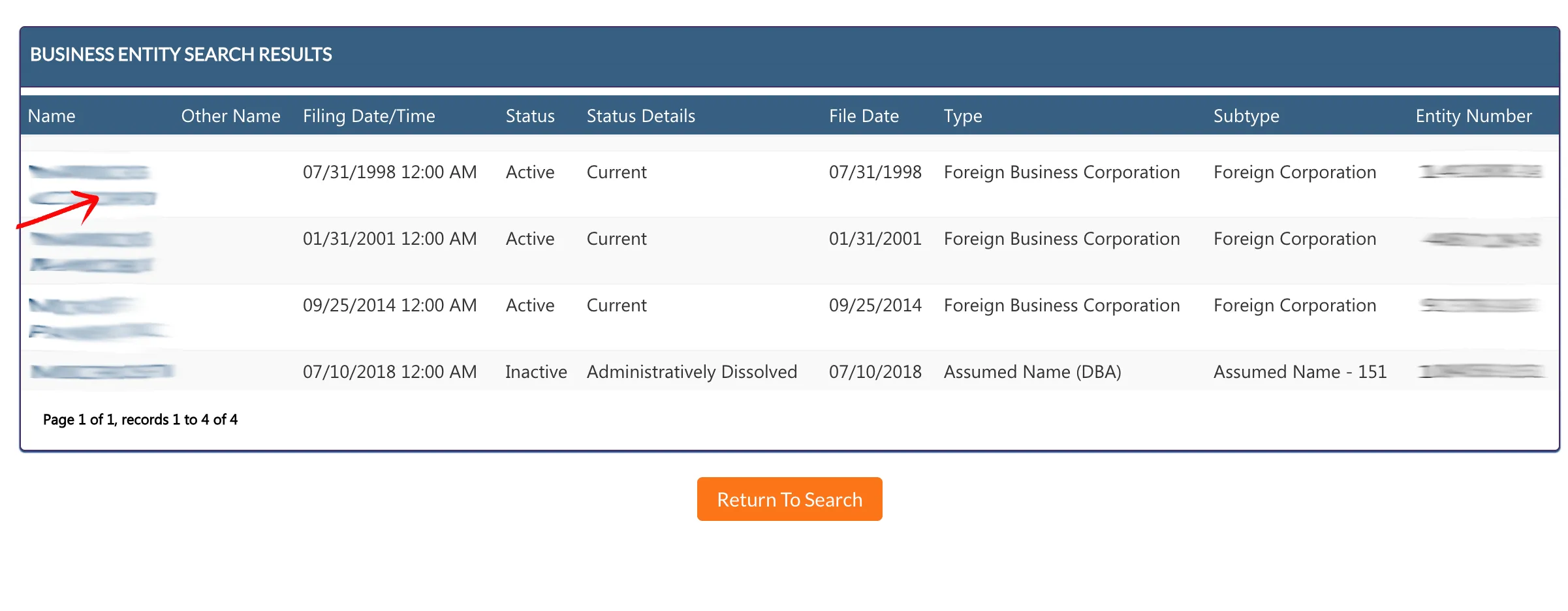
Scan the results table to find the desired business name. Click on the name link in the first column to view the entity’s complete details. The results table displays:
- Name (clickable link)
- Other Name
- Filing Date/Time
- Status (e.g., Active, Inactive)
- Status Details (e.g., Current, Administratively Dissolved)
- File Date
- Type (e.g., Foreign Business Corporation)
- Subtype (e.g., Foreign Corporation)
- Entity Number
Inspect Entity Details
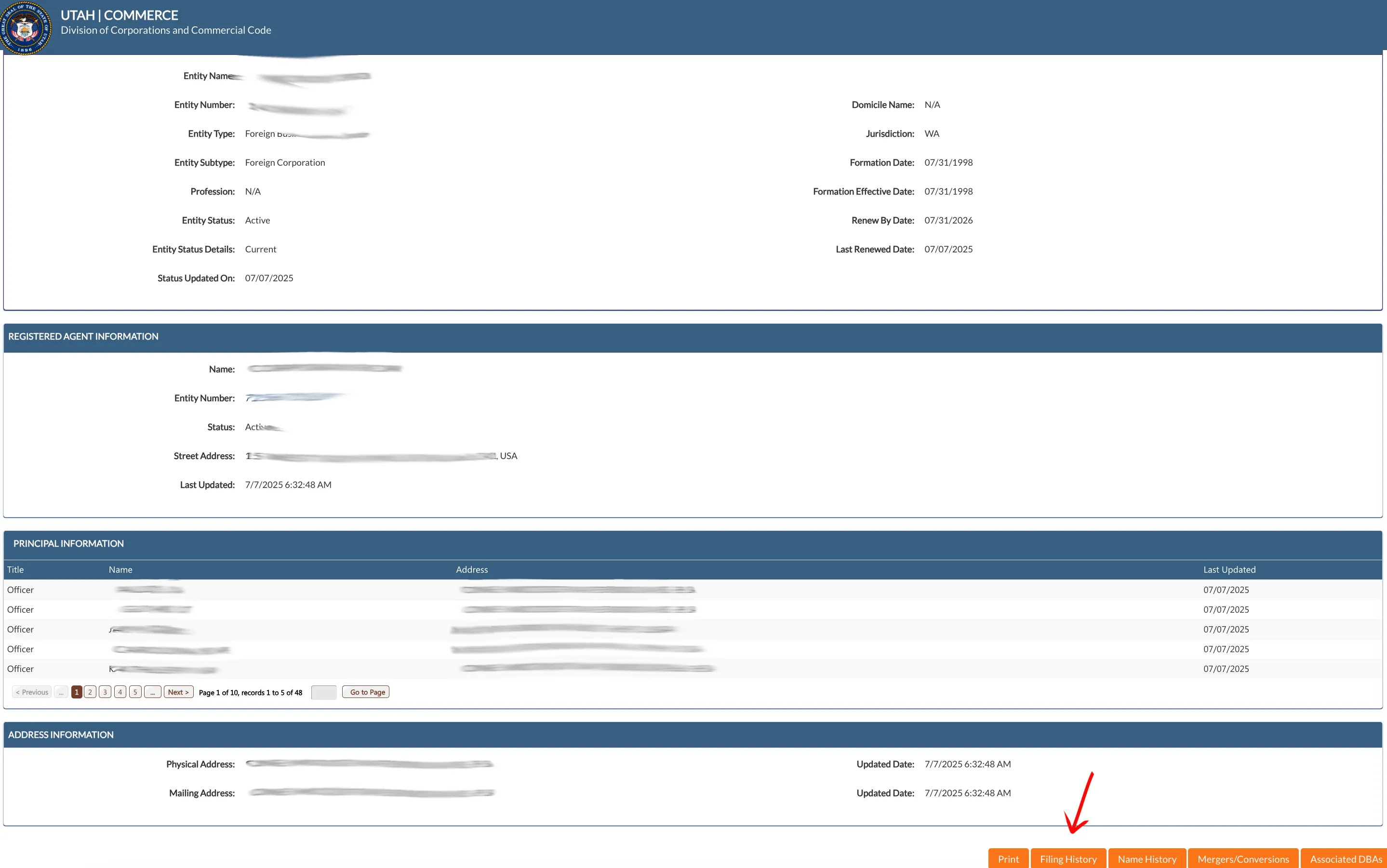
Review the structured information panels on the entity details page:
- Entity Description: Displays the Entity Name, Entity Number, Entity Type, Entity Subtype, Entity Status, and Renew By Date.
- Registered Agent Information: Lists the Registered Agent Name, Type, Status, and Street Address.
- Principal Information: Lists the Names, Titles (e.g., Officer, Director, Member), and Addresses of key principals.
- Address Information: Displays the Physical Address and Mailing Address.
To view additional details, locate the navigation buttons at the bottom right of the page.
View Filing History Details
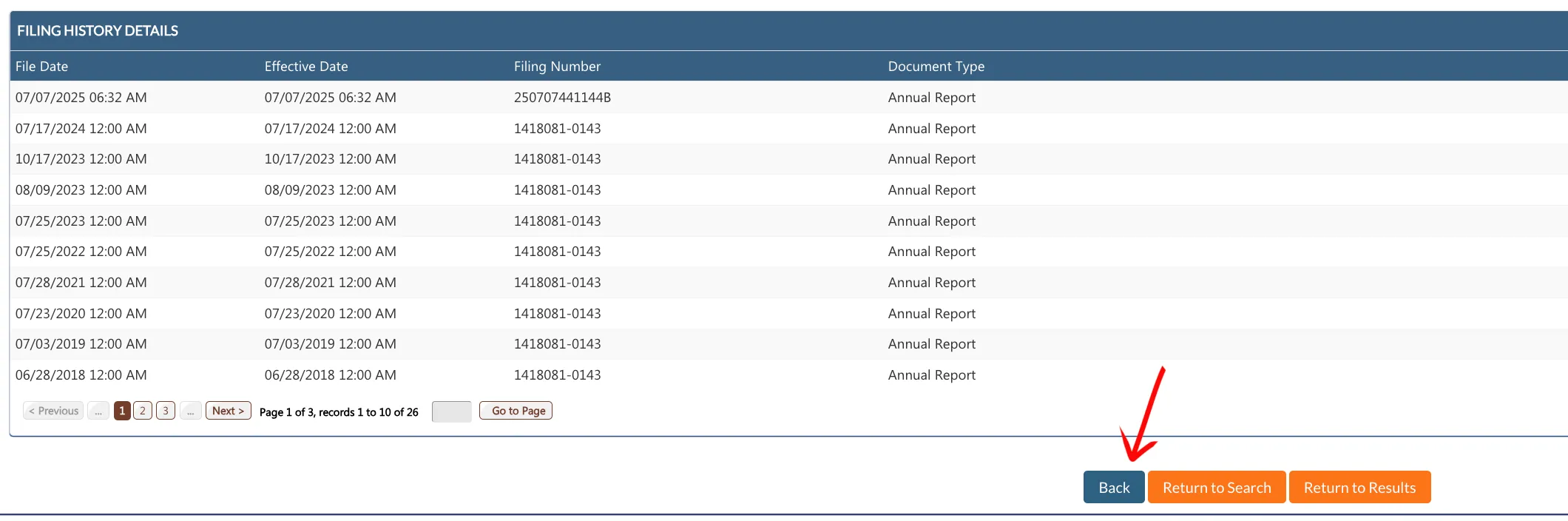
Click the orange Filing History button at the bottom of the details page to open the filing history table. It displays:
- File Date
- Effective Date
- Filing Number
- Document Type (e.g., Annual Report, Certificate of Organization)
View Name History Details
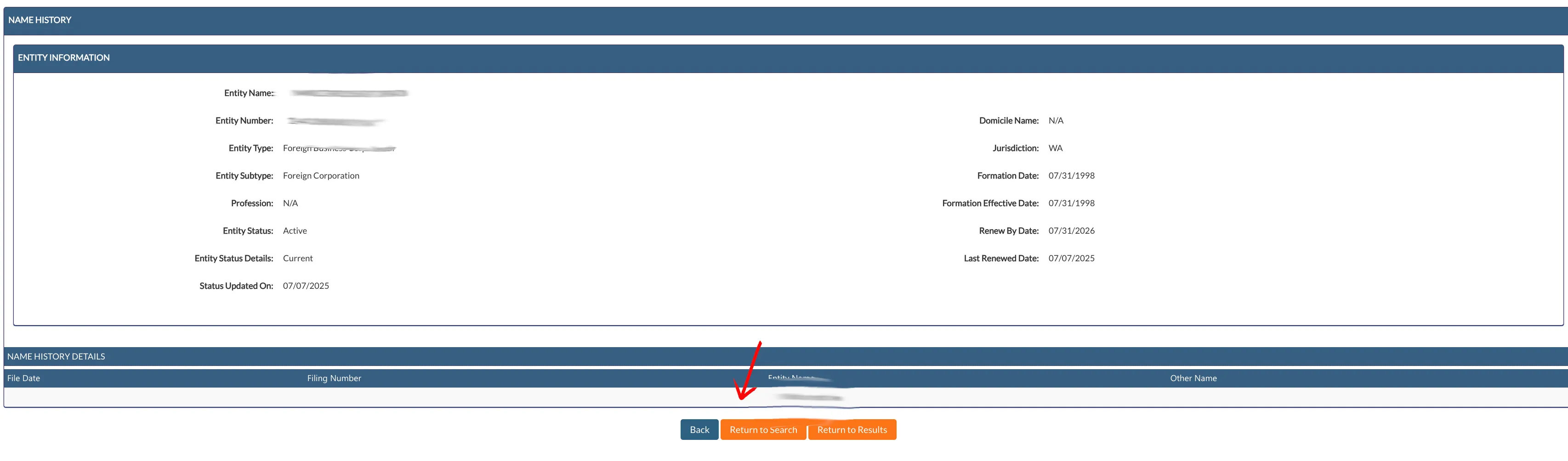
Click the orange Name History button at the bottom of the details page to view the history of names used by the business. It displays:
- File Date
- Filing Number
- Entity Name
- Other Name
View Associated DBA Details
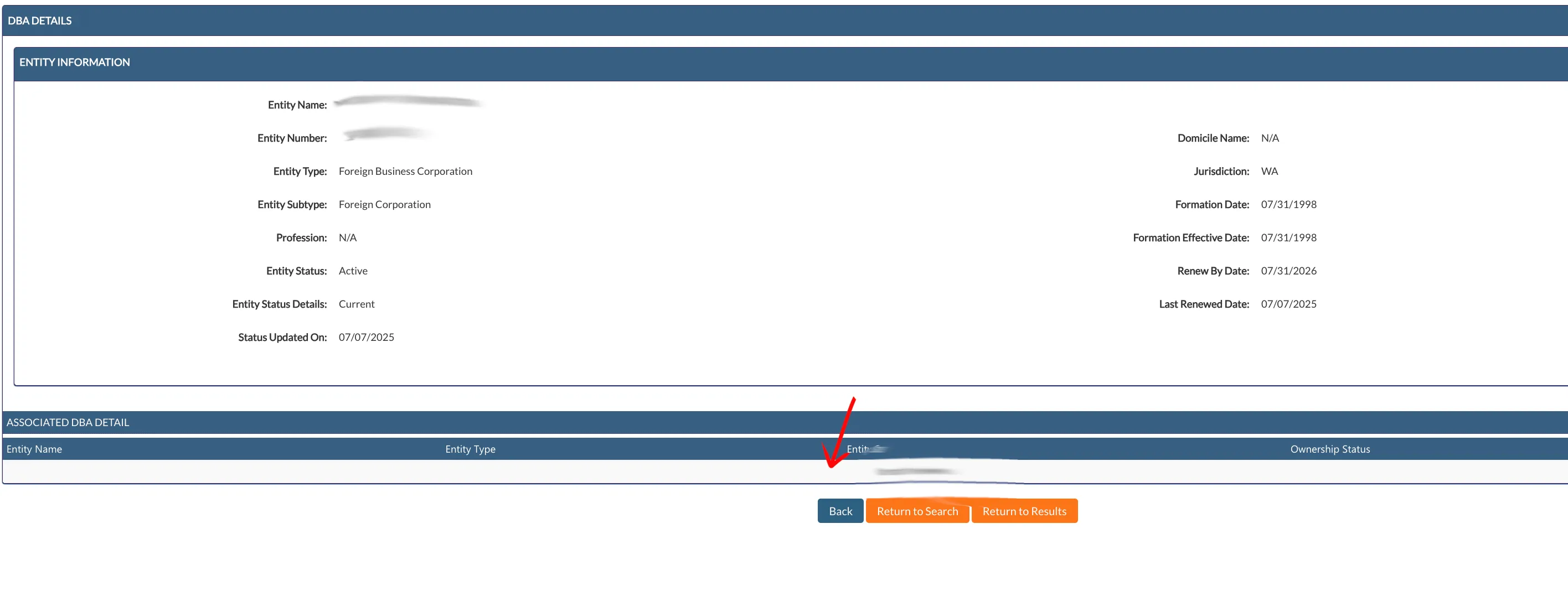
Click the orange Associated DBAs button at the bottom of the details page to view alternative names under which the business operates. The table displays:
- Entity Name
- Entity Type
- Entity Status
- Ownership Status
If the search results return no close matches for Utah, treat that as a preliminary screening signal only. Verify the name in the official state database, and wait for the state filing or name-reservation review before treating the name as accepted.
How to Interpret Utah Results
A business search in Utah helps you verify an existing company’s registration or check if a name is available for a new LLC or corporation:
- Active (Status Details: Current): The business is in good standing and holds the exclusive right to use its name.
- Inactive (Status Details: Administratively Dissolved / Expired / Voluntarily Dissolved): The company is no longer active in Utah. Dissolved or expired names may become available for use, though restrictions or transition periods might apply.
- Name Distinguishability: Under Utah law, a proposed business name must be distinguishable from all other active registered names (including corporations, LLCs, limited partnerships, and trade names). Spacing, punctuation, capitalization, and entity endings (such as LLC, L.L.C., Inc., or Corp.) are not enough to make a name distinguishable.
Utah Business Name and Filing Notes
Utah entity search supports name research, while certificate filings, name reservations, and annual renewals use the Division of Corporations filing workflow:
- Educational Words in Names: The former blanket LLC-name consent requirement for “university,” “college,” and “institute” was removed by 2023 S.B. 180. This does not establish name availability, permission to operate a school, or exemption from other requirements. School activity and misleading school names remain subject to separate rules.
- LLC Filing Fees: Filing the Certificate of Organization for a domestic Utah LLC costs $59.
- Name Reservation: You can reserve a business name for up to 120 days by filing an Application for Reservation of Business Name. The fee is $22.
- Annual Renewals: Utah LLCs must file an annual renewal report with the Division of Corporations. It is due each year on the anniversary of your LLC’s formation date. The annual renewal fee is $18. If you fail to file on time, a $10 late fee is added, and the entity may be administratively dissolved if renewal is neglected.
- Foreign LLCs: To register an out-of-state LLC to do business in Utah, you must file a Foreign Limited Liability Company Application for Registration. The filing fee is $59.
Common Mistakes
- Searching Only the Exact Business Name: Always search for just the core distinctive words of your name. Searching only the full name with designators might miss similar active names that the Secretary of State will reject.
- Including Suffixes in Search Queries: Do not include entity designators like “LLC” or “Inc” in the search box, as the system may return no results or inaccurate matches.
- Missing the Anniversary Renewal Deadline: Utah does not have a single renewal deadline for all businesses; renewals are due on your LLC’s specific formation anniversary. Set a calendar reminder, as late filings incur a penalty and can quickly lead to administrative dissolution.
- Assuming Initial Results Guarantee Approval: A search that returns no matches is a helpful first step, but only the Division of Corporations can officially approve your business name when processing the formation documents.
Sources Reviewed
Search beyond Utah
Company names are registered state by state, so a name that is taken in Utah may still be available elsewhere. The Secretary of State business search directory lists the official registry, agency contacts, and filing fees for all 50 states, the free LLC lookup guide covers name checks and LLC record details in every state, and our guide to nationwide business entity search explains how to check several states at once.
Registering in a nearby state instead? See the Nevada business entity search, Arizona business entity search, and Idaho business entity search guides.