
Quick Answer
Use the Arkansas Secretary of State corporation search portal to run an Arkansas entity search by business name, fictitious name, registered agent, registered agent city or state, corporation type, or filing number. For most name checks, start with the Name field, then review exact and similar records before treating a name as usable. A no-match result is only preliminary; final approval comes through the state filing or reservation review.
How to Search Arkansas Business Entity Records
Arkansas provides a public Secretary of State search portal for corporations, LLCs, partnerships, banks, insurance companies, name reservations, fictitious names, and other registered records. The form requires at least one search term or selected criterion before it will run a query.
Access the Entity Database
Go directly to the Arkansas Secretary of State business entity search page at https://sos-corp-search.ark.org/corps. The portal allows you to search existing business entities, review public record details, access certificates of good standing, and find related filing options.
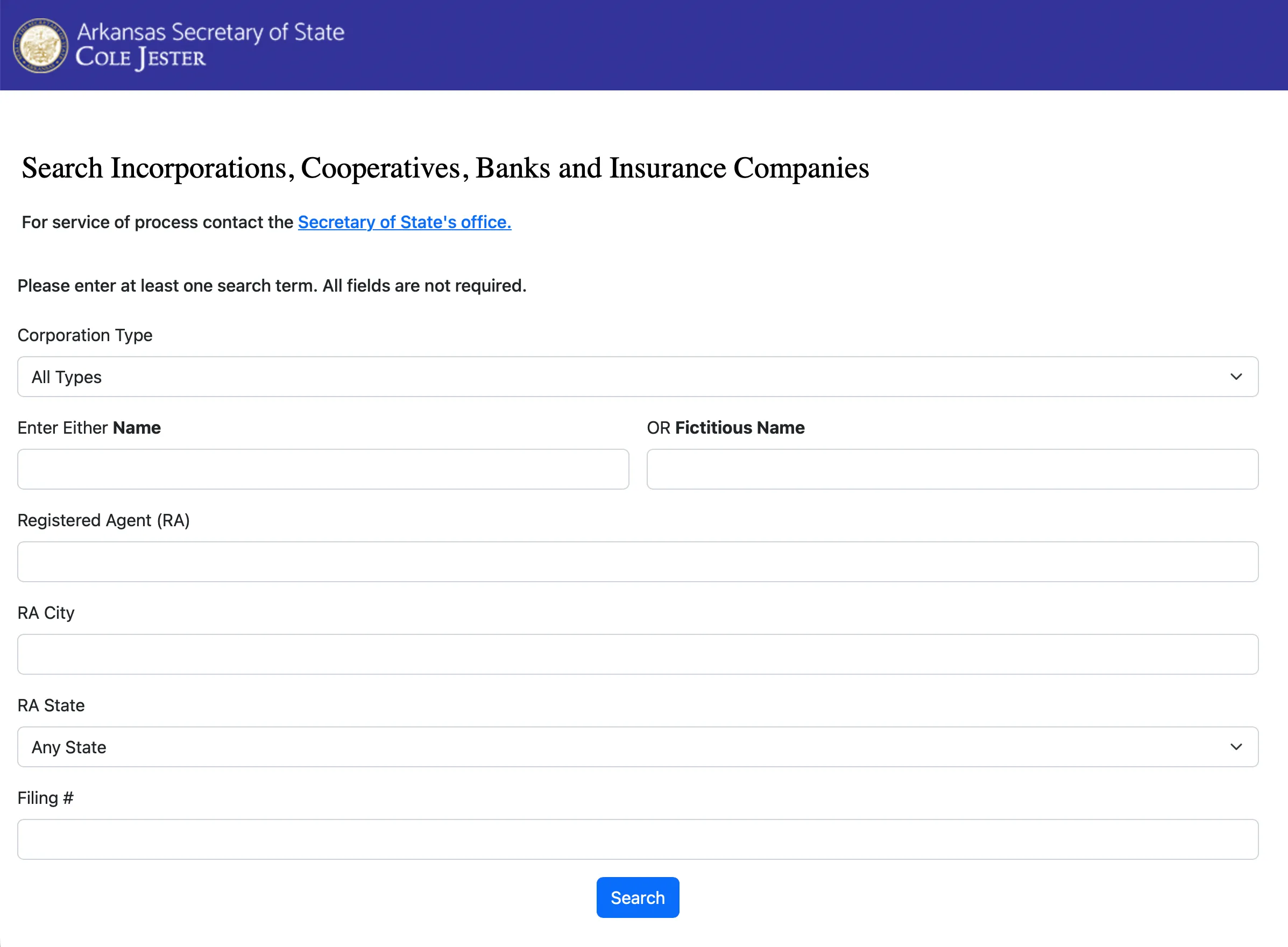
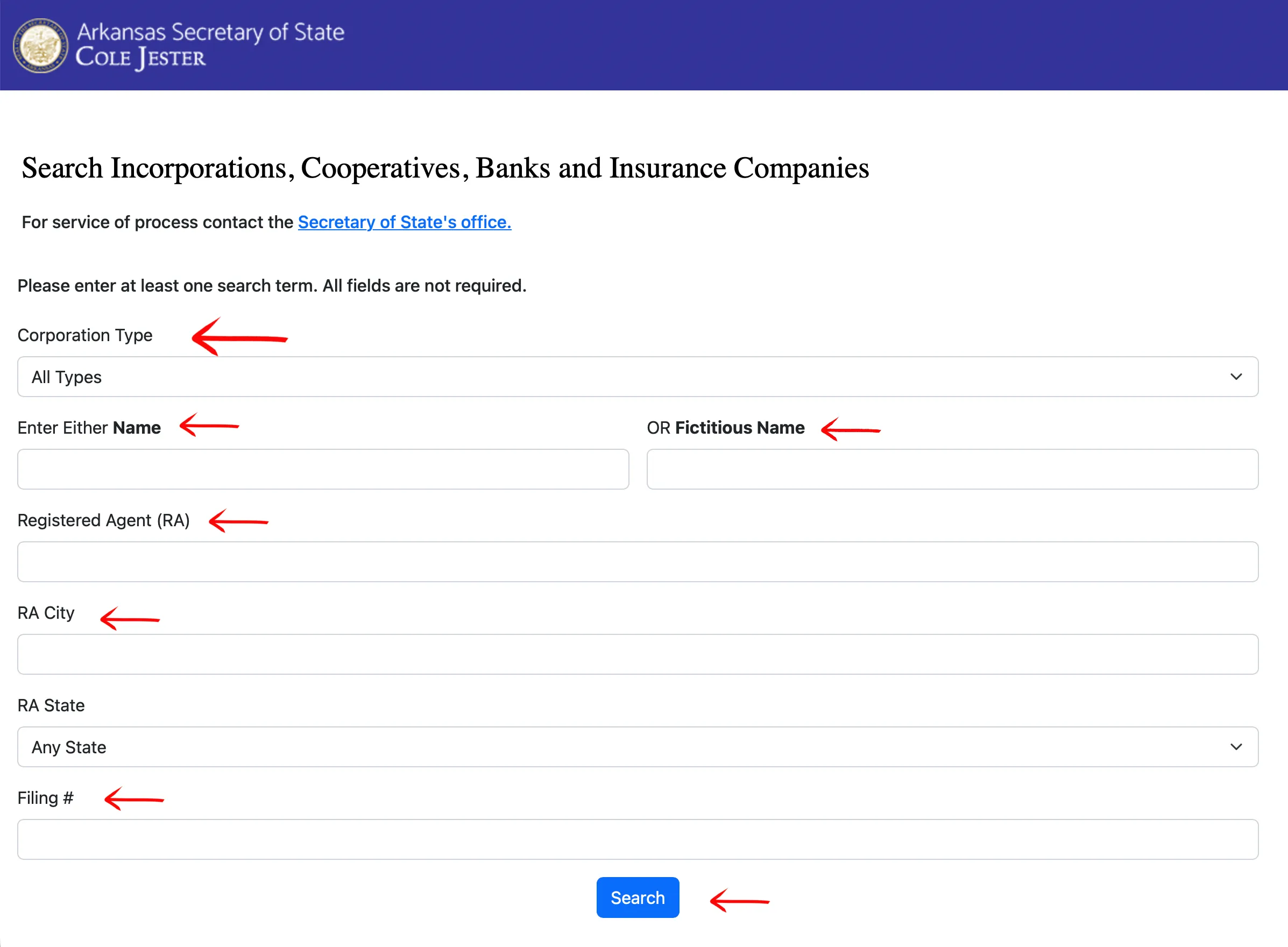
Choose Your Search Parameters
Review the search options on the page. Arkansas requires you to enter text into a field or select at least one drop-down criterion before starting a search. Providing more specific information can narrow the results.
The available search fields include:
- Corporation Type
- Name
- Fictitious Name
- Registered Agent (RA)
- RA City
- RA State
- Filing Number
For a business name check, type the core name into the Name field first. Avoid relying only on an entity ending such as LLC, Inc., or Corp. Click “Search” after entering your criteria.
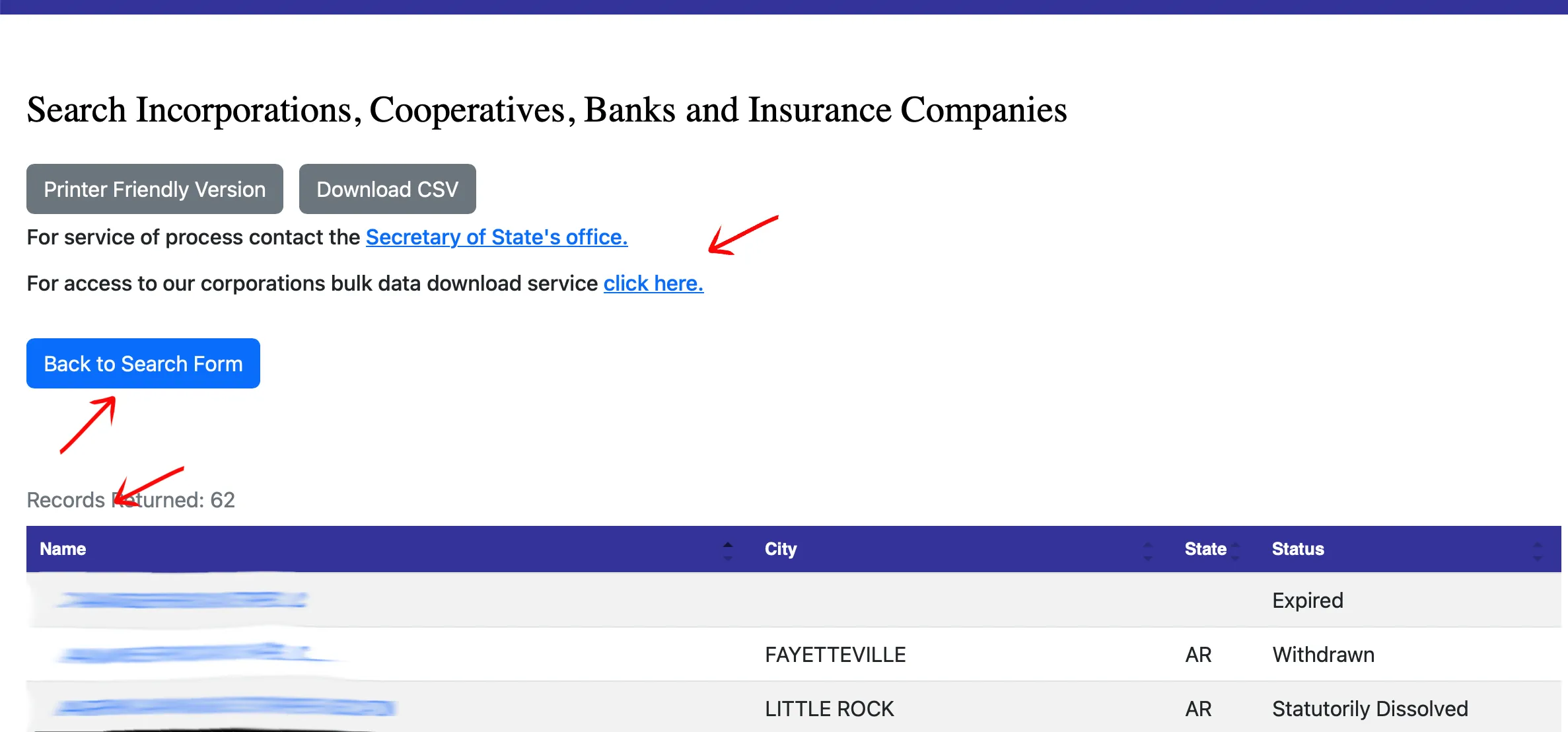
Review the Search Results
Examine the search results table for exact matches and close variations. The table helps identify possible conflicts by showing:
- Name
- City
- State
- Status
If a returned entity appears relevant, click the entity name to open the detail record. For name planning, review both active and inactive records because older records, fictitious names, and similar wording can still matter when the state reviews a new filing.
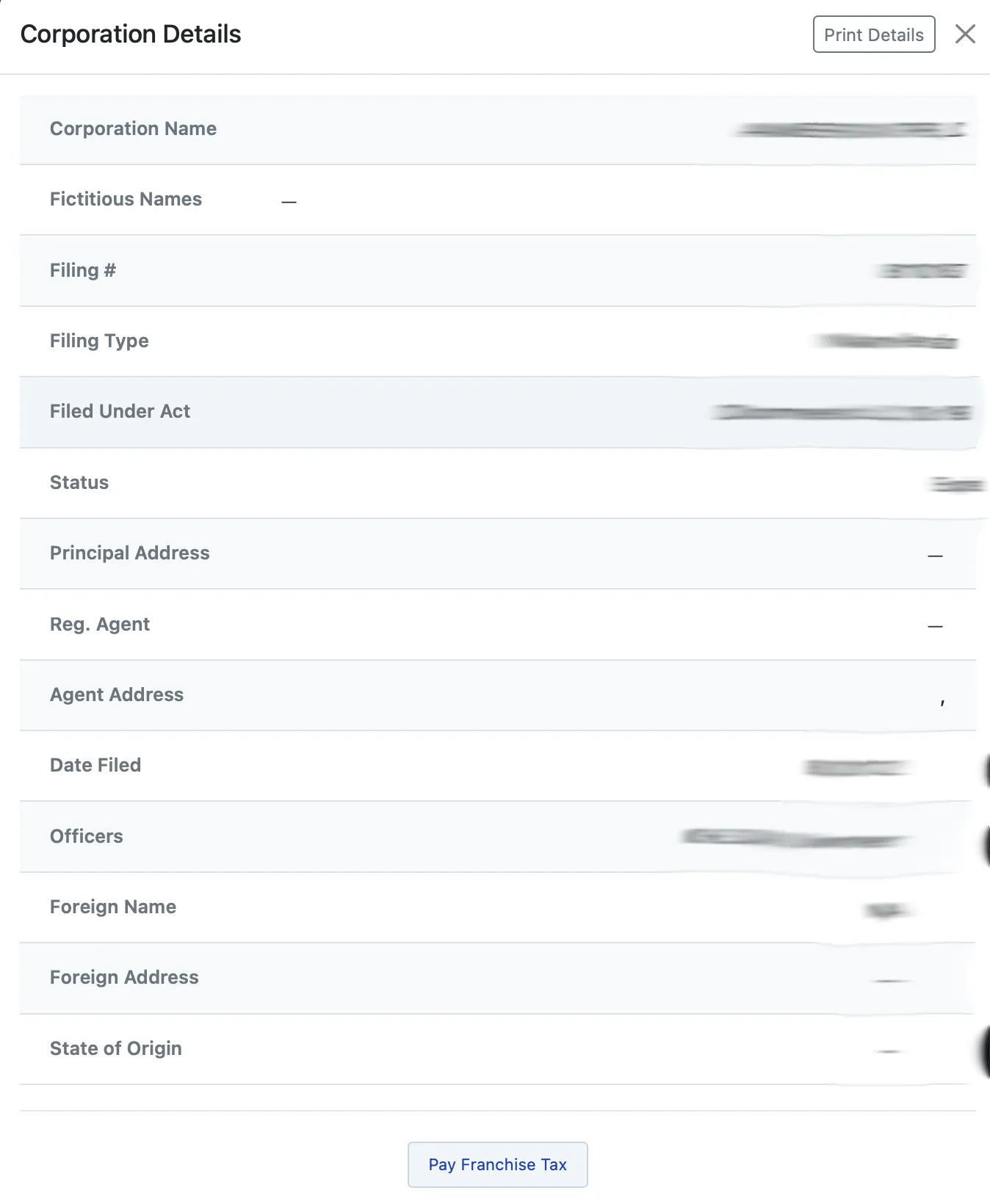
Explore the Entity Details
Clicking an entity name opens the Details window. This page includes options to print the record, contact the Secretary of State for service of process, or log in if you use the bulk data download system.
The details page displays entity information as stored with the state, including:
- Corporation Name
- Fictitious Name
- Filing Number
- Filing Type
- Filed Under Act
- Status
- Principal Address
- Registered Agent
- Agent Address
- Date Filed
- Officers
- Foreign Name
- Foreign Address
- State of Origin
At the bottom of the page, Arkansas may provide options related to a Certificate of Good Standing or franchise tax payment for the entity. If your search returns no close matches, treat that as a useful signal, not a final name approval.
If the search results return no close matches for Arkansas, treat that as a preliminary screening signal only. Verify the name in the official state database, and wait for the state filing or name-reservation review before treating the name as accepted.
How to Interpret Arkansas Results
An Arkansas result can show whether a business record exists, whether the entity is active or inactive, and which registered agent or address is on file. For name planning, compare the core wording of each result before entity designators such as LLC, Inc., Corp., LP, or nonprofit wording.
Do not rely on one exact spelling only. Arkansas search results can include fictitious names, name reservations, foreign entities, and other record types that may affect how similar a proposed name looks. No result is a helpful signal, but the Arkansas Secretary of State makes the final filing decision.
Arkansas Business Name and Filing Notes
The Arkansas Secretary of State Business and Commercial Services division handles both formation and the recurring filing that keeps a name on the register.
- Certificate of Organization (domestic LLC): $45 filed online, $50 on paper.
- Name reservation: $22.50 filed online, $25 on paper. Arkansas prices the paper and online paths separately for reservations and fictitious name filings as well, so the figure you budget depends on how you file.
- Annual franchise tax: $150, due May 1 each year. This is the number that matters most when reading someone else’s record.
The franchise tax is what makes Arkansas records worth a second look during name research. It is an annual obligation, and failure to pay can bring penalties, interest, or revocation. A name that appears to be locked up by an existing entity may belong to one that has stopped paying, so check the record’s status rather than assuming an occupied name is permanently occupied. A revoked entity still holds its name until the state acts on it, so this is a reason to look more closely, not a green light.
Before forming or registering an entity, review the current Secretary of State forms, fees, and franchise tax instructions, because requirements vary by entity type and filing method.
Common Mistakes
- Searching only the exact legal name and missing fictitious names or close variations.
- Assuming “no results” is the same as formal state name approval.
- Searching only active records and ignoring inactive, reserved, foreign, or fictitious-name records.
- Using a third-party directory instead of the official Arkansas Secretary of State portal.
- Forgetting that franchise tax obligations are separate from the initial entity search.
Sources Reviewed
- Arkansas Secretary of State Business Entity Search
- Arkansas Secretary of State LLC Forms and Fees
- Arkansas Secretary of State Franchise Tax Report Forms
- Arkansas Secretary of State Business Services FAQ
Search beyond Arkansas
Company names are registered state by state, so a name that is taken in Arkansas may still be available elsewhere. The Secretary of State business search directory lists the official registry, agency contacts, and filing fees for all 50 states, the free LLC lookup guide covers name checks and LLC record details in every state, and our guide to nationwide business entity search explains how to check several states at once.
Registering in a nearby state instead? See the Texas business entity search, Missouri business entity search, and Tennessee business entity search guides.