
Quick Answer
Use the Connecticut Secretary of the State Business Records Search to run a Connecticut entity search by full or partial business name. The public search can show matching records, status, principals, agents, filing history, name history, and report timing, but it does not replace the state’s final filing review. Treat a no-match search as preliminary until Connecticut accepts the filing or reservation.
How to Search Connecticut Business Entity Records
Connecticut business records are searched through Business.CT.gov and the Secretary of the State’s online business search. Start with a partial name when checking availability, then open individual records to review status, annual report details, principal information, and registered agent information.
Access the Search Portal
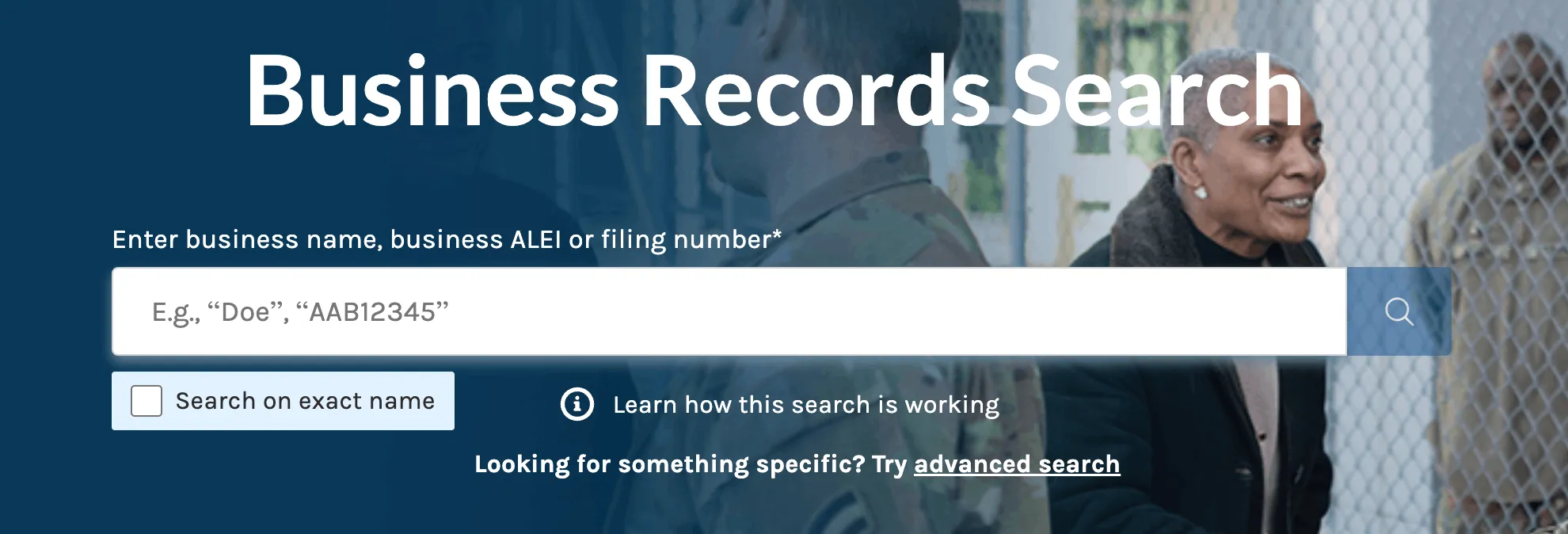
Go to the Business Records Search page maintained by the Connecticut Secretary of the State at https://service.ct.gov/business/s/onlinebusinesssearch?language=en_US.
Enter Your Business Name
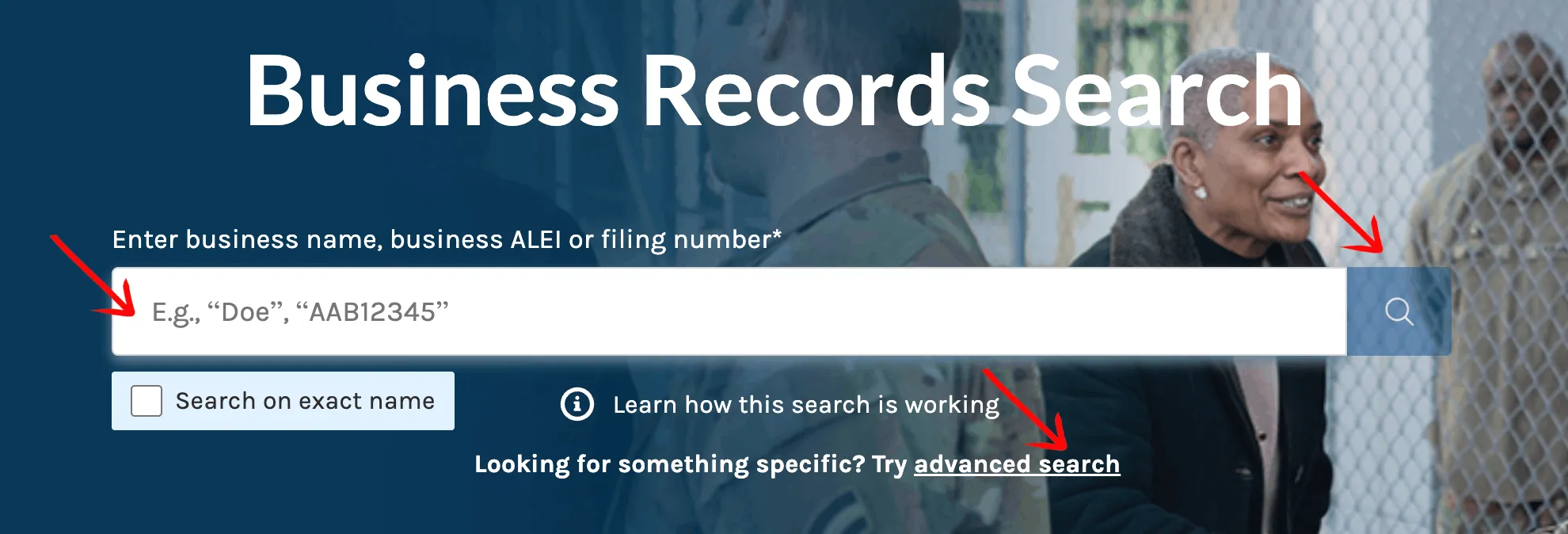
Type the full or partial business name into the search box. To search for an exact match, select the checkbox below the search box. Click the magnifying glass icon to execute the query.
For name planning, search the core words first before adding LLC, Inc., Corporation, Company, or another entity ending. A partial search can reveal close records that an exact-only search may miss.
Use Advanced Search
If you need specific parameters, click the advanced search link. On the advanced search page:
- Select the business type from the dropdown menu.
- Enter your desired keyword or business name into the text box.
- Click the magnifying glass to search the database.
Advanced search is useful when a common word returns too many entities or when you need to focus on a particular business type.
Review the Search Results
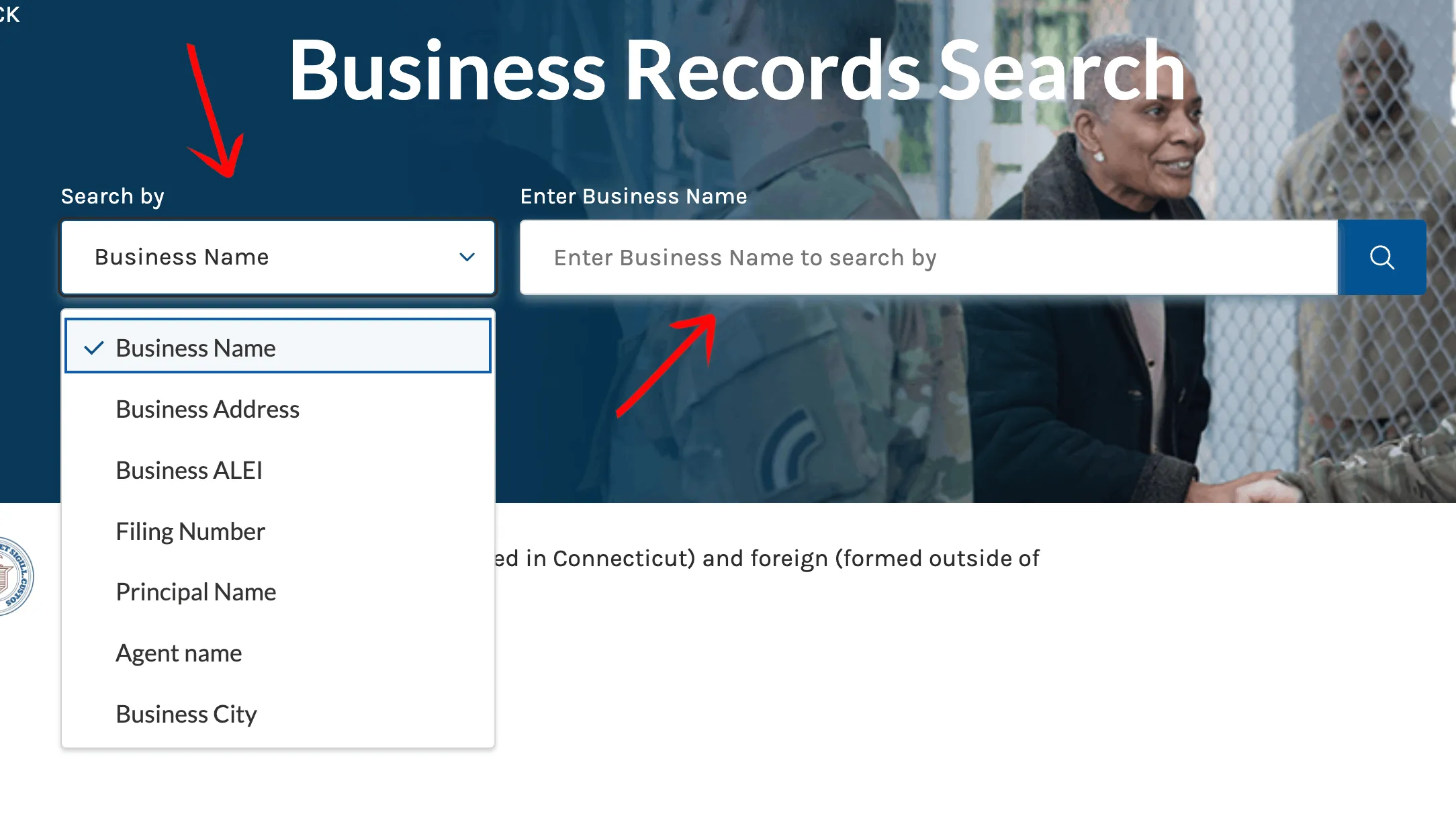
The search results display matching business entity records. Each record presents:
- US-CT BER Number
- Business Name
- Address
- Principal
- Agent
- Status
- Follow Business option
To narrow extensive results, apply the filters on the left side of the page. You can supply dates and check boxes for:
- Business Start Date
- Business End Date
- Business Status
- Business Type
- Entity Type
Click anywhere on a specific record to view more information about that entity.
View Detailed Entity Information
Once you select a record, a new page displays the business details. The General Information section includes:
- Business Name
- Business Status
- Citizenship or Place of Formation
- Business Address
- Requires Annual Report?
- Annual Report Due
- Public Substatus
- NAICS Code
- Business ALEI
- Date Formed
- Business Type
- Mailing Address
- Last Report Filed
- NAICS Sub Code
The Principal Details section opens by default and includes:
- Principal Name
- Principal Title
- Principal Business Address
- Principal Residence Address
The Agent Details section displays:
- Agent Name
- Agent Business Address
- Agent Mailing Address
- Agent Residence Address
You can expand three additional sections:
- Filing History
- Name History
- Shares
Use the “Print Business Details” button if you need a copy of the record. If the search returns no close matches, treat that as a useful signal, not final Connecticut name approval.
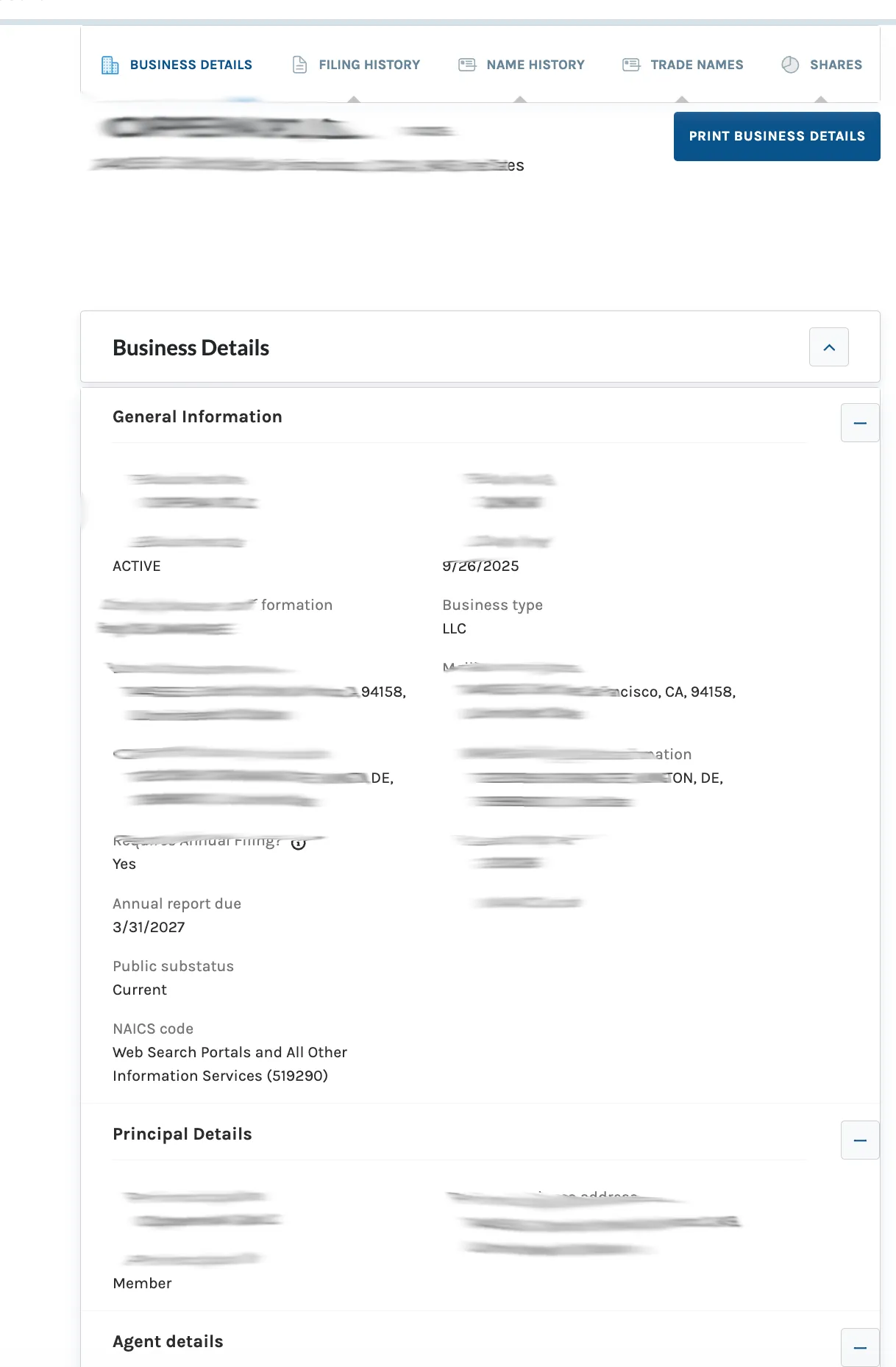
If the search results return no close matches for Connecticut, treat that as a preliminary screening signal only. Verify the name in the official state database, and wait for the state filing or name-reservation review before treating the name as accepted.
How to Interpret Connecticut Results
A Connecticut result can show whether an entity exists, whether it is active or in another status, who the listed principal and agent are, and whether annual report information is available. For name planning, review exact matches, close variations, business type filters, and the Name History section when available.
The Connecticut Business Services page says users can search by business name or business ID and then use the Business Inquiry screen to see when the last annual report was filed and when the next report is due. That makes the detail page important for both name research and existing-entity review.
Connecticut Business Name and Filing Notes
Connecticut’s business fee resources list a $120 filing fee for a domestic LLC Certificate of Organization and an $80 LLC annual report fee. The annual report filing period for LLCs runs from January 1 through March 31.
Connecticut name reservation forms list a $60 filing fee and state that a reserved name is effective for 120 days. Use reservation only when you need to hold a name before filing; a business records search alone is not a reservation.
Common Mistakes
- Searching only exact matches and missing close partial-name records.
- Ignoring the advanced search filters when a common name returns too many results.
- Treating a no-result search as final state approval.
- Reviewing the result card but not opening the detailed business record.
- Missing the Name History, Filing History, or annual report due information on the detail page.
- Confusing a business entity search with a formal name reservation.
Sources Reviewed
- Connecticut Business Records Search
- Connecticut Secretary of the State Business Services
- Connecticut Business Forms and Fees
- Connecticut Domestic Annual Report Forms and Fees
- Connecticut Application for Reservation of Name
Search beyond Connecticut
Company names are registered state by state, so a name that is taken in Connecticut may still be available elsewhere. The Secretary of State business search directory lists the official registry, agency contacts, and filing fees for all 50 states, the free LLC lookup guide covers name checks and LLC record details in every state, and our guide to nationwide business entity search explains how to check several states at once.
Registering in a nearby state instead? See the New York business entity search, Massachusetts business entity search, and Rhode Island business entity search guides.