
Quick Answer
Use the Pennsylvania Department of State Business Search portal to run a Pennsylvania entity search by business name or filing details. For name research, enter the proposed wording, use status or match filters, and compare matching records before filing. A no-match result is only preliminary until Pennsylvania reviews the filing or reservation.
How to Search Pennsylvania Business Entity Records
Pennsylvania business registrations are administered by the Bureau of Corporations and Charitable Organizations of the Pennsylvania Department of State. The department provides a free online portal to search registered business entities.
Access the Pennsylvania Business Entity Search
Go to the official Pennsylvania Business Entity Search portal to begin.
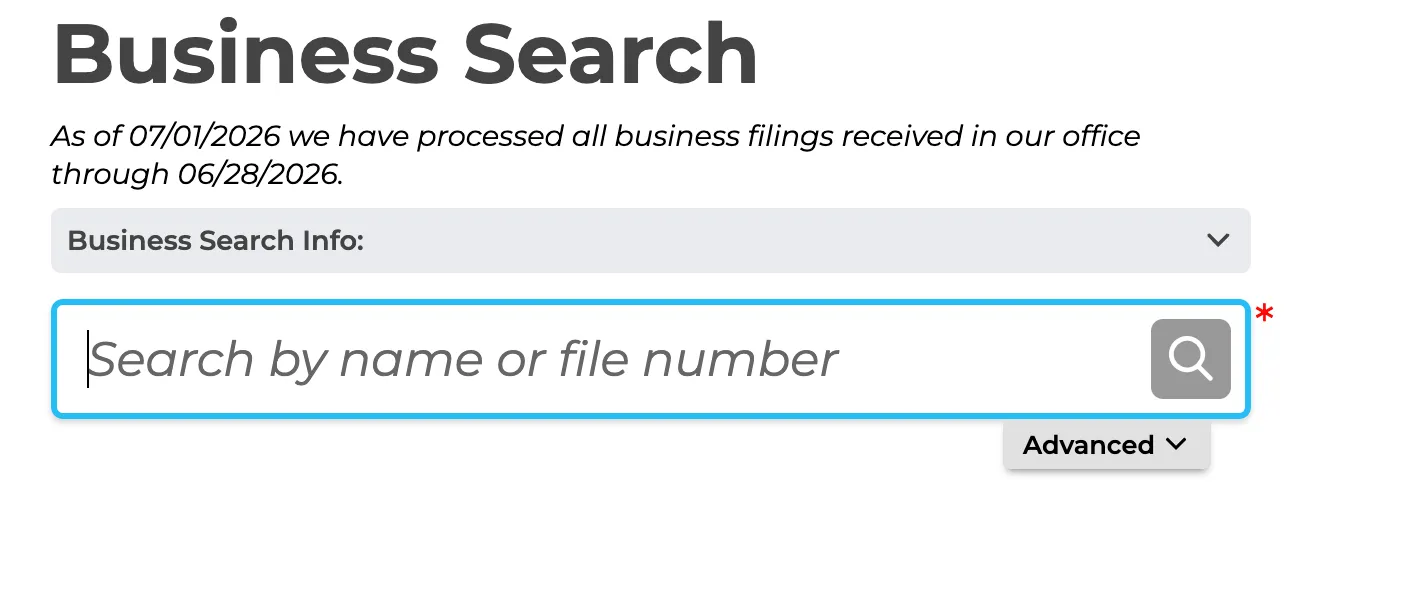
Enter Your Search Preferences
Choose between two available search methods to check a business name:
- Simple Query: Type the word you want the tool to find and click the “Select” button.
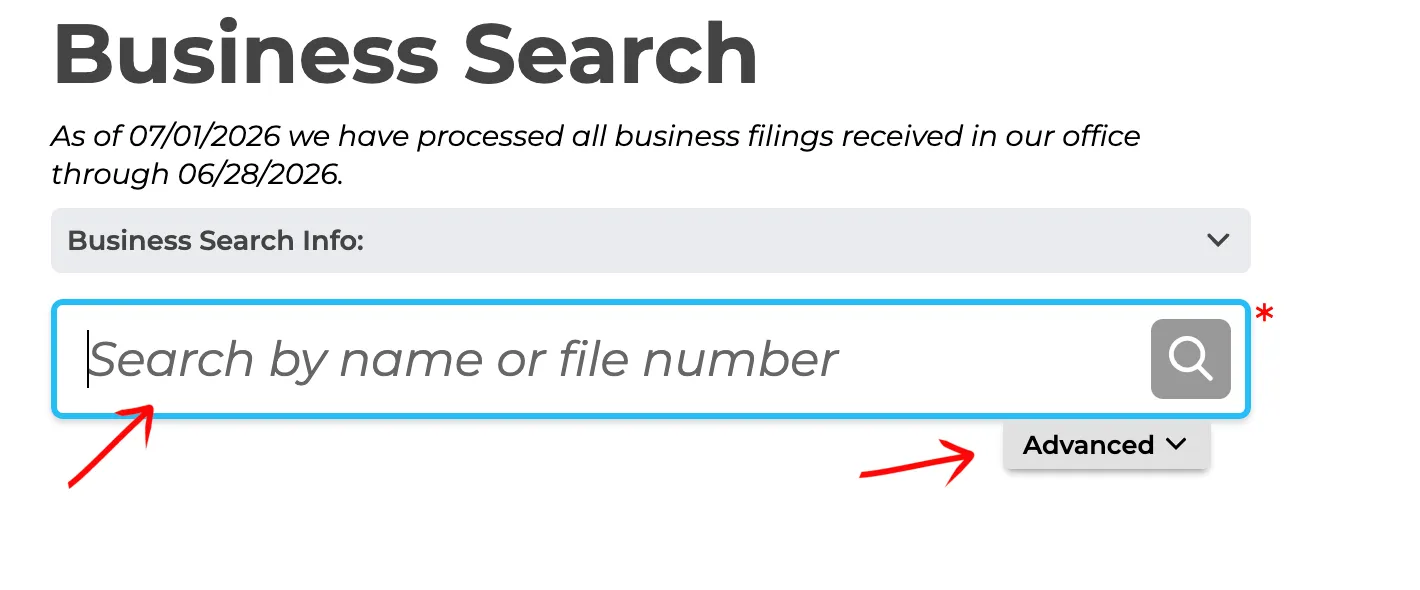
- Advanced Search: Select “Advanced” to run a tighter search. Define specific parameter options such as word placement or dates, then click the “Search” button.
The available search filters include:
- Contains
- Starts With
- Filing Type
- Status
- Filing Date
Review the Search Results
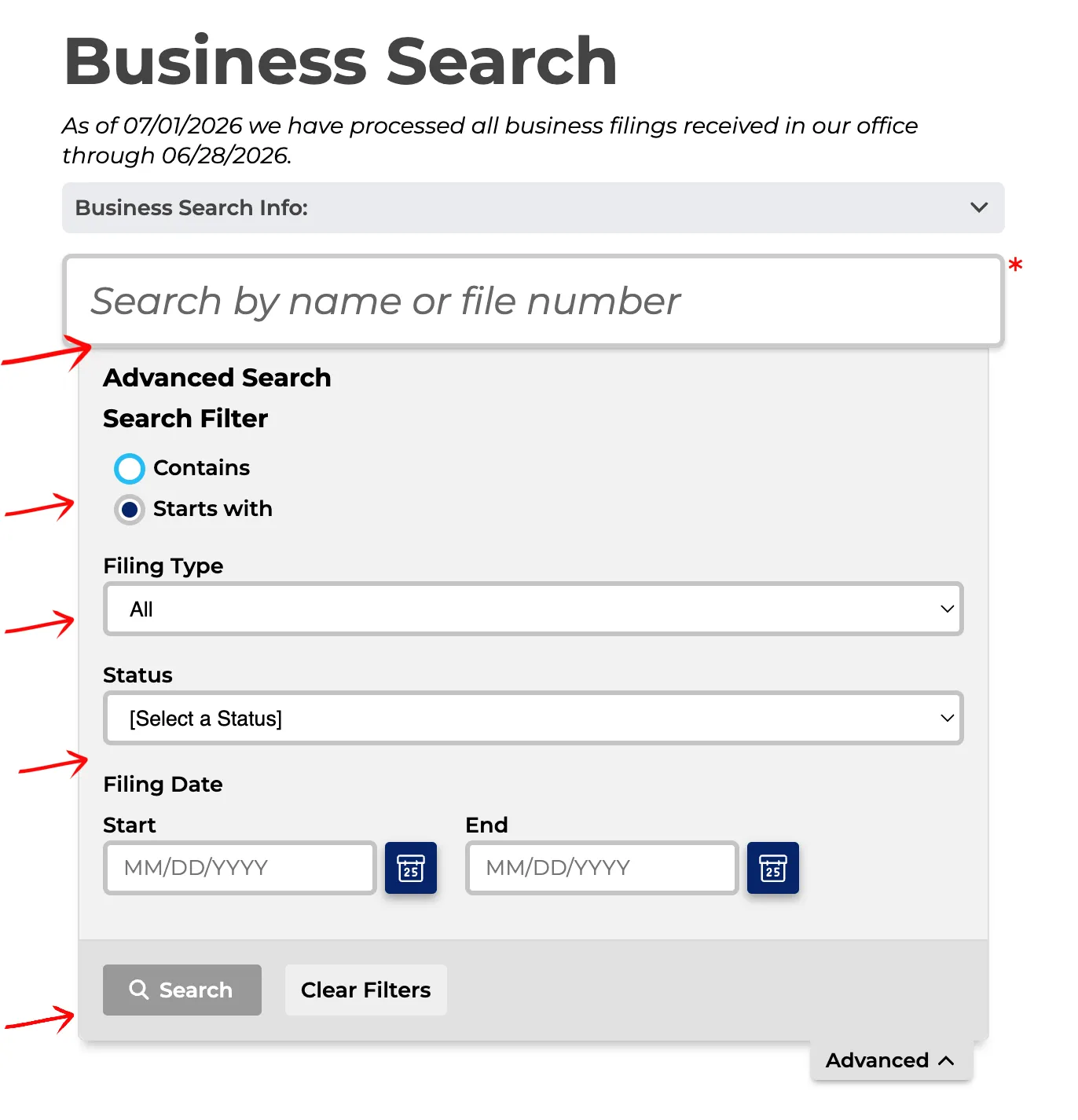
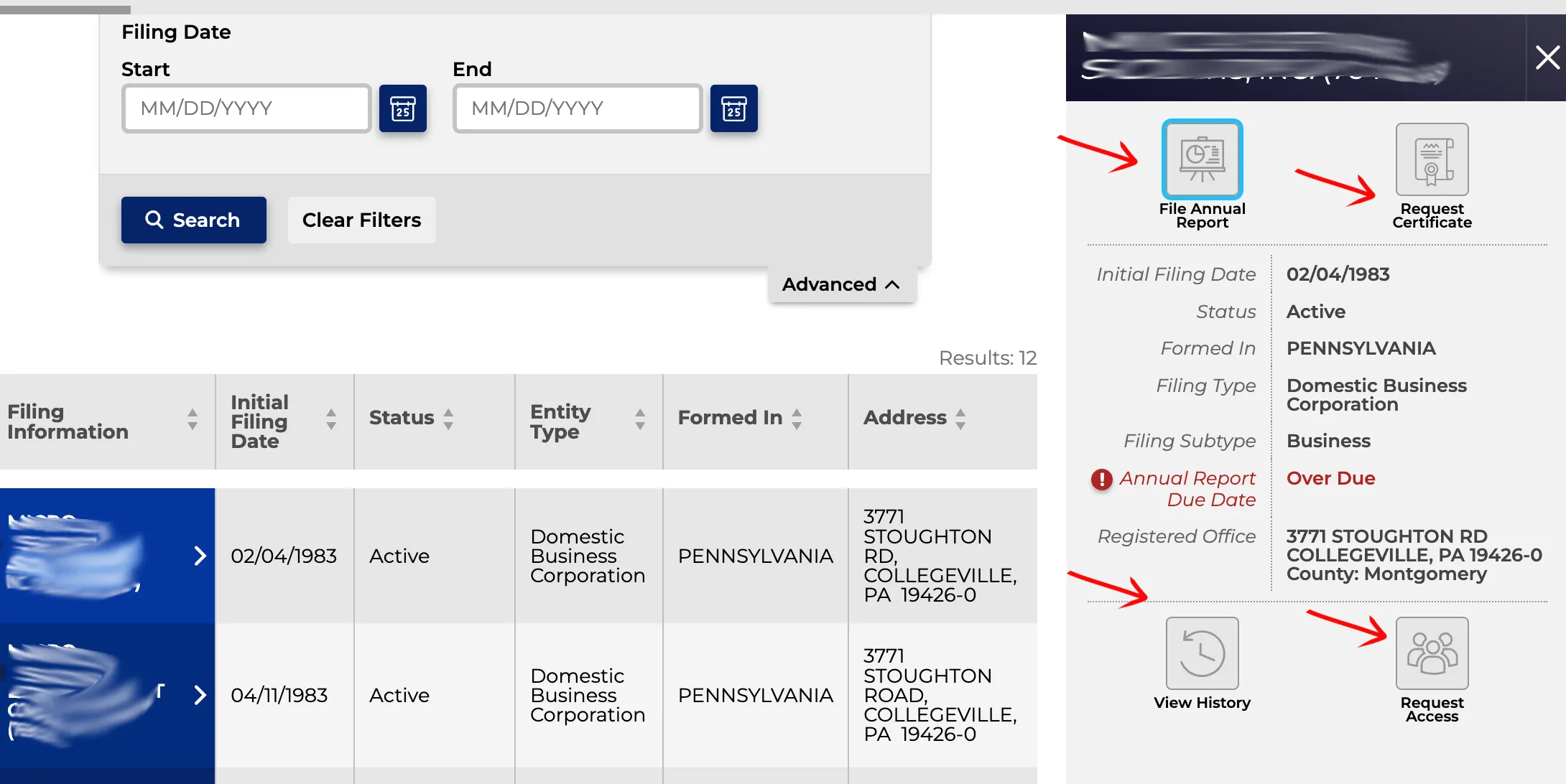
Look below the search area to view the results. Each row presents columns of information describing the entity. Click on the specific entity name in the first column to view its details. The columns include:
- Filing Information
- Initial Filing Date
- Status
- Entity Type
- Formed In
- Address
Review Entity Details
Look to the right side of the page after selecting the entity name. Review the public details, access the filing history, and request more information. The available information and service options depend on the specific entity type, such as managers for an LLC or owners for a partnership. This section includes:
- Request Certificate
- Initial Filing Date
- Status
- Formed In
- Filing Type
- Principal Address
- Interested Individuals
- View History
View Filing History
Click the View History button in the details panel to open the historical filings log. You can inspect previous filings, amendments, and annual report filings, and access individual filing PDFs when available.
If the search results return no close matches for Pennsylvania, treat that as a preliminary screening signal only. Verify the name in the official state database, and wait for the state filing or name-reservation review before treating the name as accepted.
How to Interpret Pennsylvania Results
A Pennsylvania business search helps you verify registration details or determine name availability:
- Active: The business is active, registered, and holds the exclusive right to use its name in the state.
- Inactive / Dissolved / Canceled: The company registration has ended. Names of dissolved or canceled entities may become available for registration, subject to transition rules.
- Name Distinguishability: Under Pennsylvania law, a proposed business name must be distinguishable from all other active registered names (including corporations, LLCs, limited partnerships, and registered trade names). Minor differences in spacing, punctuation, capitalization, or entity designators (like LLC, L.L.C., Inc., or Corp.) do not make a name distinguishable.
Pennsylvania Business Name and Filing Notes
Pennsylvania filing follow-up happens through Department of State records and the newer annual report system, so separate the name search from formation and maintenance filings:
- LLC Filing Fees: Filing a Certificate of Organization for a domestic Pennsylvania LLC costs $125.
- Name Reservation: You can reserve a business name for up to 120 days by filing a Name Reservation application. The fee is $70.
- Annual Reports: Effective starting 2025, Pennsylvania LLCs must file an annual report between January 1 and September 30. The filing fee is $7. The first report is due in the year after the LLC is formed in Pennsylvania or first registers there as a foreign LLC.
- Foreign LLCs: To register an out-of-state LLC to do business in Pennsylvania, you must file a Foreign Registration Statement (Form 15-412). The fee is $250.
Common Mistakes
- Searching Only the Exact Proposed Name: Always run queries using just the core words of your name. If you only search the exact spelling, you might miss similar active names that the Department of State will reject as indistinguishable.
- Including LLC Suffixes in Search Queries: Do not include entity endings like “LLC” or “Inc” in the search box. The search system may return no results or fail to show matching similar records.
- Forgetting the New Annual Report Requirement: Annual reports are required starting in 2025, even during the transition period before enforcement begins. For reports due in 2027 and later, failure to file subjects a domestic LLC to administrative dissolution, or a foreign LLC to termination of its Pennsylvania registration, six months after the report deadline.
- Assuming Availability Equals Official Approval: A search showing no matching results is a preliminary indicator of availability, but only the Department of State can officially approve your name when they process your filing.
Sources Reviewed
- Pennsylvania Department of State Business Entity Search
- Pennsylvania Department of State Business Fees and Payments
- Pennsylvania Department of State Annual Reports FAQ
- Pennsylvania Department of State Bureau of Corporations Contact Info
Search beyond Pennsylvania
Company names are registered state by state, so a name that is taken in Pennsylvania may still be available elsewhere. The Secretary of State business search directory lists the official registry, agency contacts, and filing fees for all 50 states, the free LLC lookup guide covers name checks and LLC record details in every state, and our guide to nationwide business entity search explains how to check several states at once.
Registering in a nearby state instead? See the New York business entity search, Ohio business entity search, and New Jersey business entity search guides.