
Quick Answer
Use the District of Columbia DLCP BOSS portal to search business and licensing records by business name, address, license number, person name, or initial file number. For name research, select Business Name and choose Contains, Starts With, or Exact Match. A no-match result is only preliminary until DLCP reviews the filing or reservation.
How to Search District of Columbia Business Entity Records
The Corporations Division of the DC Department of Licensing and Consumer Protection (DLCP) oversees business registrations, trade names, and corporate filings in Washington D.C. Corporate registry data is accessible for free online.
Access the Search Portal
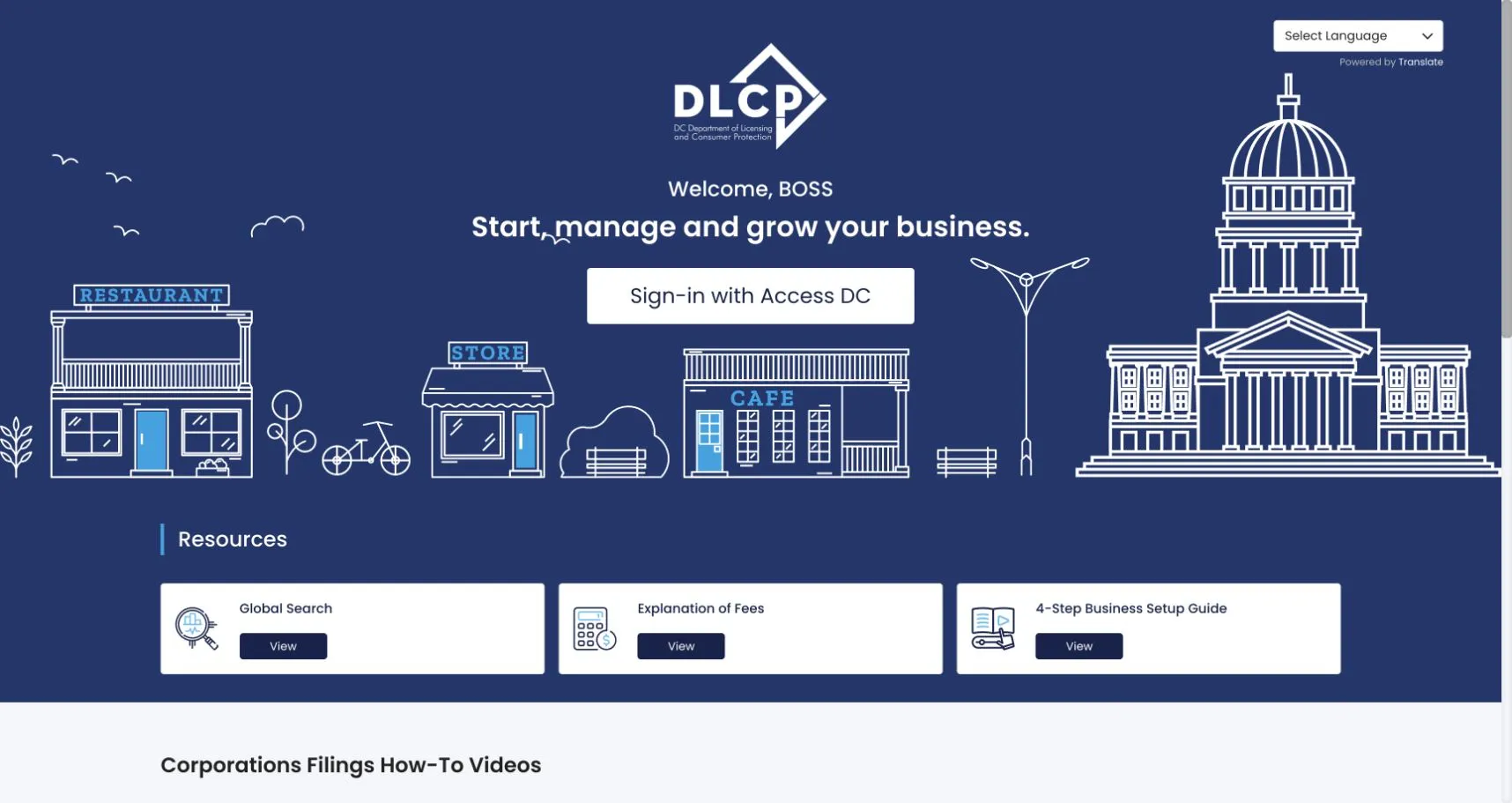
Go to the official District of Columbia BOSS portal to begin. You do not need to sign in for a public record search. In the Resources section, select View under Global Search.
Enter Search Parameters
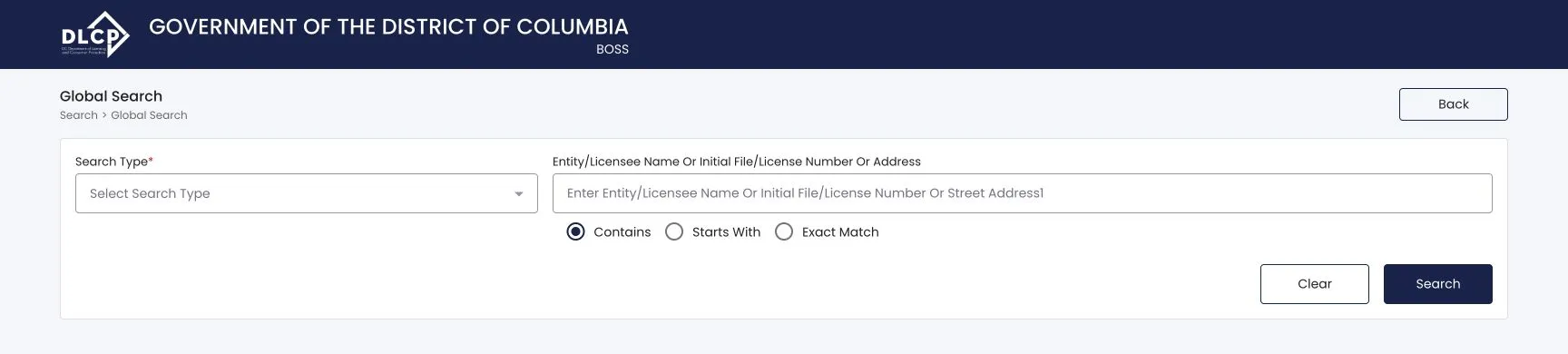
Choose one of the five options under Search Type:
- Business Name
- Address
- License Number
- Person Name
- Initial File Number
For a business name search, select Business Name and type the core words from the name. Choose Contains to find the broadest set of candidates, Starts With to narrow the beginning of the name, or Exact Match when checking a known record.
Select Search after entering the criteria.
Complete User Verification
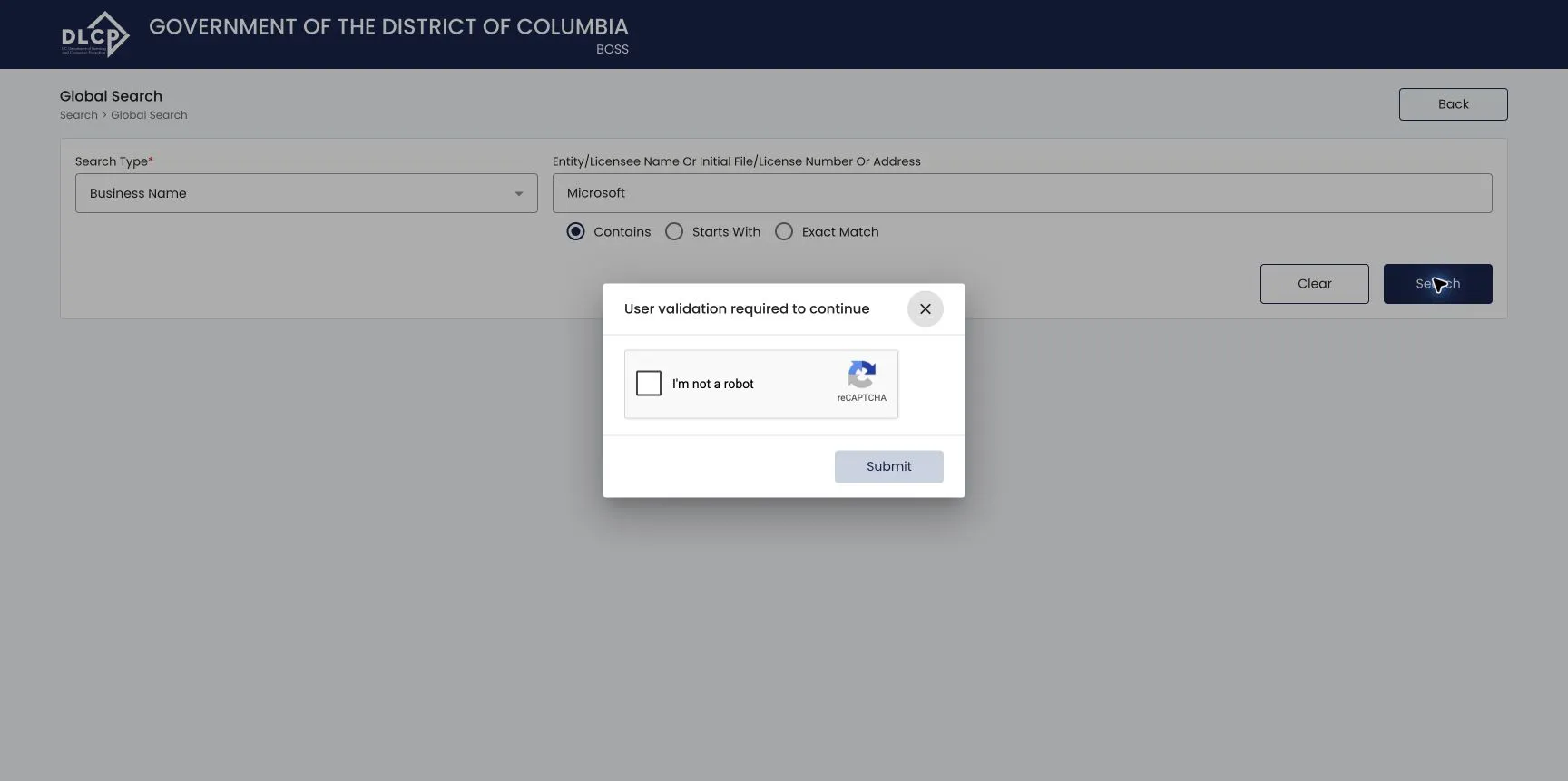
Confirm that you are an actual user and not an automated bot. Select the reCAPTCHA verification checkbox (“I’m not a robot”) and click Submit to run your search.
Analyze the Query Results
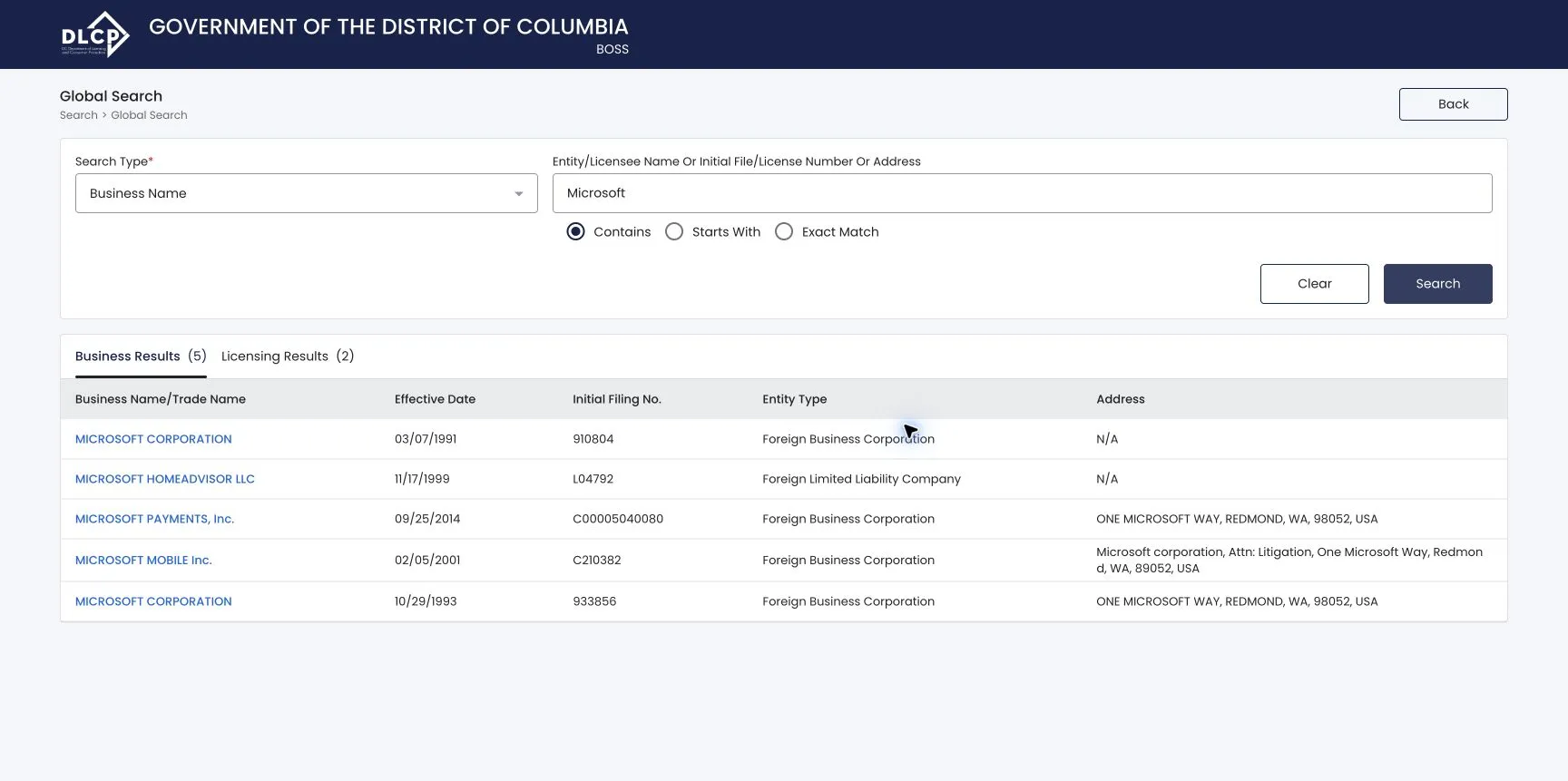
Results appear under separate Business Results and Licensing Results tabs. The Business Results table presents:
- Business Name/Trade Name
- Effective Date
- Initial File No.
- Entity Type (e.g., Foreign Limited Liability Company, Foreign Business Corporation)
- Address
Select a business name link to open that entity’s record. If the same name appears more than once, use the filing number, entity type, effective date, and address to distinguish the records.
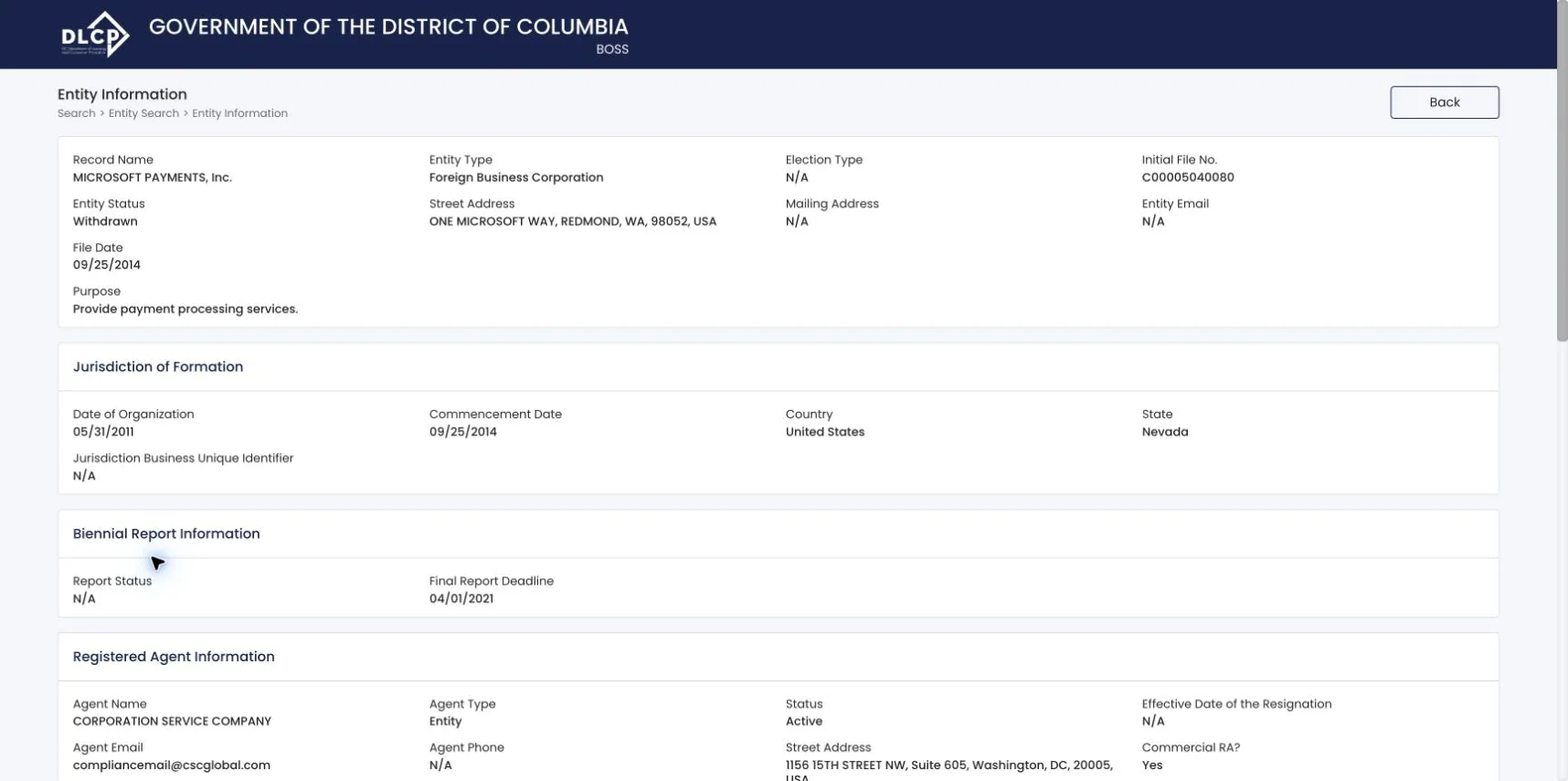
Review Detailed Entity Information
The Entity Information section identifies the selected record with fields such as:
- Record Name
- Entity Type
- Election Type
- Initial File No.
- Entity Status
- Street Address and Mailing Address
- Entity Email
- File Date
- Purpose
Continue through Jurisdiction of Formation, Biennial Report Information, and Registered Agent Information. Depending on the record, BOSS can also show beneficial owners, trade name information, and license information. Empty sections display No Records Found.
Move to the history tabs at the bottom when you need the filing trail or copies of available documents.
Inspect Filing History
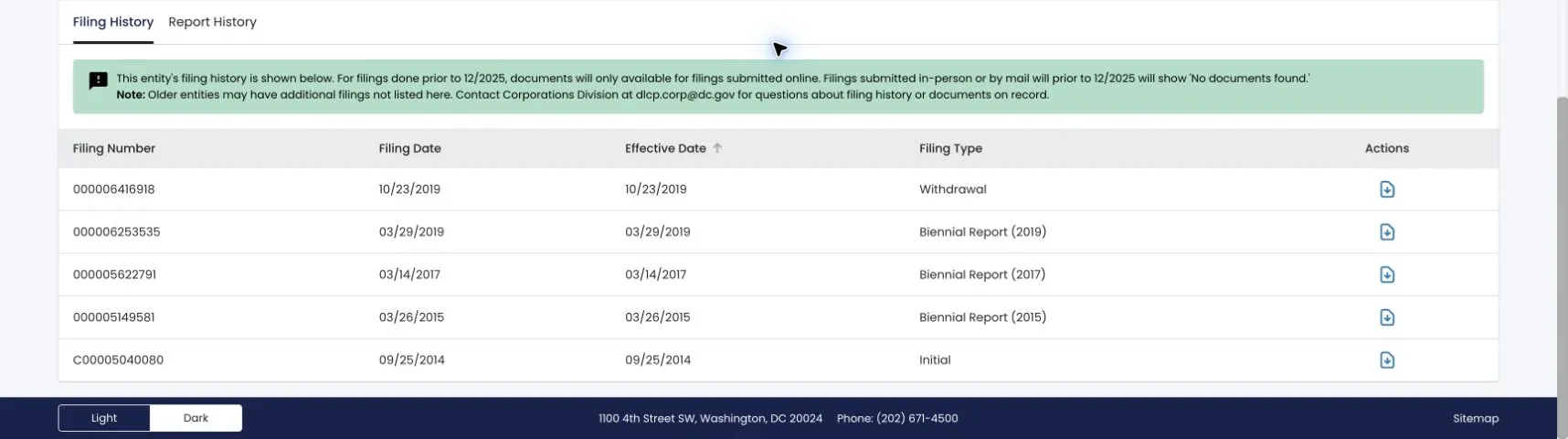
Navigate to the bottom of the details page and select the Filing History tab to view historical filings. The table includes:
- Filing Number
- Filing Date
- Effective Date
- Filing Type (e.g., Merger, Biennial Report, LegacyMisc)
- Actions
Select the icon in the Actions column to open an available filed document. BOSS warns that documents before December 2025 are available only when the filing was submitted online; older records may also have filings that are not listed.
Inspect Report History
Click the Report History tab to the immediate right of the Filing History tab. This table lists:
- Filing Number
- Filing Date
- Effective Date
- Filing Type (e.g., Biennial Report (1993), Biennial Report (1992))
- Actions
Select the icon at the end of a row in this table to open and view the filed report documents.

If the search results return no close matches for District of Columbia, treat that as a preliminary screening signal only. Verify the name in the official state database, and wait for the state filing or name-reservation review before treating the name as accepted.
How to Interpret District of Columbia Results
A business search in Washington D.C. reveals key status and compliance indicators:
- Active: The entity remains active in the District. This does not by itself approve a new name.
- Merged / Withdrawn / other inactive statuses: The record is no longer active in its original form. Do not treat that status alone as proof that the name is available.
- Name Distinguishability: Under DC law, a proposed business name must be distinguishable from all other active registered names and reserved names on file with the DLCP. Suffixes, punctuation, capitalization, or minor spacing differences are not sufficient to establish distinguishability.
District of Columbia Business Name and Filing Notes
Before filing in the District, confirm how DLCP treats domestic LLC filings, name reservations, biennial reports, and foreign registrations:
- LLC Filing Fees: Filing the Articles of Organization for a domestic DC LLC (Form DLC-1) costs $99.
- Name Reservation: You can reserve a unique name for up to 120 days before registration. The reservation fee is $50. Name reservations cannot be renewed.
- Biennial Reports: DC LLCs must file a biennial report every two years by April 1. The first report is due by April 1 of the year following formation. The biennial report filing fee is $300. Missing the deadline results in a $100 late penalty.
- Foreign LLCs: Out-of-state LLCs seeking to do business in the District must file a Foreign Registration Statement. The registration fee is $220.
Common Mistakes
- Searching Only the Full Proposed Name: Searching only your exact planned name may miss similar names that could cause the DLCP to reject your application. Always search for the core distinctive keywords.
- Including Suffixes in Search Input: Do not enter designators (such as “LLC” or “Inc”) into the search box, as this will restrict results or yield false availability matches.
- Missing the First Biennial Report: Remember that the first biennial report is due by April 1 of the year immediately following the year of formation (not two years after).
- Assuming Search Availability Equals Approval: A search returning no matches is a preliminary check. The DLCP Corporations Division has the final authority to approve or reject your business name during the official filing process.
Sources Reviewed
- DC Department of Licensing and Consumer Protection Corporations Division
- DC DLCP Corporate Fees Schedule
- District of Columbia BOSS Search Portal
Search beyond District of Columbia
Company names are registered state by state, so a name that is taken in District of Columbia may still be available elsewhere. The Secretary of State business search directory lists the official registry, agency contacts, and filing fees for all 50 states, the free LLC lookup guide covers name checks and LLC record details in every state, and our guide to nationwide business entity search explains how to check several states at once.
Registering in a nearby state instead? See the Maryland business entity search and Virginia business entity search guides.