
Quick Answer
Use the Iowa Secretary of State Business Entity Search to run an Iowa entity search by business name or business number. For proposed-name research, select Business Name and enter the first few letters or words so the portal can return close records, then open individual Business No. links to review status, legal names, agents, filings, and name history. A search with no close matches is only a preliminary signal; the Secretary of State makes the final name determination when it reviews a filing or name reservation.
How to Search Iowa Business Entity Records
The Iowa Secretary of State provides a public Business Entity Search for business-name and business-number lookups. Name searches accept partial wording, while business-number searches are useful when you already know the entity’s state identifier.
Open the Iowa Business Entity Search
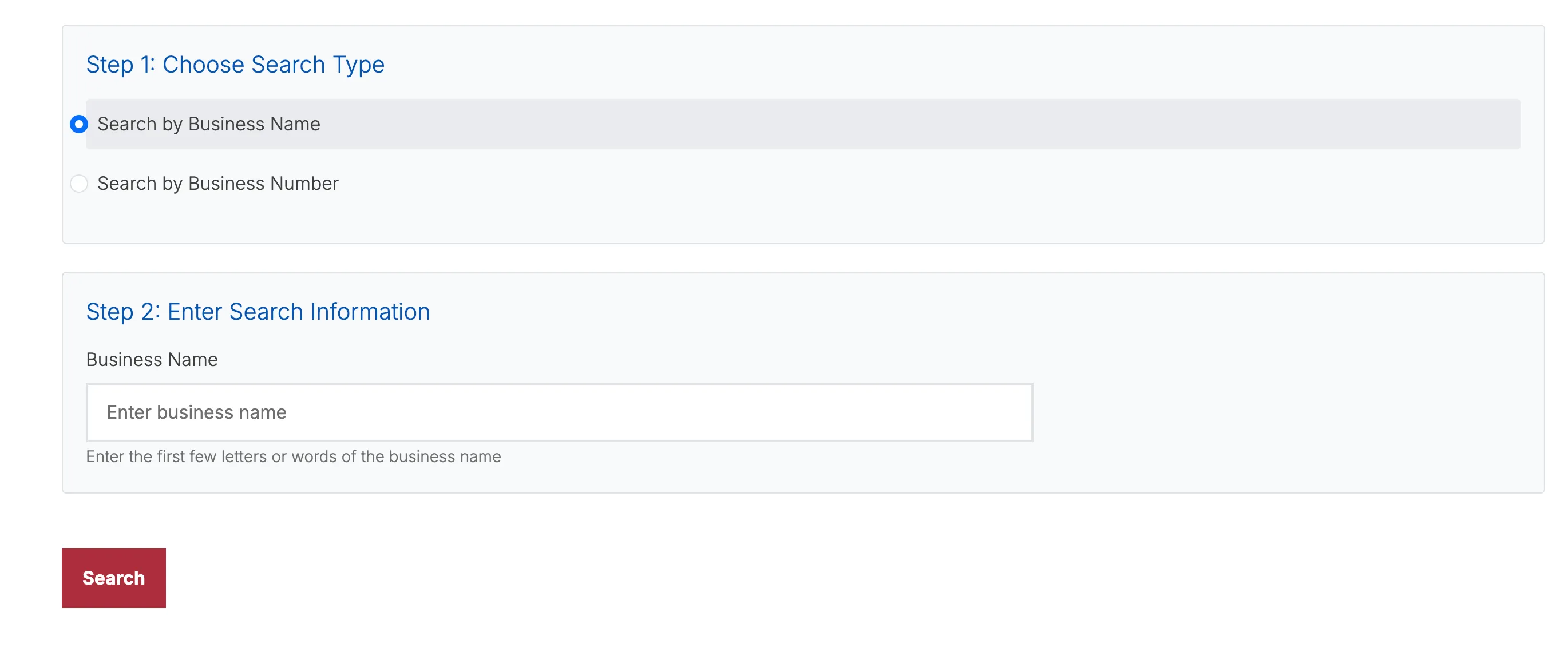
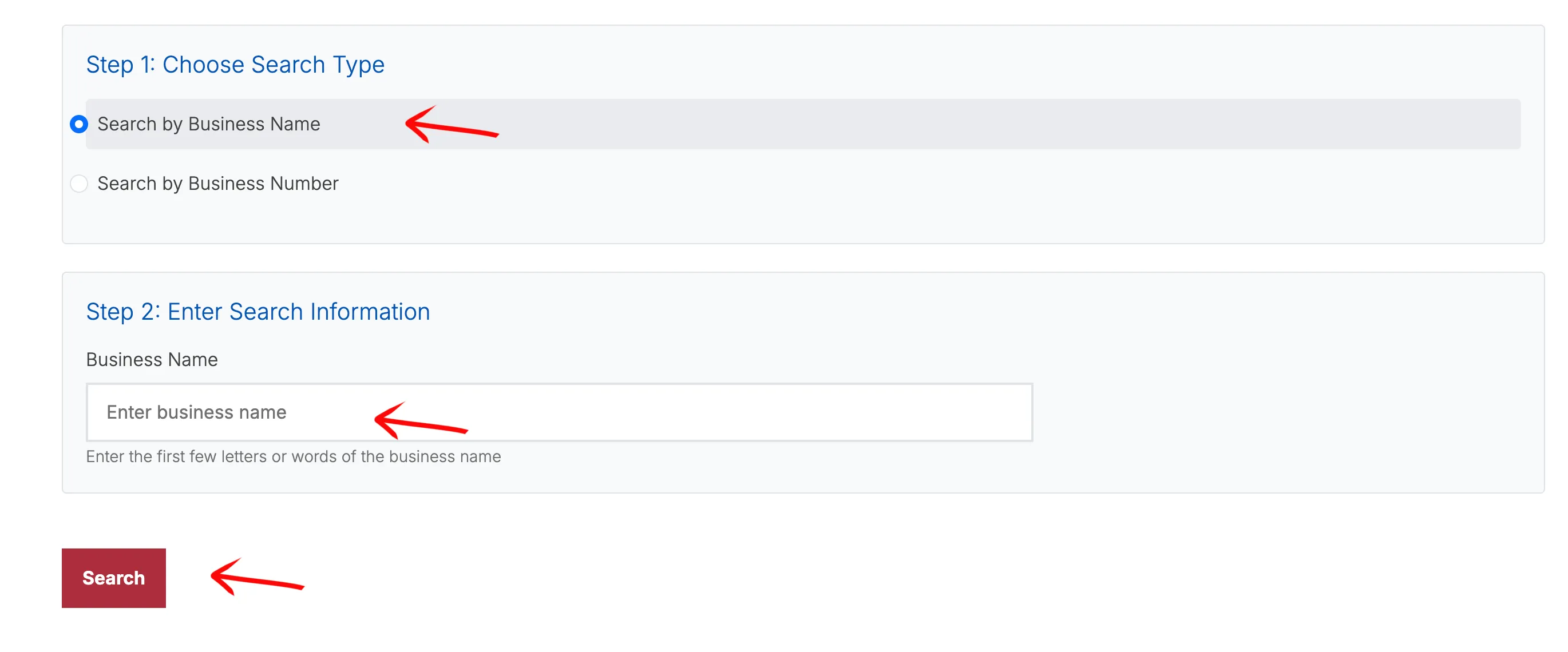
Go directly to the Iowa Secretary of State Business Entity Search. The first section lets you choose between Search by Business Name and Search by Business Number. Use Business Name for proposed-name research and Business Number when you already have a state filing identifier.
Enter the Search Information
Select Search by Business Name, enter the first few letters or words of the name, and select “Search.” A partial query is usually more useful than entering a highly specific legal name because it can reveal records with longer wording or different entity endings.
Only one search type can be submitted at a time. To look up a known filing identifier instead, select Search by Business Number and use the corresponding field.
Review Matching Business Entities
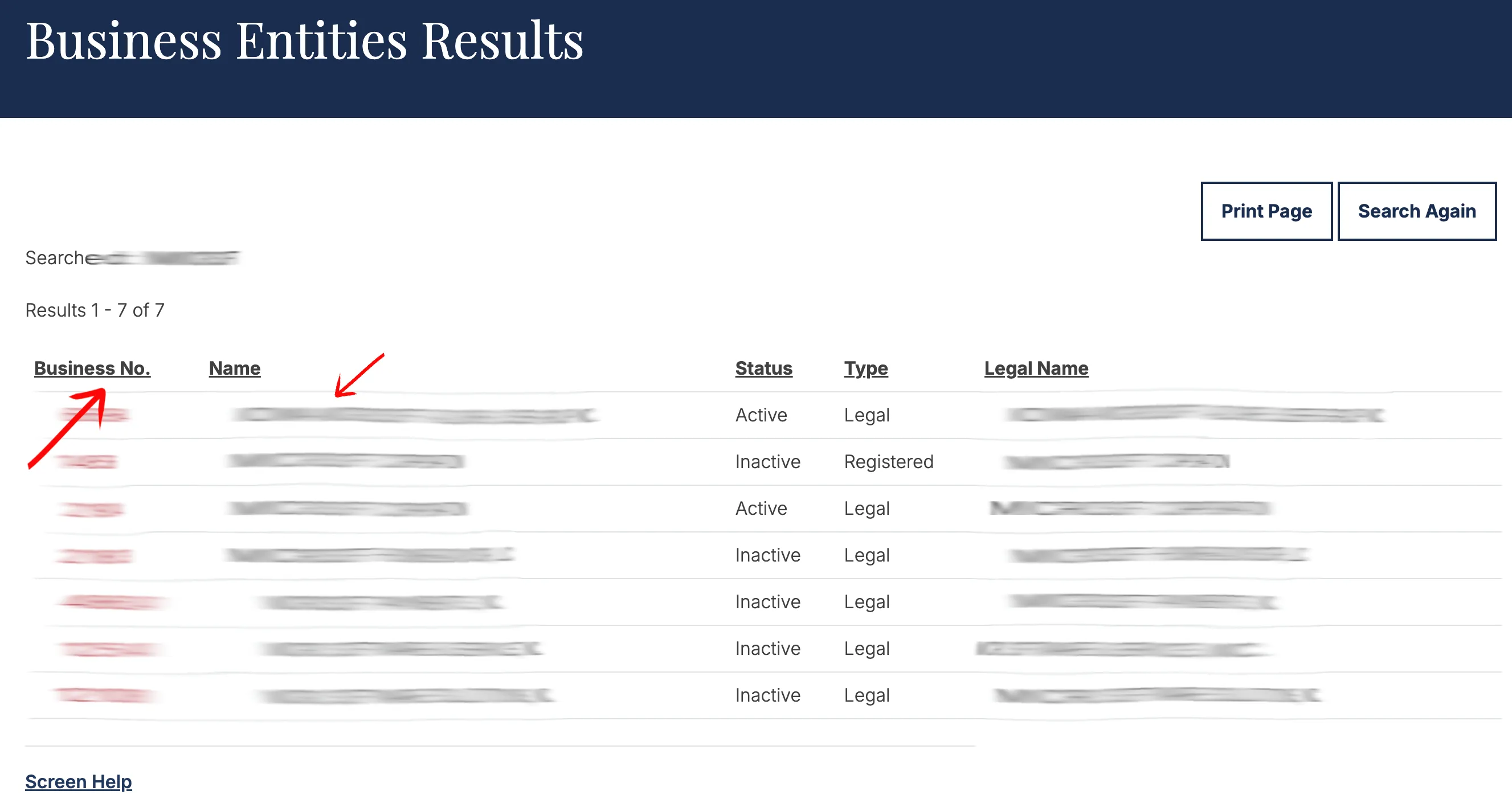
The results table can show Business No., Name, Status, Type, and Legal Name. Review active and inactive records and compare both the displayed name and legal name. Select the linked Business No. in the first column to open the full public record.
Review the Entity Details
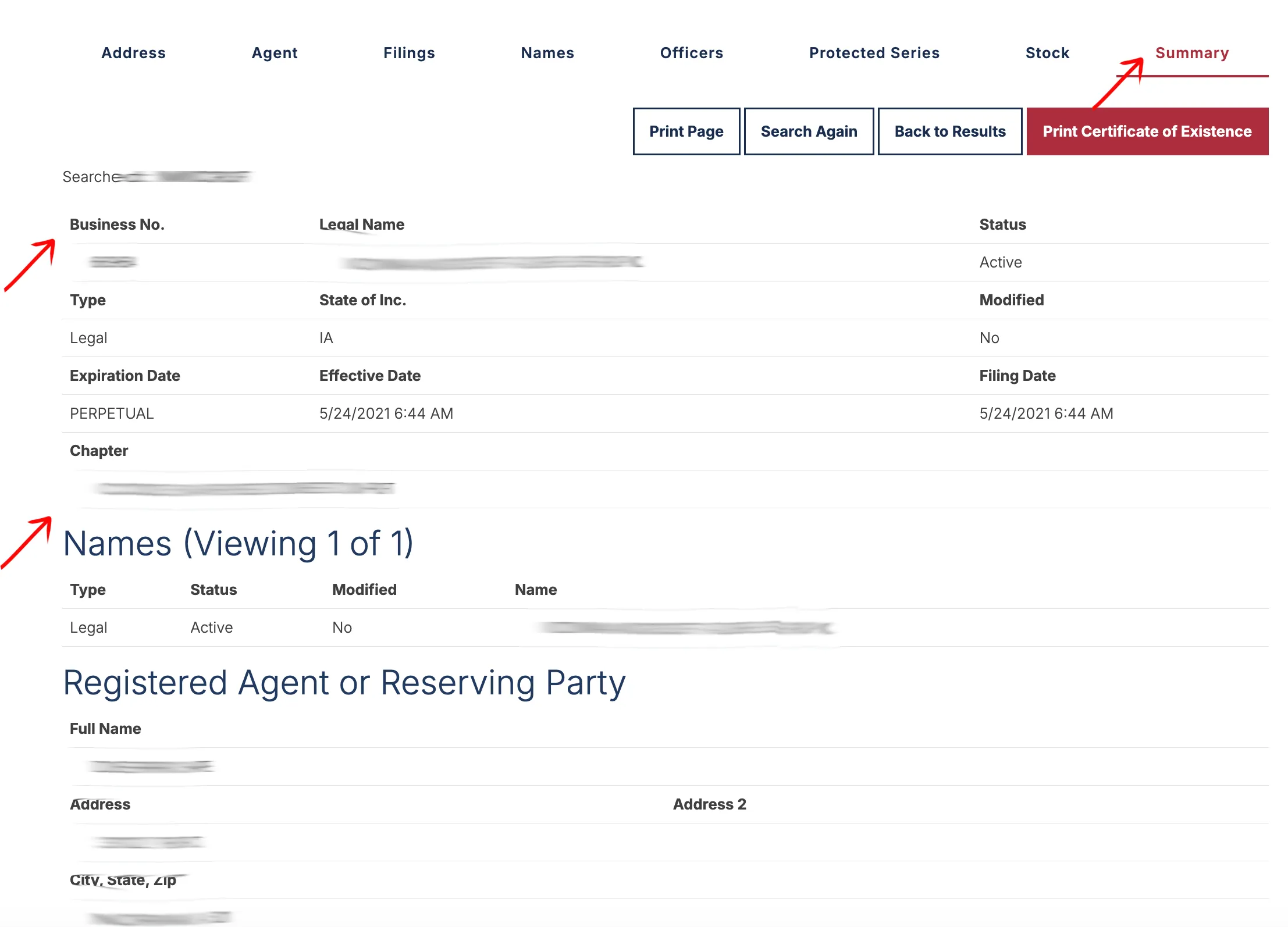
The Summary view can display the Business No., Legal Name, Status, Type, state of incorporation, expiration date, effective date, filing date, and statutory chapter. Additional sections can show names held by the entity, Registered Agent or Reserving Party information, and the principal office address.
Use the Address, Agent, Filings, Names, Officers, Protected Series, Stock, and Summary tabs when they are available for the selected record. The available tabs and data vary by entity type.
If the search results return no close matches for Iowa, treat that as a preliminary screening signal only. Verify the name in the official state database, and wait for the state filing or name-reservation review before treating the name as accepted.
How to Interpret Iowa Results
Treat Iowa search results as public-record research, not as final name approval. Compare the exact proposed wording with partial matches, legal names, active and inactive records, and names that differ mainly by punctuation, spacing, pluralization, or an entity designator.
Open the Business No. detail page before deciding that a result is unrelated. The Names and Filings tabs can provide context that is not visible in the result table, while the Agent and Address tabs help distinguish entities with similar wording.
Iowa Business Name and Filing Notes
Iowa business formation, name reservation, and biennial report filings are separate from the public entity search. A clear search does not reserve a name or guarantee that a formation filing will be accepted.
The one Iowa rule that changes how you read a record is the reporting cycle:
- Reports are biennial and land only in odd-numbered years. Iowa LLCs file between January 1 and April 1 of each odd-numbered year, at $30 online. An Iowa entity can therefore go most of two years with no filing activity and still be in perfect standing, which looks like abandonment if you are reading it with an annual-report state’s habits.
- Certificate of Organization (domestic LLC): $50 (Iowa Code 489.201).
- Reservation of Name: $10, and it applies to LLCs among other entity types.
Fees and reporting requirements do change. The figures above come from the Secretary of State’s own forms and fees listing; check it before filing or submitting a report, especially in the months around an odd-year reporting window.
Common Mistakes
- Searching only the complete proposed legal name instead of beginning with partial wording.
- Adding LLC, Inc., Corp., or another entity ending before checking the distinctive words.
- Treating a no-result search as final Iowa name approval.
- Looking only at active records and ignoring similar inactive names.
- Reviewing the result table without opening the linked Business No.
- Missing the Names or Filings tabs when researching an entity’s history.
- Assuming every entity type provides the same detail tabs.
Sources Reviewed
- Iowa Secretary of State Business Entity Search
- Iowa Secretary of State Business Services
- Iowa Secretary of State Business Entity Forms and Fees
- Iowa Secretary of State Biennial Report Help
Search beyond Iowa
Company names are registered state by state, so a name that is taken in Iowa may still be available elsewhere. The Secretary of State business search directory lists the official registry, agency contacts, and filing fees for all 50 states, the free LLC lookup guide covers name checks and LLC record details in every state, and our guide to nationwide business entity search explains how to check several states at once.
Registering in a nearby state instead? See the Illinois business entity search, Missouri business entity search, and Nebraska business entity search guides.