
Quick Answer
Use the Missouri Secretary of State Business Entity Search portal to run a Missouri entity search by business name, registered agent, name availability, or charter number. For name research, use the Name Availability option and test the distinctive words with the available match filters. A clear search is only preliminary until Missouri reviews the filing or name reservation.
How to Search Missouri Business Entity Records
Missouri business registrations are maintained by the Corporations Division of the Missouri Secretary of State. The division provides a free online search tool to check name availability, verify active business status, and view historical filing documents.
Access the Search Portal
Navigate directly to the Missouri Business Entity Search page to begin your inquiry.
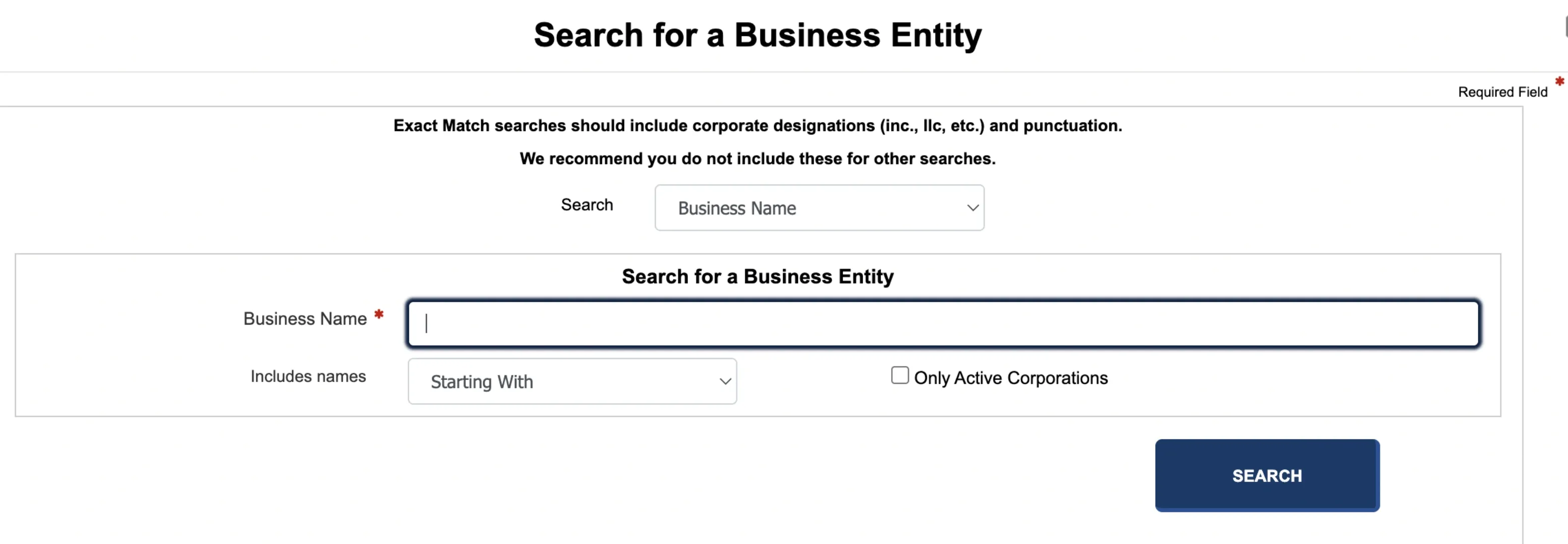
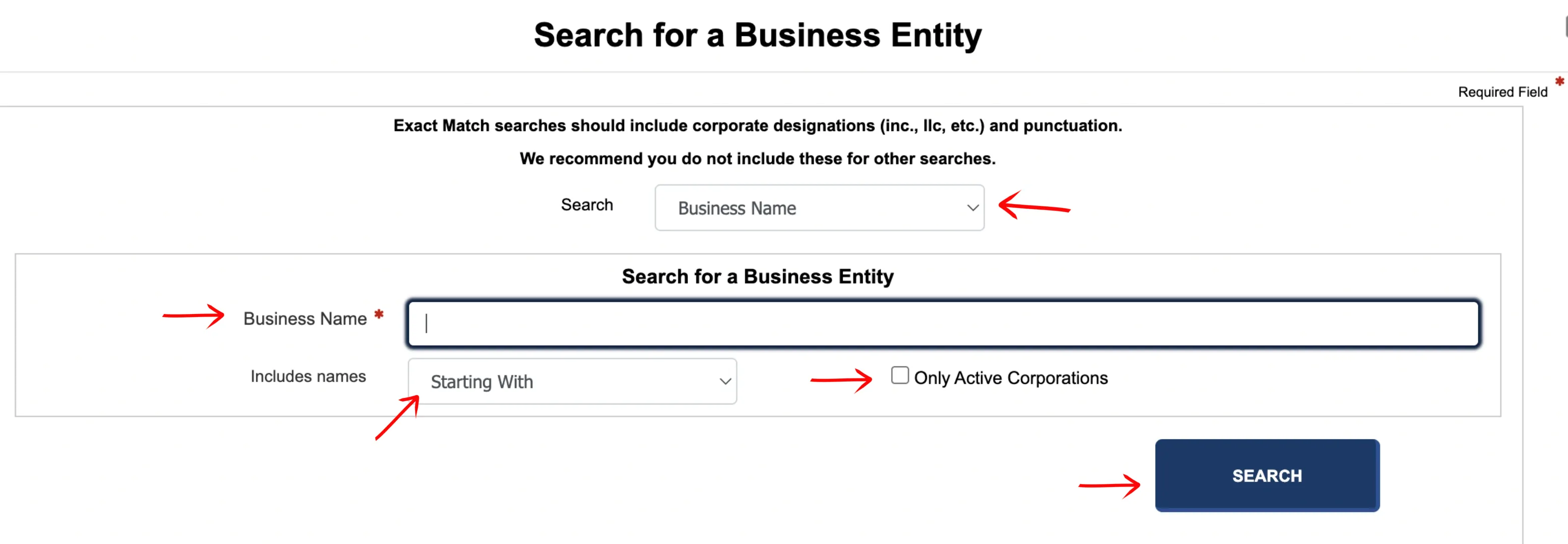
Define Your Search Criteria
Select the search method from the first drop-down menu. You can search using the following parameters:
- Business Name
- Registered Agent
- Name Availability
- Charter Number
Type your target phrase in the Business Name search box. Use the next drop-down menu to specify how the system should match your query:
- Starting With
- All Words
- Any Word
- Exact Match
Check the box to view only active Missouri entities if you want to filter out dissolved businesses, then click the Search button.
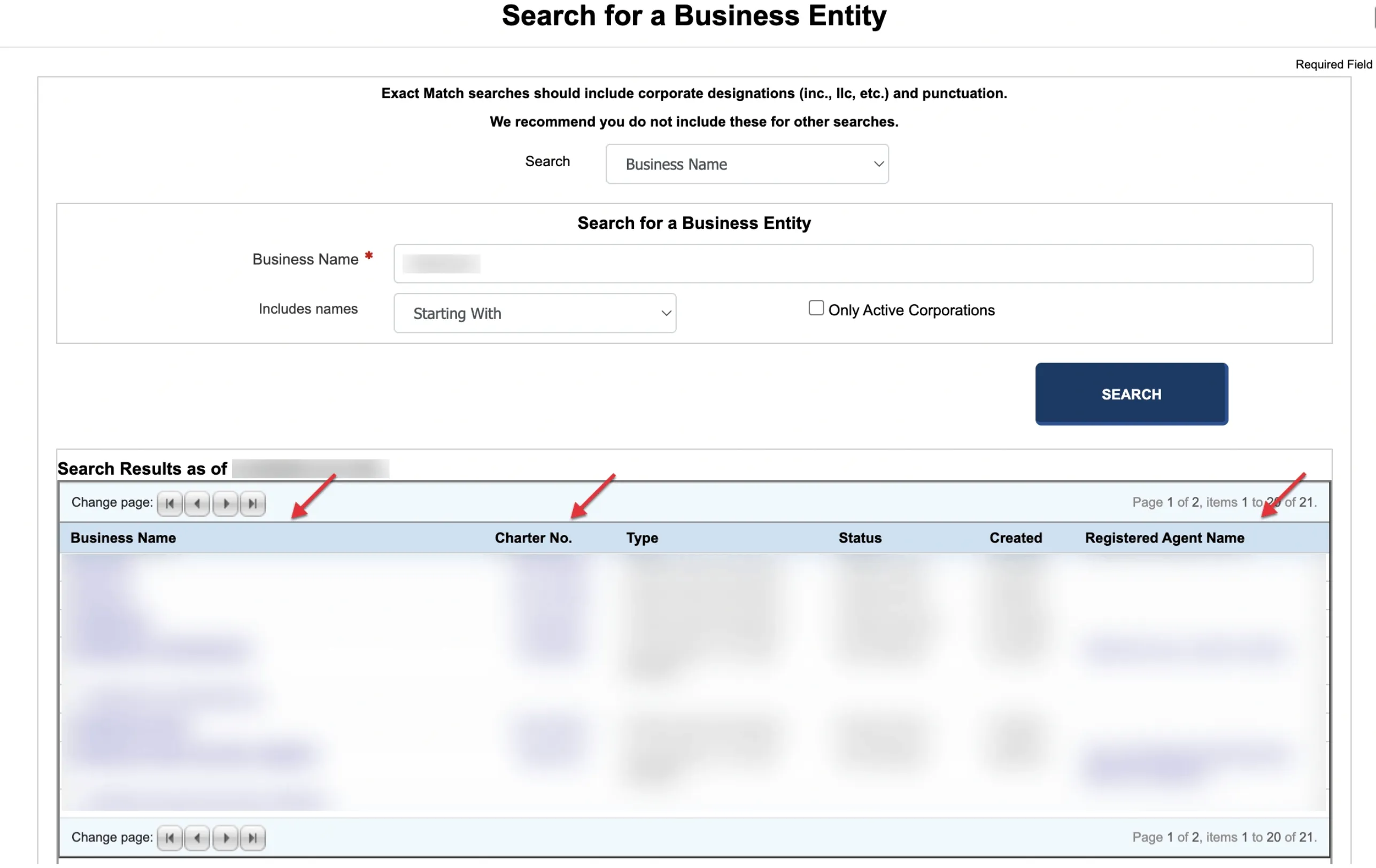
Review the Search Results
Examine the results table generated by your query. The table displays key details:
- Business Name
- Charter No.
- Type
- Status
- Created
- Registered Agent Name
Click on the specific business name in the first column to view its detailed records. You can also view registered agent profiles by clicking the agent’s name in the final column.
Analyze the General Information
The system displays the entity’s General Information page. Review the core data fields:
- Name(s)
- Principal Office Address
- Type
- Charter No.
- Domesticity & Home State
- Registered Agent
- Status (Active, Dissolved, etc.)
- Date Formed
- Duration
- Report Due
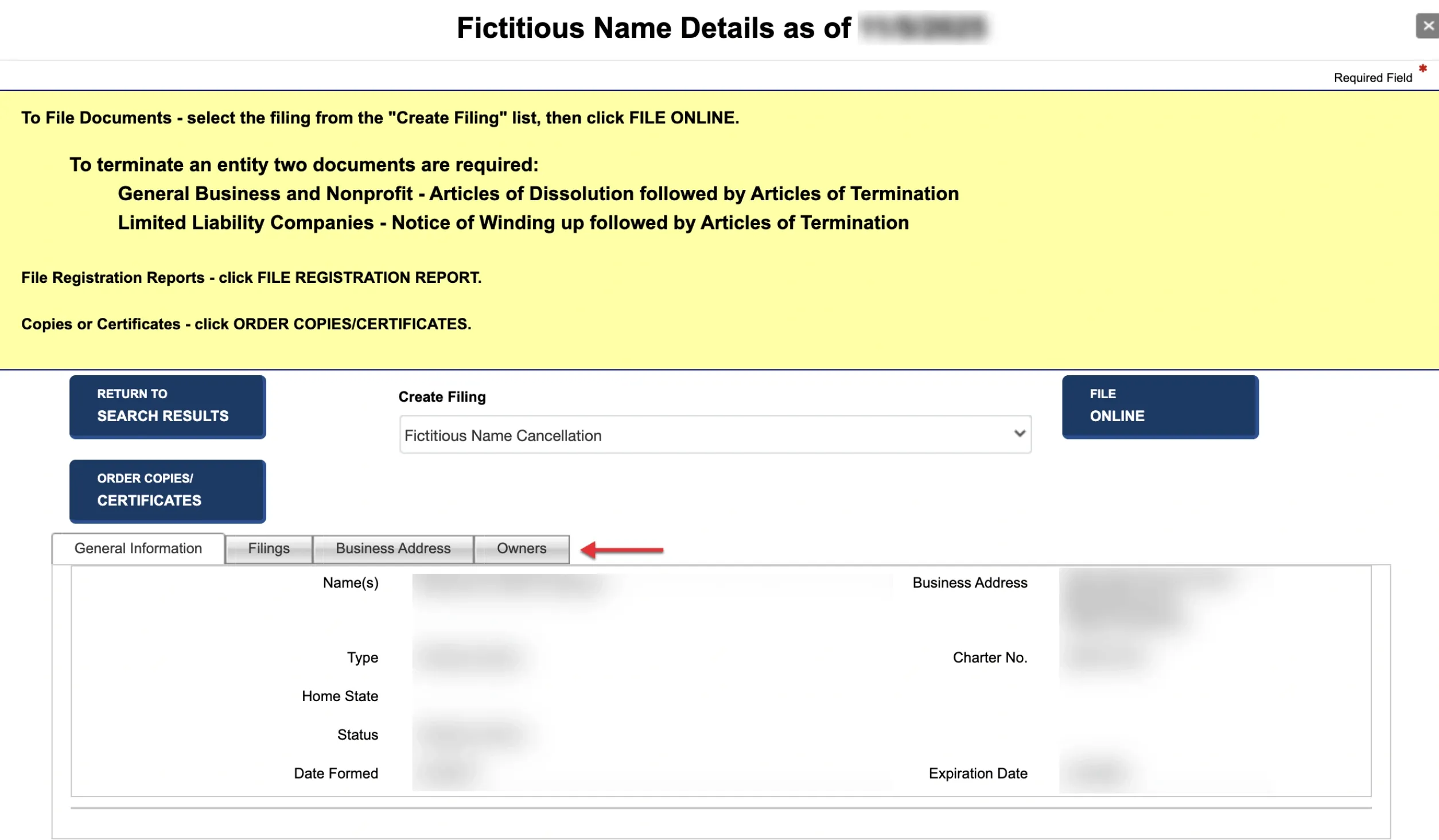
Check Filing History
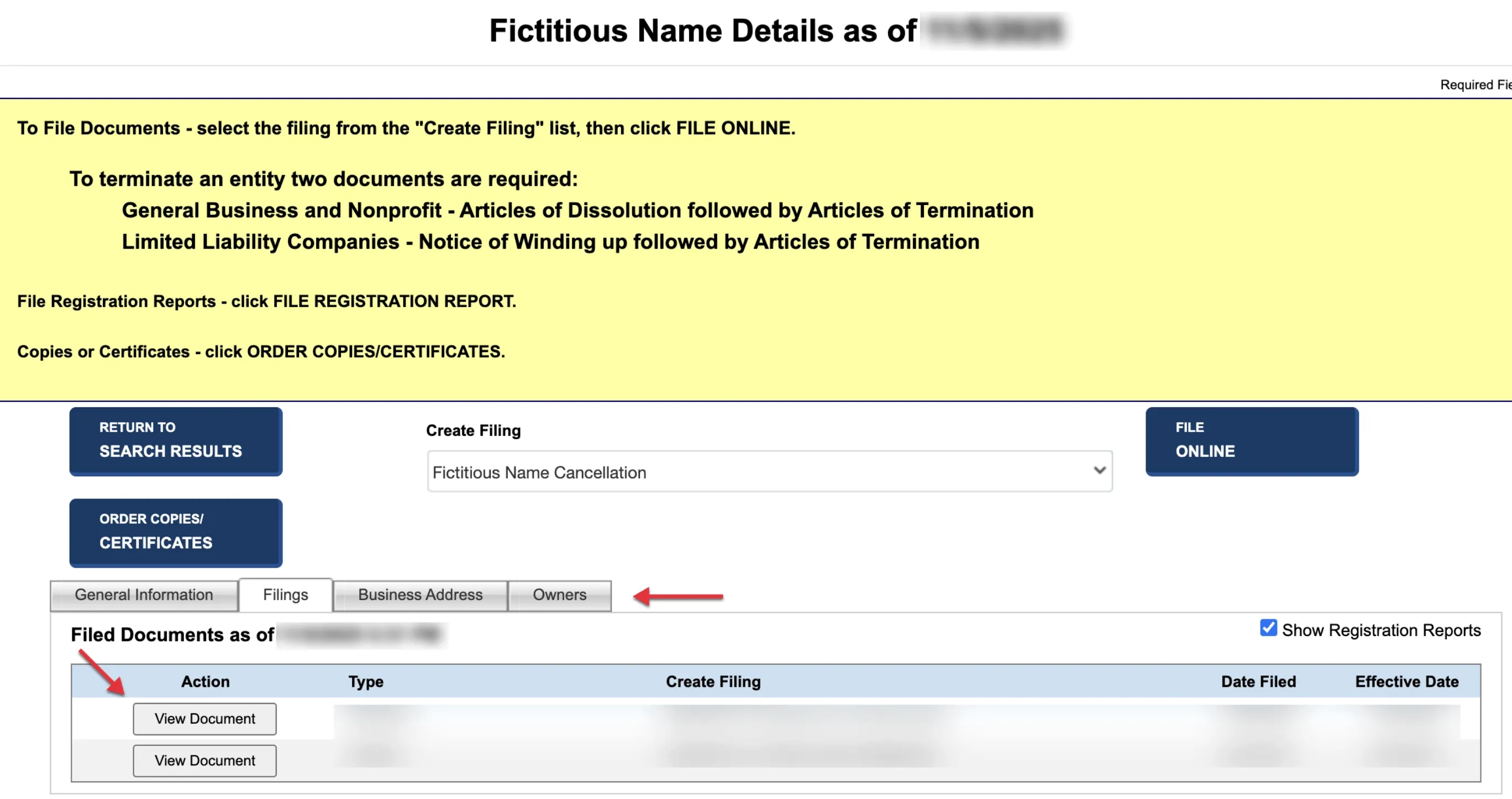
Select the first tab (Filings) at the bottom of the page to view the entity’s complete filing history.
- Use the checkbox on the right side to toggle whether annual registration reports should be included in the table.
- To view a copy of any document, click the View Document button in the first column of the corresponding row.
- The table details include Action, Type, Create Filing, Date Filed, and Effective Date.
Review Principal Office Addresses
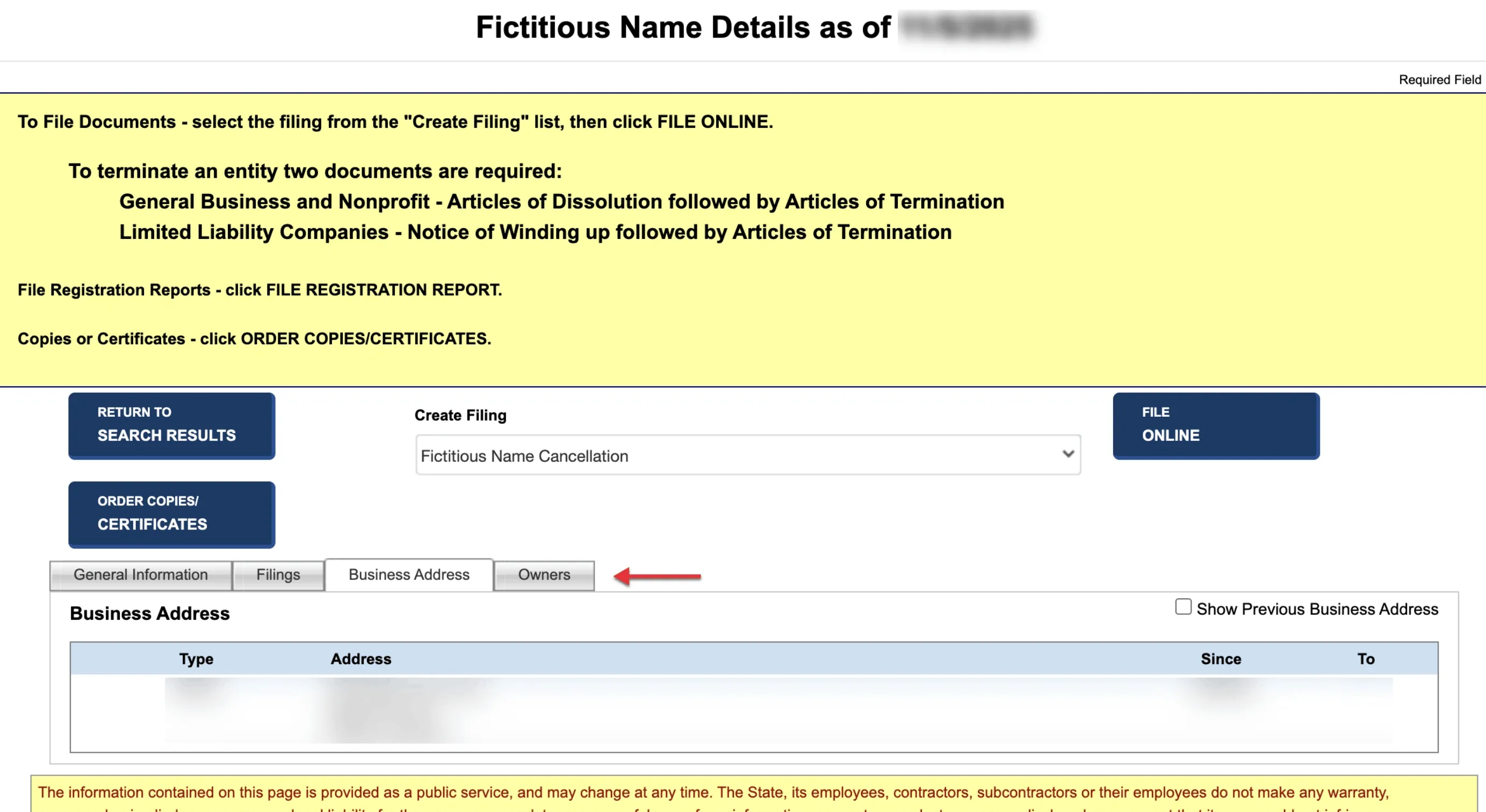
Select the second tab (Principal Office Address) to examine the physical address history. Check the box on the right side to display previous principal office addresses alongside the currently active address.
Examine Entity Contacts
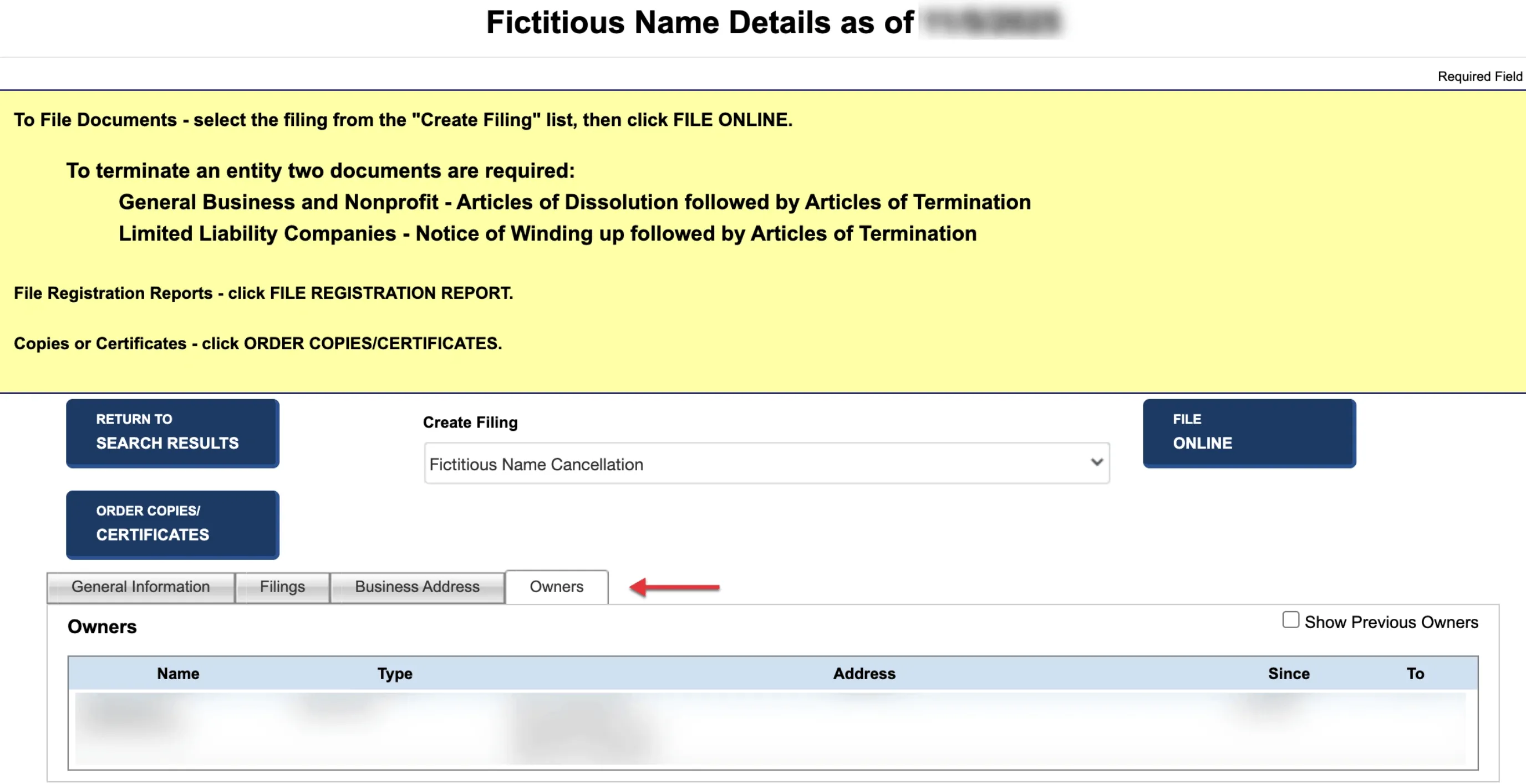
Select the final tab (Contacts) to review the entity’s associated personnel. Check the box on the right side if you want to include previous historical contacts in the results table.
If the search results return no close matches for Missouri, treat that as a preliminary screening signal only. Verify the name in the official state database, and wait for the state filing or name-reservation review before treating the name as accepted.
How to Interpret Missouri Results
A Missouri business search helps you verify registration details or determine name availability:
- Active: The business is in compliance with state regulations and holds the exclusive right to use its name in Missouri.
- Administrative Dissolution: The entity has been shut down by the state, typically for failing to maintain a registered agent or neglecting corporate filing requirements.
- Name Availability & Distinguishability: In Missouri, your proposed name must be distinguishable from all other active names on file. The Corporations Division ignores capitalization, punctuation, spacing, and entity identifiers (like LLC, L.L.C., Inc., or Corp.) when deciding if a name is distinguishable.
Missouri Business Name and Filing Notes
Missouri has a distinct name-availability search option and different maintenance expectations for LLCs and corporations, so keep the lookup and filing steps separate:
- LLC Filing Fees: Filing the Articles of Organization online for a domestic Missouri LLC costs $50. Filing by paper carries a much higher fee of $105.
- Annual Reports: Missouri LLCs are not required to file annual reports or pay annual reporting fees. However, Missouri corporations must file an annual or biennial registration report.
- Name Reservation: You can reserve an LLC name for 60 days by filing a Name Reservation application. The fee is $25. You can renew the reservation up to two times for a total of 180 days.
- Foreign LLCs: If your LLC is formed in another state and you wish to register it to do business in Missouri, the online filing fee is $100 ($105 by paper).
Common Mistakes
- Searching Only for the Exact Proposed Name: Always run broad searches using just the core keyword of your proposed name. If you only search for the exact phrase, you might miss closely matching active names that the state will reject as indistinguishable.
- Including LLC Suffixes in Search Queries: Do not type designators like “LLC” or “L.L.C.” into the search form. The system ignores suffixes, and adding them can restrict results or return false matches.
- Confusing Corporate Rules with LLC Rules: Since Missouri corporations have strict annual or biennial report requirements, business owners sometimes mistakenly search for LLC annual report deadlines. Make sure you follow the correct rules for your specific entity type.
- Assuming Availability Equals Official Approval: A search showing no matching results is a preliminary indicator of availability, but only the Secretary of State Corporations Division can officially approve your name when they process your filing.
Sources Reviewed
- Missouri Secretary of State Business Entity Search
- Missouri Secretary of State Corporations Division Website
- Missouri Business Filing Fees Document (PDF)
- Missouri Corporations Division General Information
Search beyond Missouri
Company names are registered state by state, so a name that is taken in Missouri may still be available elsewhere. The Secretary of State business search directory lists the official registry, agency contacts, and filing fees for all 50 states, the free LLC lookup guide covers name checks and LLC record details in every state, and our guide to nationwide business entity search explains how to check several states at once.
Registering in a nearby state instead? See the Illinois business entity search, Kansas business entity search, and Tennessee business entity search guides.