
Quick Answer
Use the Tennessee Secretary of State Business Entity Search portal to run a Tennessee entity search by business name or control number. For name research, enter the proposed wording, optionally filter to active entities, and compare matching or similar records before filing. A no-match result is only preliminary until Tennessee reviews the filing or name reservation.
How to Search Tennessee Business Entity Records
The official registry of business records is maintained by the Business Services Division of the Tennessee Secretary of State. You can search the public database for free online.
Access the Business Entity Search
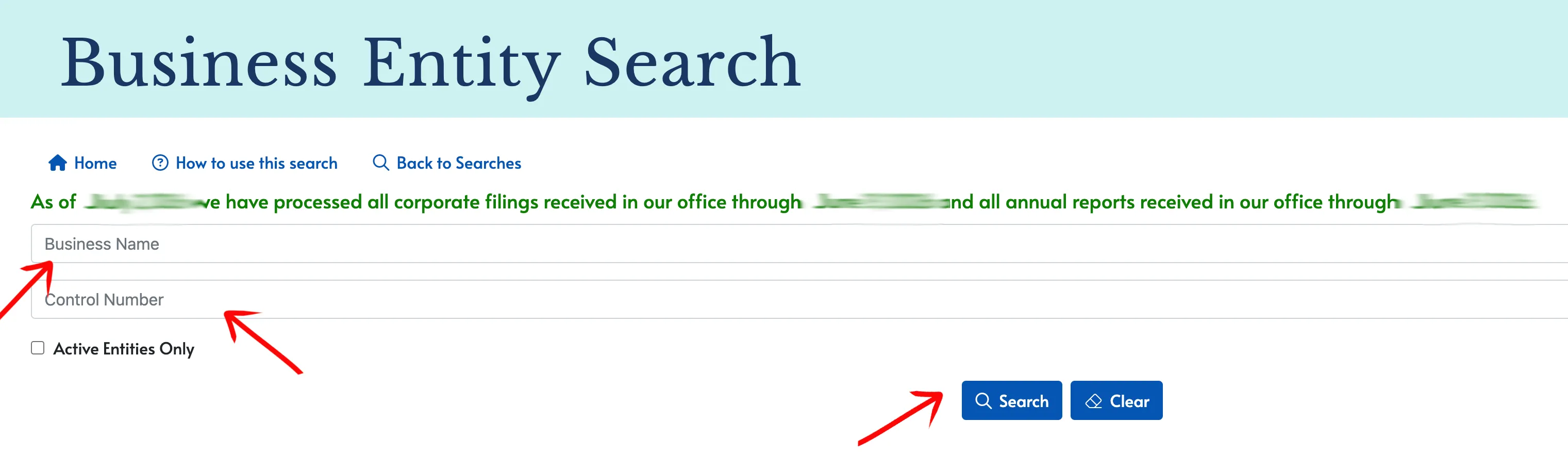
Go to the official Tennessee Business Search page to begin.
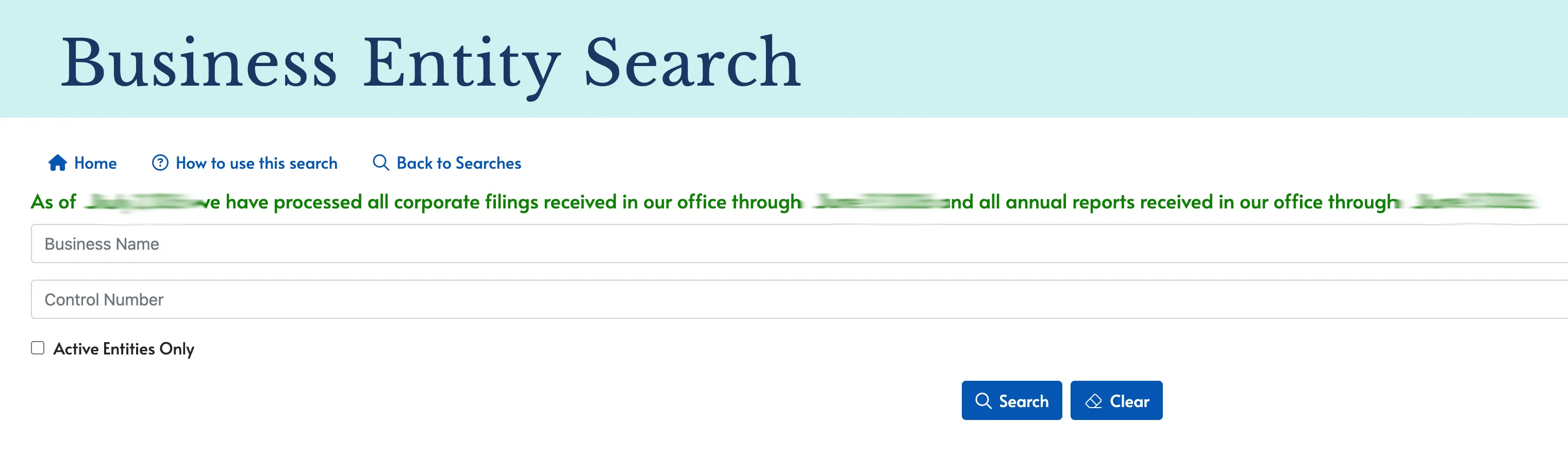
Enter Search Criteria
Locate the input fields to begin your query. You have two primary methods to locate an entity:
- Enter the proposed business name in the Business Name text box.
- Enter the control number in the Control Number text box.
To filter your results to active entities only, select the Active Entities Only checkbox. Click the Search button to execute the query.
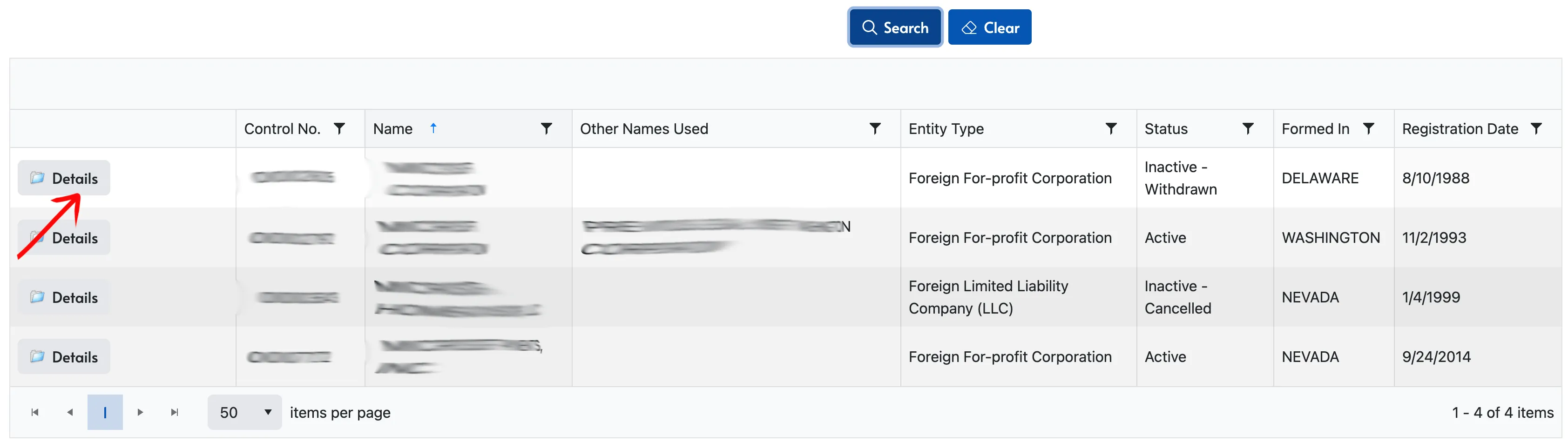
Locate Your Business
Review the table of results to find the business entity. Once identified, click the Details button in the first column of the relevant row to view full details. The results table includes the following columns:
- Control No.
- Name
- Other Names Used
- Entity Type
- Status (e.g., Active, Inactive - Cancelled)
- Formed In
- Registration Date
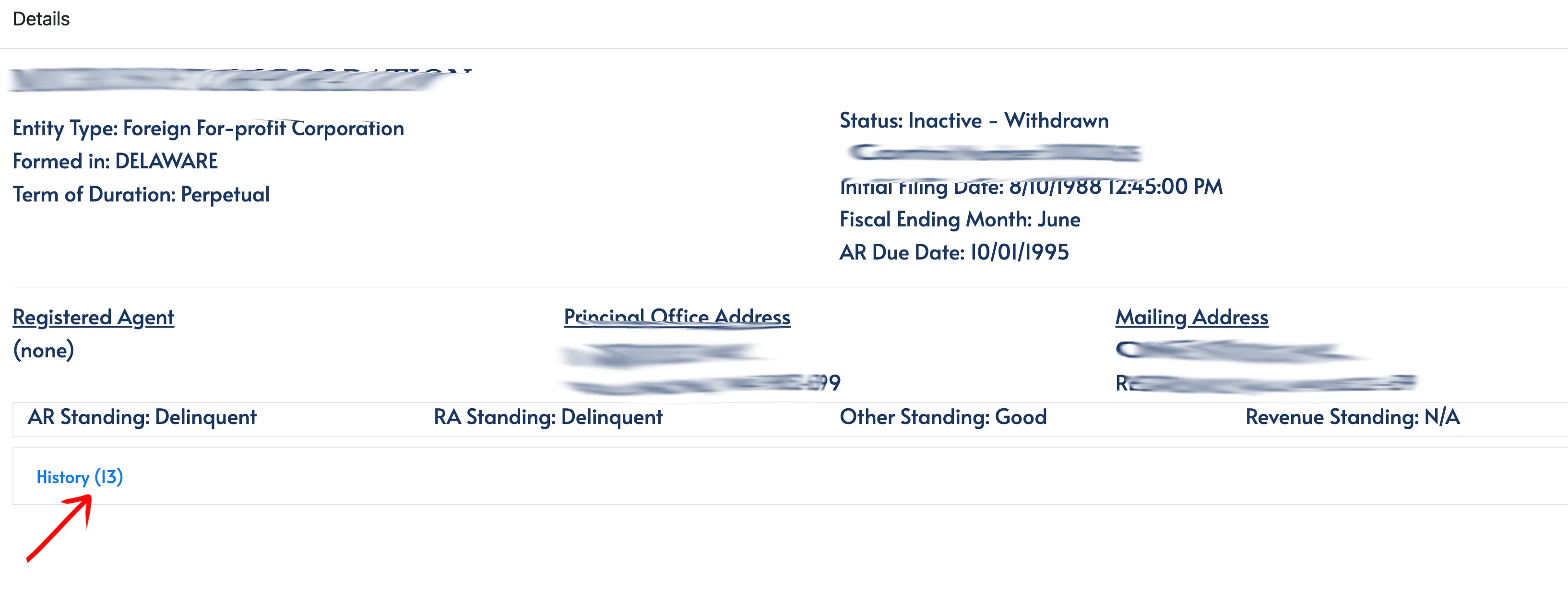
Review Entity Details
The details page shows specific information based on the entity type. Review the available fields in the general info panel:
- Name and Entity Type
- Status (e.g., Active, Inactive - Withdrawn)
- Formed In and Control Number
- Term of Duration and Initial Filing Date
- Fiscal Ending Month and AR Due Date
- Registered Agent contact details
- Principal Office Address and Mailing Address
- Standing badges (AR Standing, RA Standing, Other Standing, Revenue Standing)
To view the history, locate the tabs at the bottom of the card.
View Filing History and Documents
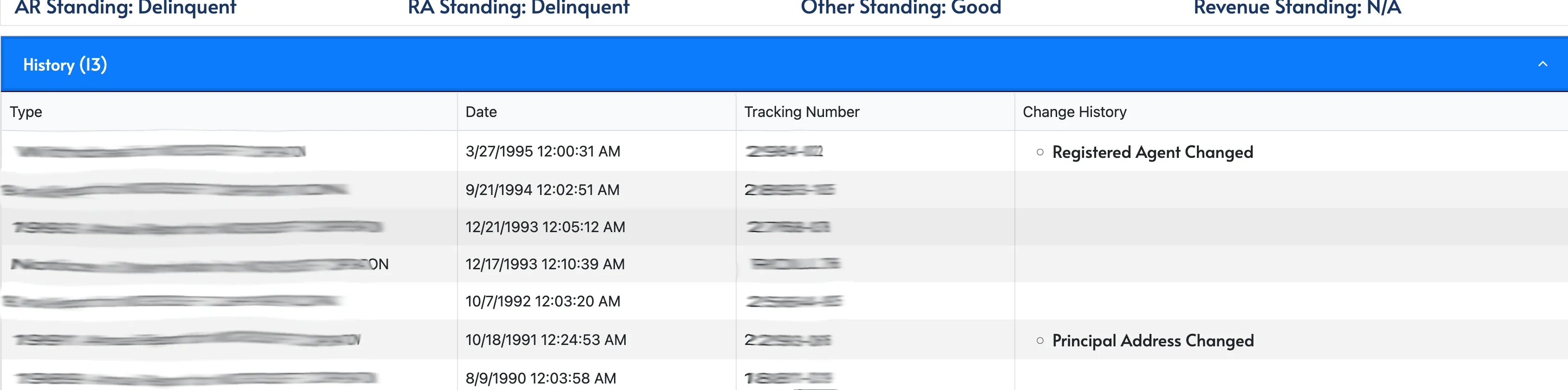
Use the tabs located at the bottom of the details page. Select the first tab to view a table of previous filings:
- Type (e.g., Annual Report, Articles of Organization)
- Date
- Tracking Number
- Change History (e.g., Registered Agent Changed, Principal Address Changed)
You can also click the Name History tab to view a table of business names used by the entity:
- Name
- Type
- Effective
- Expires
If the search results return no close matches for Tennessee, treat that as a preliminary screening signal only. Verify the name in the official state database, and wait for the state filing or name-reservation review before treating the name as accepted.
How to Interpret Tennessee Results
Tennessee’s TNCaB result screen is organized around the Control Number. Use that number to confirm you are reviewing the right record, then check the entity status, formation date, registered agent, principal office, and annual report information. A name that appears inactive may still need closer review if the record is recently dissolved, administratively inactive, or tied to a similar control-number history.
For name research, use the active-only filter as a second pass rather than the only pass. A broad search can reveal cancelled or dissolved records that explain old filings or possible reinstatement context, while an active-only search is better for the immediate conflict check.
Tennessee Business Name and Filing Notes
Tennessee’s filing costs and annual report rules are unusual because LLC fees depend on member count. Keep the name search separate from the fee calculation and annual-report workflow:
- LLC Filing Fees: Filing the Articles of Organization for a domestic Tennessee LLC costs a minimum of $300. This covers 1 to 6 members. The fee is calculated at $50 per member, up to a maximum of $3,000 for 60 or more members.
- Name Reservation: You can reserve a business name for up to 4 months (120 days) by filing a Name Reservation application. The fee is $20.
- Annual Reports: Tennessee LLCs are required to file an annual report each year. Reports are due on the first day of the fourth month following the close of your LLC’s fiscal year (typically April 1 for calendar-year businesses). The fee structure mirrors the formation fee: a minimum of $300 ($50 per member, up to a maximum of $3,000).
- Foreign LLCs: To register an out-of-state LLC to do business in Tennessee, you must file an Application for Certificate of Authority. The filing fee is also a minimum of $300 ($50 per member, up to a maximum of $3,000).
Common Mistakes
- Ignoring the Control Number: Use the Control Number to distinguish entities with similar names before relying on a result.
- Using Active Entities Only too early: Run a broad search first so older records and similar inactive names are not hidden.
- Forgetting member-count pricing: Tennessee LLC filing and annual report fees can vary with member count, so do not assume a flat cost from a search result.
- Missing the fiscal-year-based report deadline: The annual report is due on the first day of the fourth month after fiscal year close, not always on a simple calendar anniversary.
- Treating the search as approval: TNCaB is a public-records search. Final name acceptance happens during filing or reservation review.
Sources Reviewed
- Tennessee Secretary of State Business Entity Search
- Tennessee Secretary of State Business Services Division
- Tennessee Secretary of State Business Forms and Fees
- Tennessee Secretary of State Contact Info
Search beyond Tennessee
Company names are registered state by state, so a name that is taken in Tennessee may still be available elsewhere. The Secretary of State business search directory lists the official registry, agency contacts, and filing fees for all 50 states, the free LLC lookup guide covers name checks and LLC record details in every state, and our guide to nationwide business entity search explains how to check several states at once.
Registering in a nearby state instead? See the Georgia business entity search, North Carolina business entity search, and Virginia business entity search guides.