
Quick Answer
Use the North Carolina Secretary of State Business Registration Search portal to run a North Carolina entity search by business name, SOSID, company official, or registered agent. For name research, enter distinctive wording, use the available match filters, and compare registered names for conflicts. A clear search is only preliminary; final acceptance happens during filing or reservation review.
How to Search North Carolina Business Entity Records
North Carolina business registrations are administered by the Business Registration Division of the North Carolina Secretary of State. The department provides a free online search tool to check name availability, verify registration status, and view public filings.
Access the Search Portal
Go to the official North Carolina Business Entity Search page to begin.
Configure Query Parameters
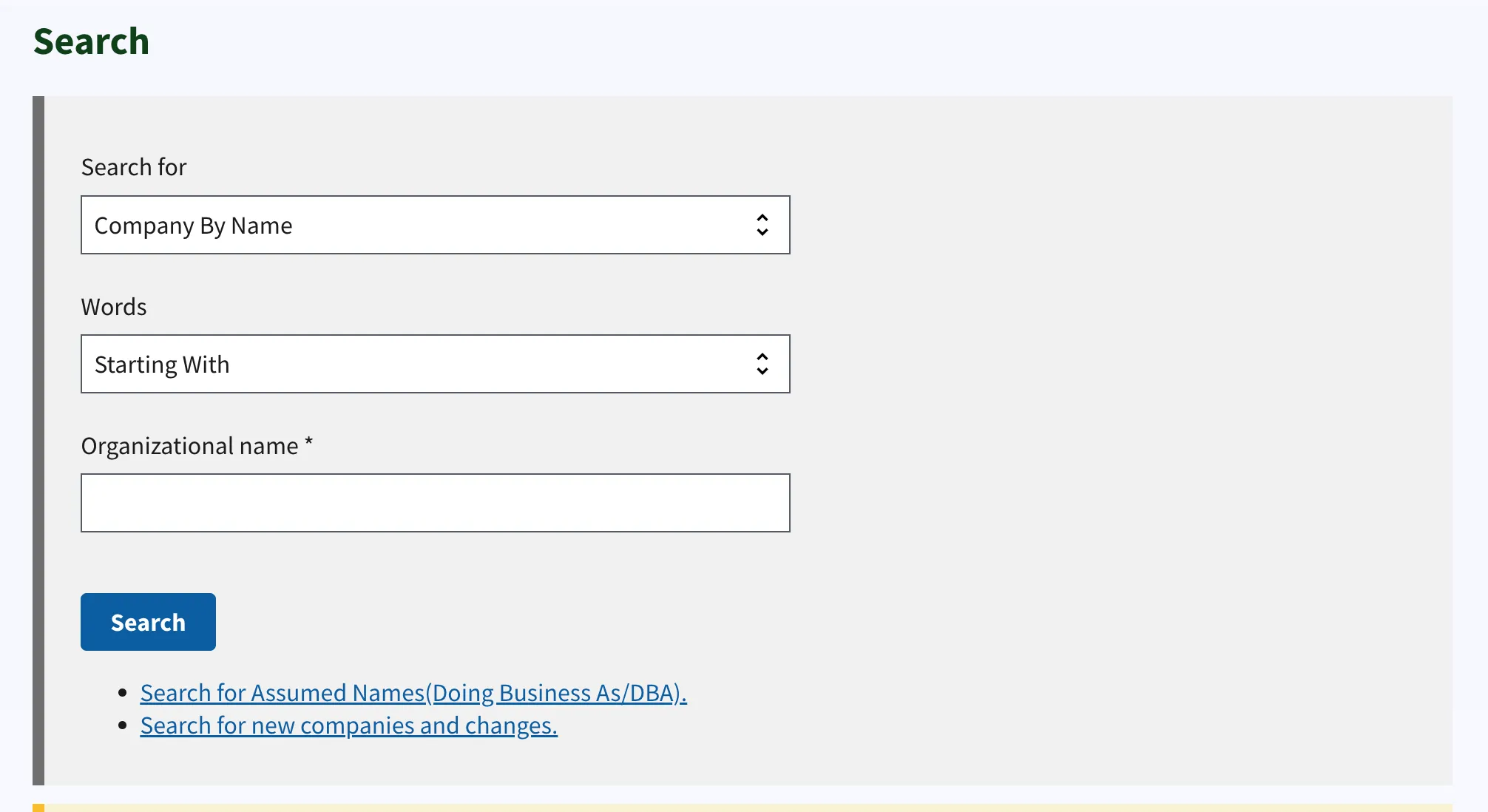
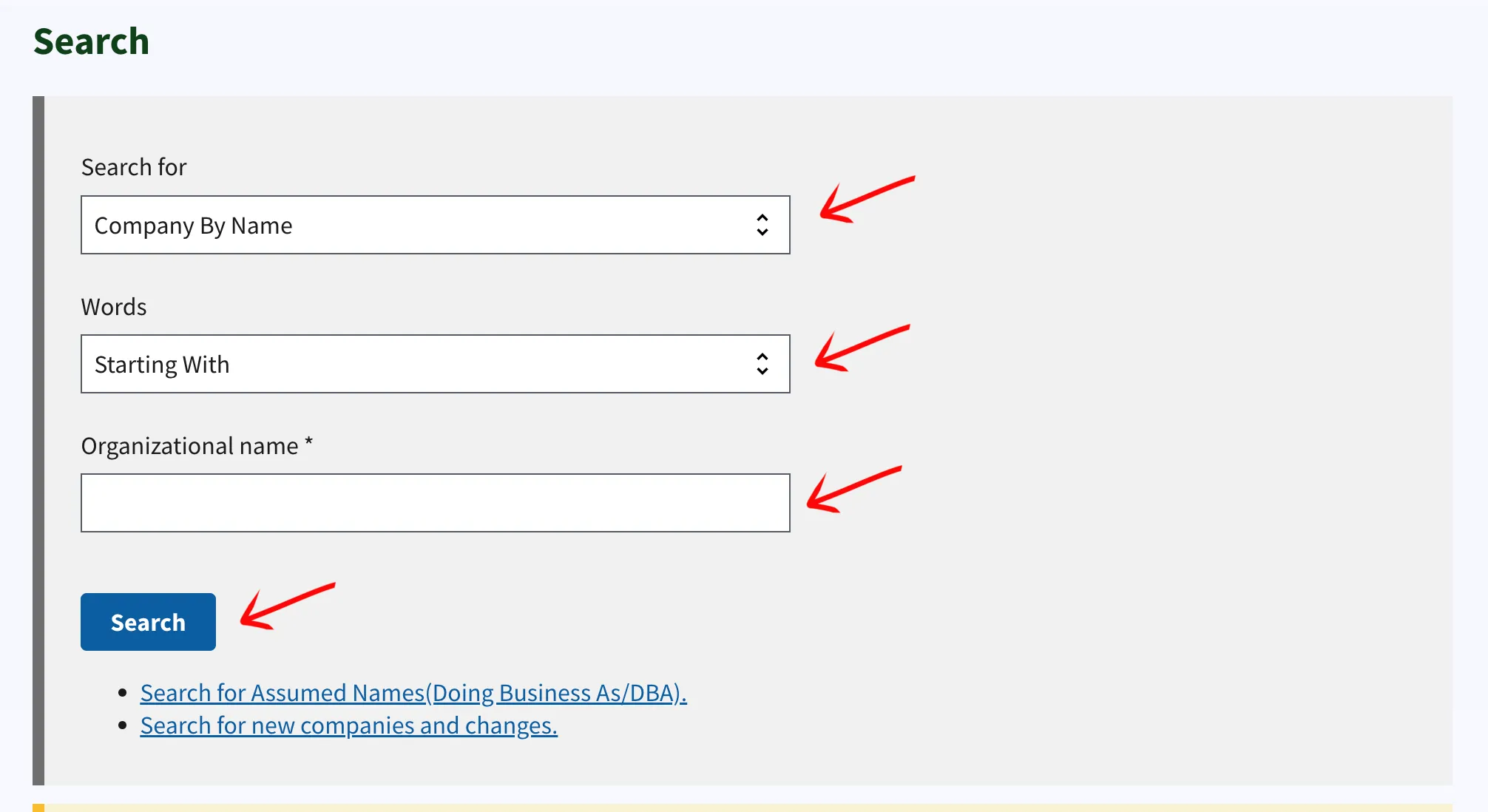
The system requires two dropdown selections to define the search scope. Choose the appropriate options to proceed:
- Search For: Select between Company, Secretary of State ID Number (SOSID), Company Officials, or Registered Agents.
- Words: Select between All, Any, or Exact Match.
Enter the target business name into the “Organization Name” field. Click the Search button to execute the query.
Review Search Results
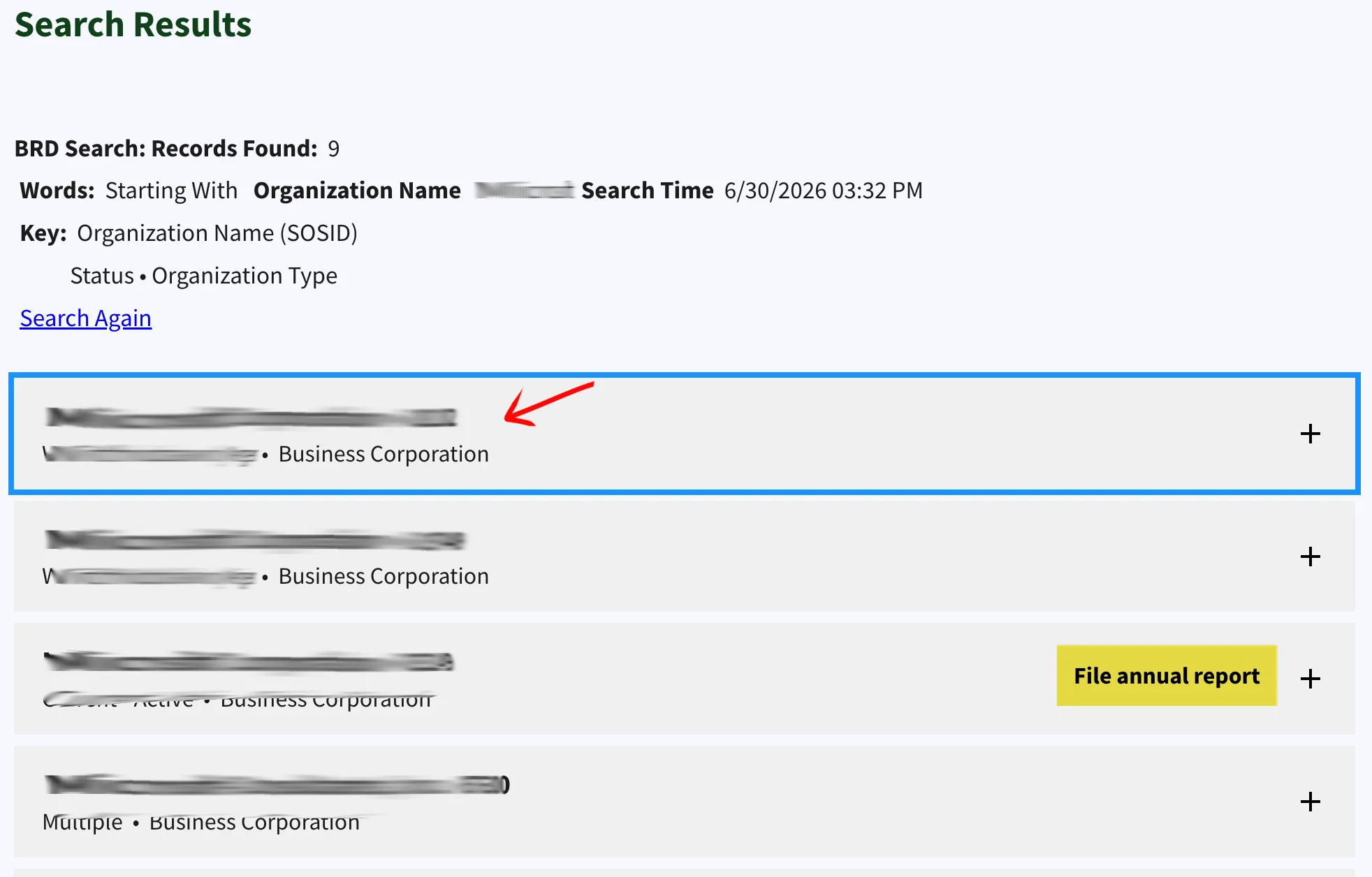
The system lists entities matching your criteria in a table. Locate your target entity in the list and click the plus sign (+) in the corresponding row to expand the details. Each entry displays:
- Name
- ID Number
- Business Type
Expand the Details Section
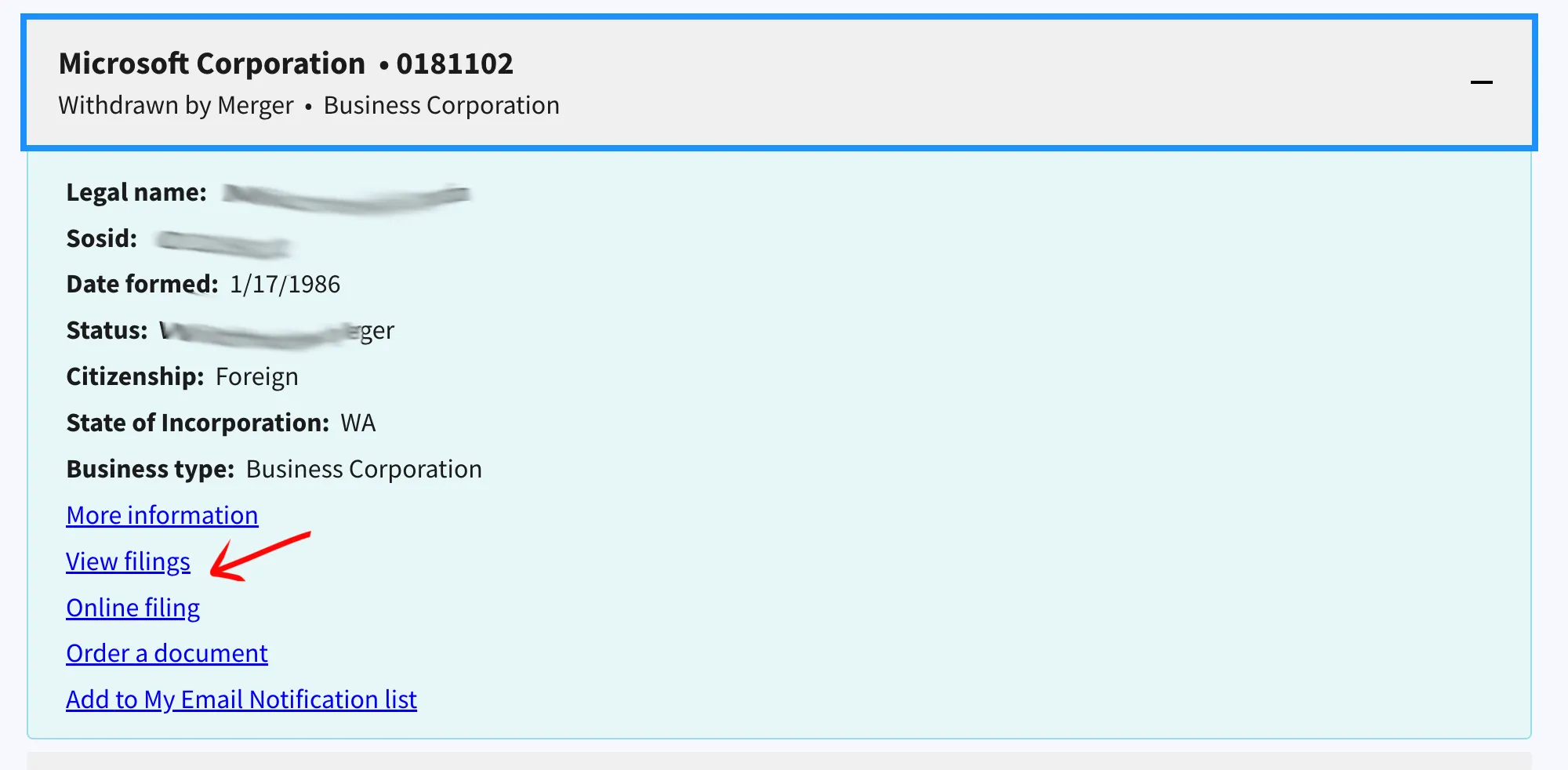
Once the row expands, the system displays additional information:
- Legal Name
- SOSID
- Date Formed
- Status
- Citizenship
- Business Type
To view further records, click the “More Information” link. To review the entity’s history with the Secretary of State, click the “View Filings” link near the top of the area. Within the filings section, you can access specific documents by selecting “View Filing (PDF)” where available.
Obtain Detailed Entity Records
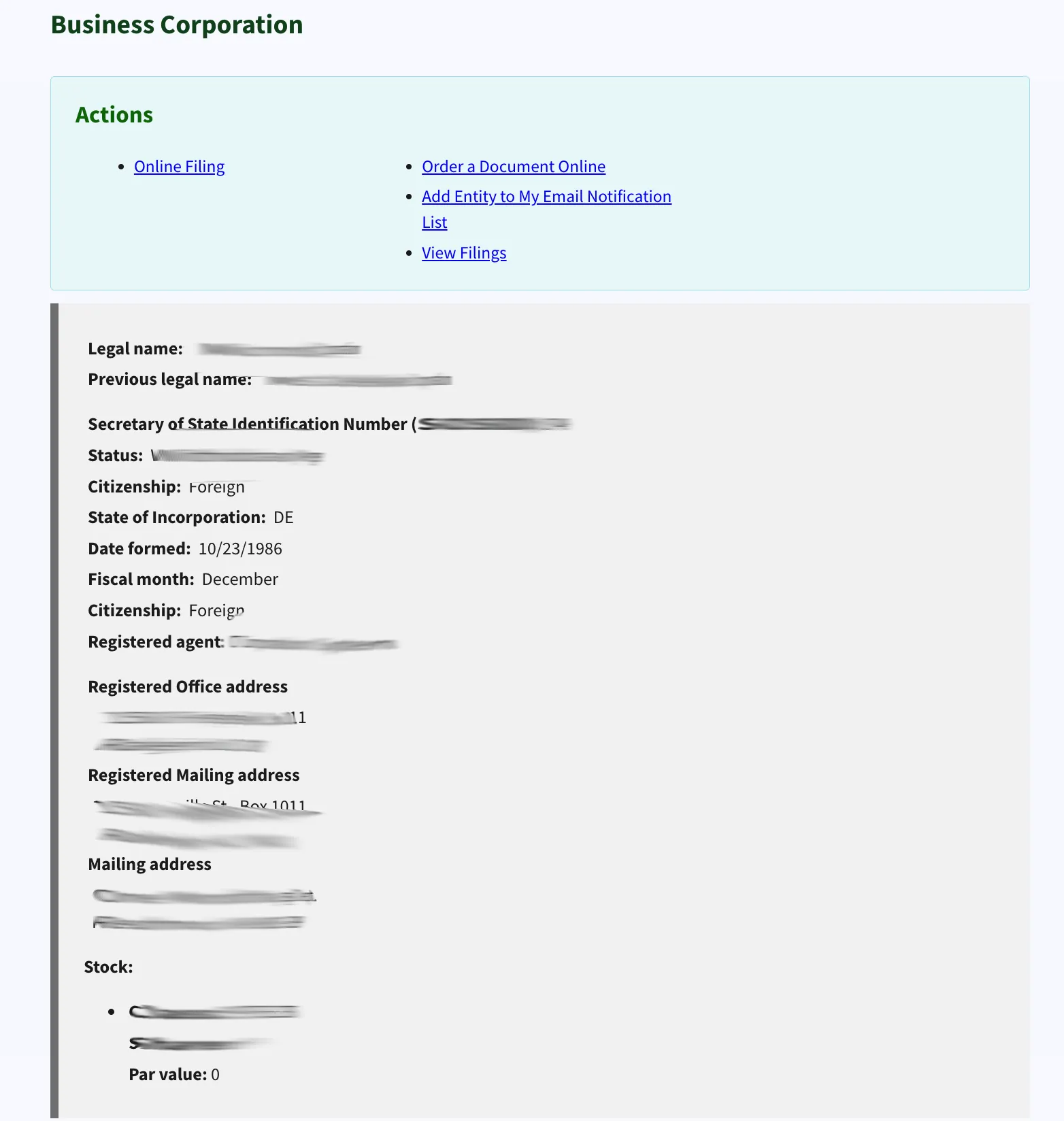
Clicking the “More Information” link opens a dedicated page displaying detailed registration records, including the Registered Agent’s name, registered office address, mailing address, and stock information.
Access Public Filings
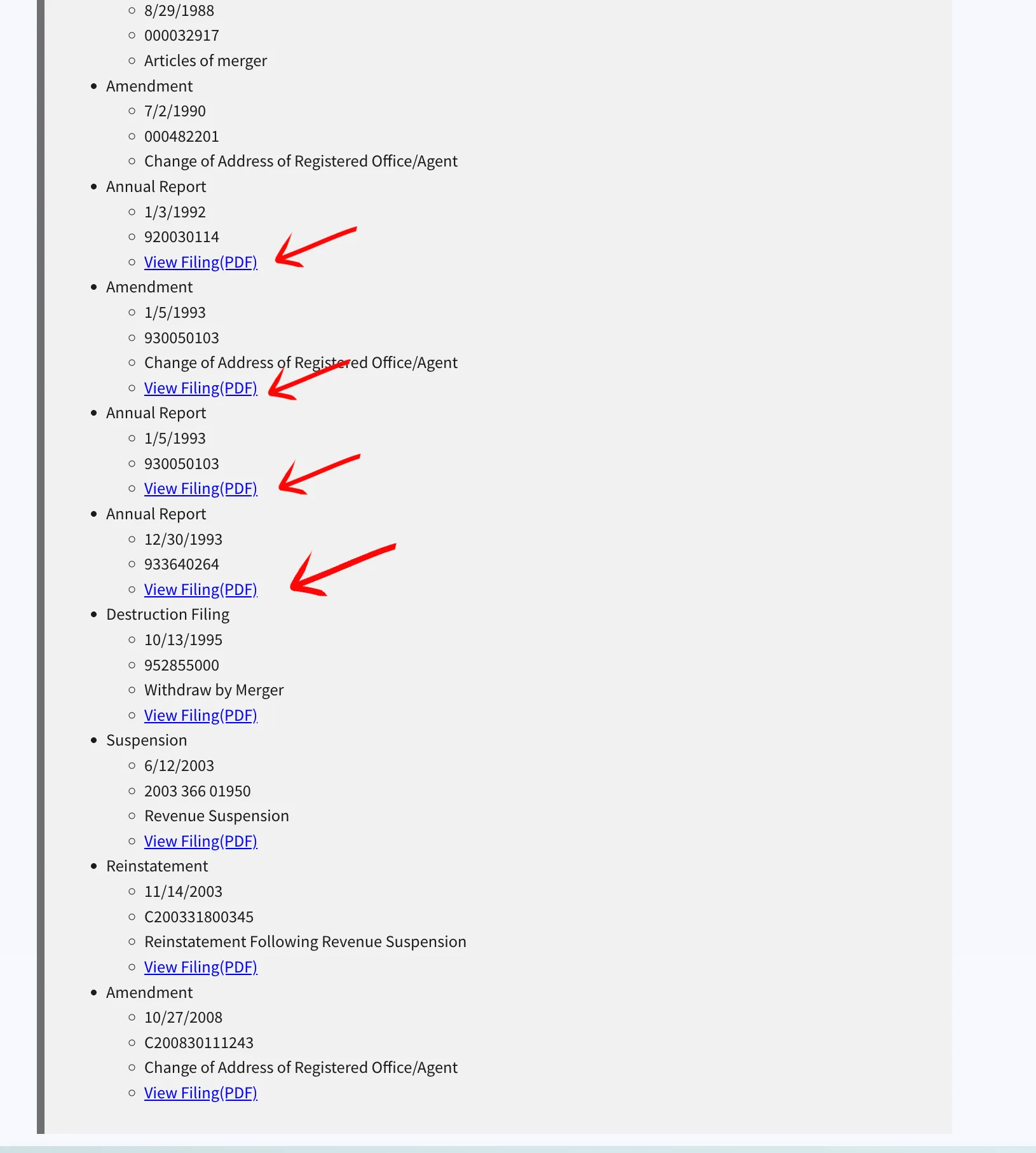
Selecting the “View Filings” link opens a page listing all annual reports, amendments, and suspension files. To view or download a specific document, click the “View Filing(PDF)” link next to the filing entry.
If the search results return no close matches for North Carolina, treat that as a preliminary screening signal only. Verify the name in the official state database, and wait for the state filing or name-reservation review before treating the name as accepted.
How to Interpret North Carolina Results
A North Carolina business search helps you verify registration details or determine name availability:
- Current-Active: The business is registered, active, and in good standing with the Secretary of State.
- Admin. Dissolved / Delinquent: The business registration has been administratively dissolved or suspended, usually due to failing to file required annual reports.
- Name Availability & Distinguishability: Under North Carolina law, a proposed business name must be distinguishable from all other active registered names, including LLCs, corporations, and limited partnerships. Spacing, punctuation, capitalization, or entity designators (like LLC, L.L.C., Inc., or Corp.) are ignored when determining distinguishability.
North Carolina Business Name and Filing Notes
North Carolina search results should be paired with SOSID details, annual report rules, and filing services before a user acts on a proposed name:
- LLC Filing Fees: Filing the Articles of Organization online for a domestic North Carolina LLC costs $125.
- Name Reservation: You can reserve a business name for a nonrenewable 120 days by filing Form BE-03. The reservation fee is $30. The separate $10 fee applies only to transferring an existing reservation with Form BE-04.
- Annual Reports: North Carolina LLCs must file an annual report each year by April 15 (excluding the calendar year in which the LLC was formed). The fee is $203 for online filings and $200 for paper filings.
- Foreign LLCs: To register an out-of-state LLC to do business in North Carolina, the initial filing fee is $250.
Common Mistakes
- Searching Only for the Exact Proposed Name: Always run broad searches using just the core keyword of your proposed name. If you only search for the exact phrase, you might miss closely matching active names that the state will reject as indistinguishable.
- Including LLC Suffixes in Search Queries: Do not type designators like “LLC” or “L.L.C.” into the search form. The system ignores suffixes, and adding them can restrict results or return false matches.
- Missing the Annual Report Deadline: North Carolina LLC annual reports must be filed by April 15. Failing to file can result in the administrative dissolution of your business and loss of exclusive name rights.
- Assuming Availability Equals Official Approval: A search showing no matching results is a preliminary indicator of availability, but only the Secretary of State can officially approve your name when they process your filing.
Sources Reviewed
- North Carolina Secretary of State Business Registration Search
- North Carolina Secretary of State Business Divisions
- North Carolina Business Registration Fee Schedule
- North Carolina Application to Reserve a Business Entity Name (Form BE-03)
- North Carolina Annual Report Details
Search beyond North Carolina
Company names are registered state by state, so a name that is taken in North Carolina may still be available elsewhere. The Secretary of State business search directory lists the official registry, agency contacts, and filing fees for all 50 states, the free LLC lookup guide covers name checks and LLC record details in every state, and our guide to nationwide business entity search explains how to check several states at once.
Registering in a nearby state instead? See the Virginia business entity search, South Carolina business entity search, and Georgia business entity search guides.