
Quick Answer
Use the North Dakota Secretary of State FirstStop Business Search to run a North Dakota entity search by business name, system ID, or agent name. For name research, enter the proposed wording and compare Contains or Starts With results for active and similar entities. A no-match result is only preliminary; final acceptance happens when the state reviews the filing or reservation.
How to Search North Dakota Business Entity Records
The official registry of business records is maintained by the North Dakota Secretary of State. You can search the public database for free online.
Access the North Dakota Search Portal
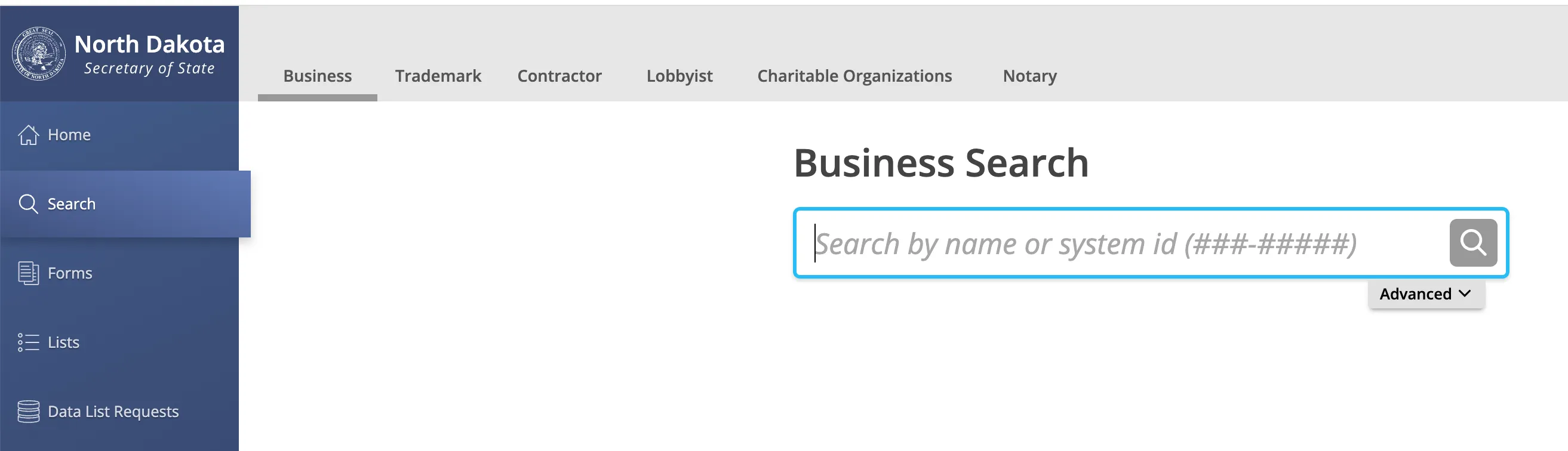
Go to the official North Dakota Business Search page to begin.
Enter the Business Name and Apply Filters
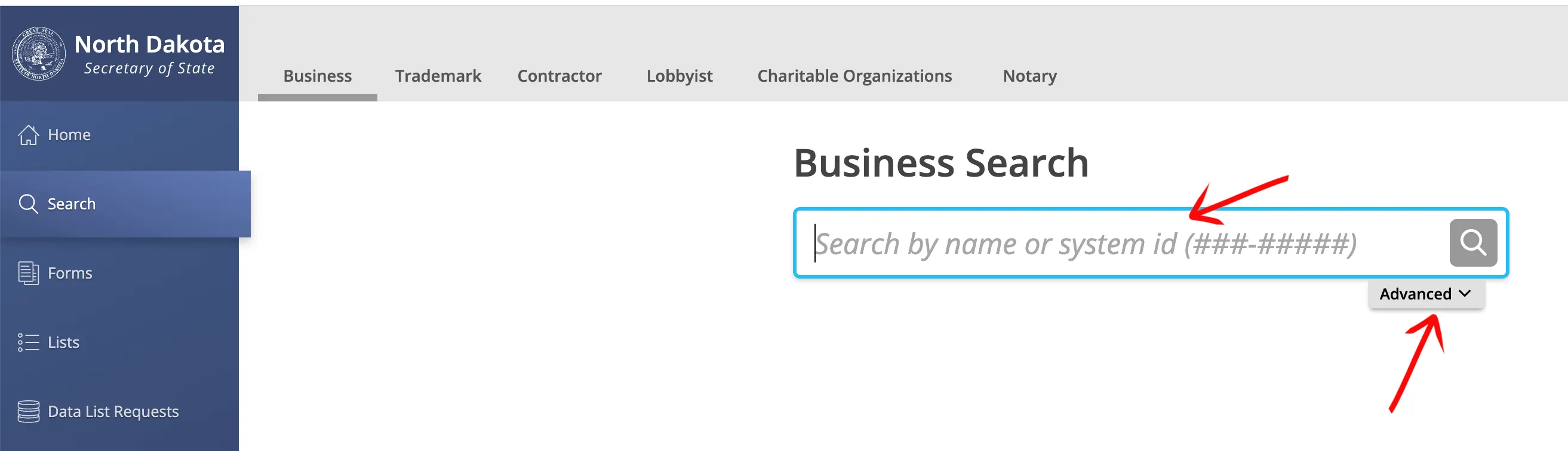
Choose between a basic search and an advanced search. For a basic search, type the business name into the search field and click “Search”. To refine your query, click the “Advanced” tab to access these filtering options:
- Contains
- Starts With
You can also select the checkbox to limit your search to active business entities only. Click “Search” to load the results on a new page.
Locate the Entity in the Results Table
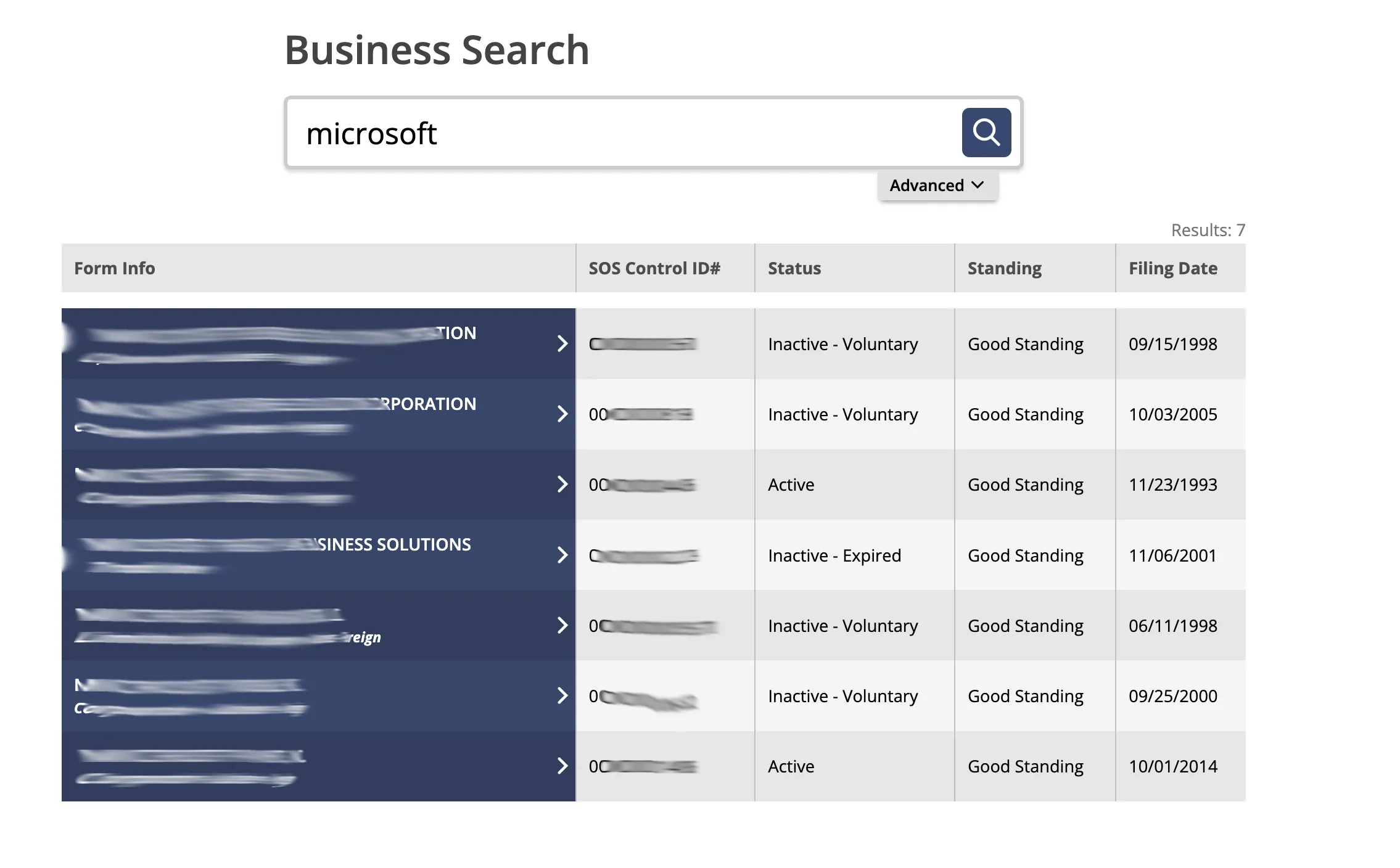
Review the records organized within the results table. Read through the columns to analyze the matching data. Click directly on the business name in the first column to open the record. The table displays these specific fields:
- SOS ControlID#
- Standing
- Filing Date
Review the Filed Entity Details
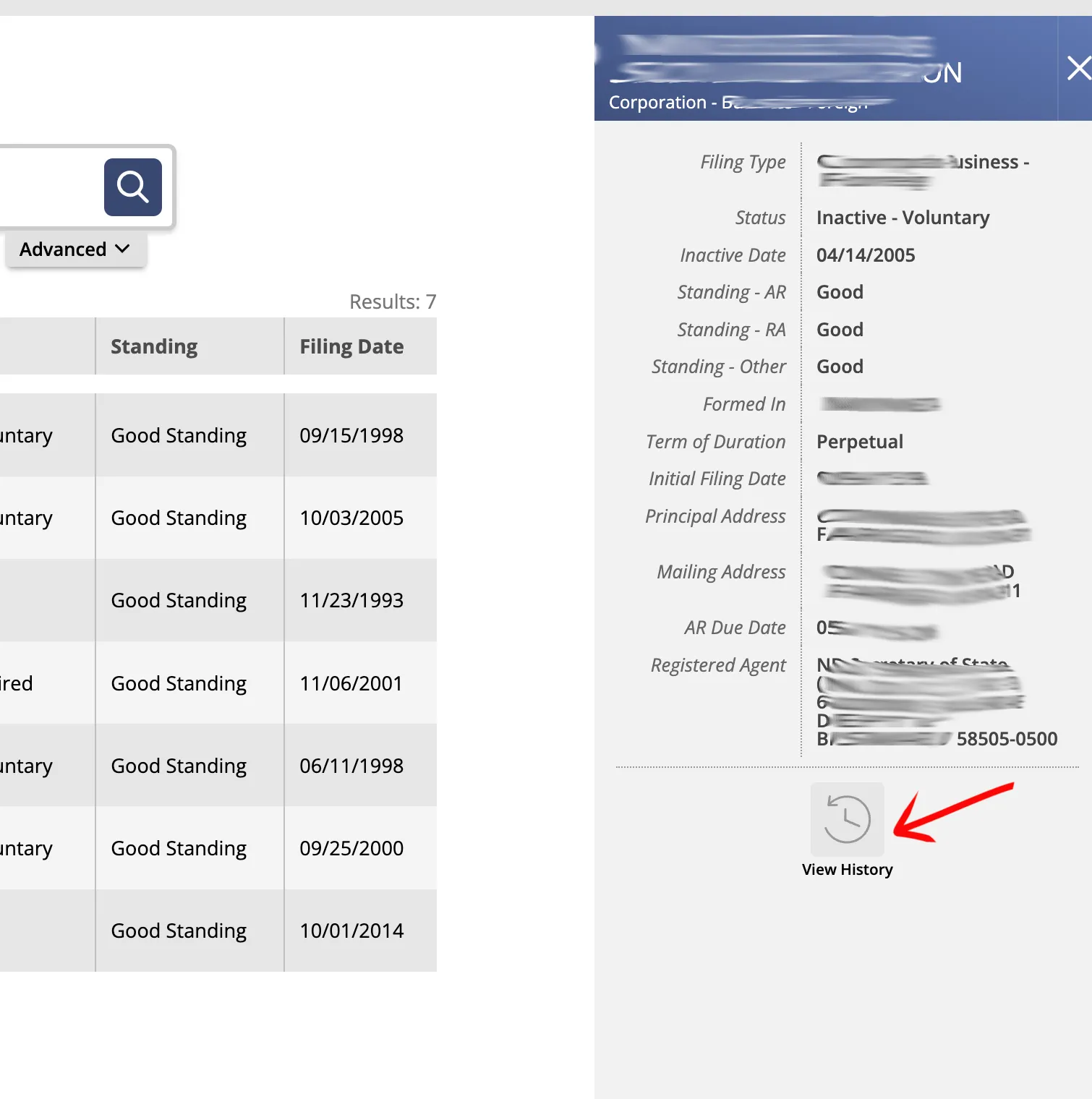
Examine the detailed information that opens in the right side panel. The available data fields vary based on the specific entity type and include:
- Filing Type
- Status
- Inactive Date
- Owner Name
- Owner Address
- Nature Of Business
- Term Of Duration
- Initial Filing Date
- Expiration Date
- Principal Address
- Mailing Address
Click the “Filing History” button to view the historical filing records for the business.
If the search results return no close matches for North Dakota, treat that as a preliminary screening signal only. Verify the name in the official state database, and wait for the state filing or name-reservation review before treating the name as accepted.
How to Interpret North Dakota Results
North Dakota FirstStop results are useful because they can surface both a System ID and the agent record connected to the business. Do not rely only on the first result-row label. Open the detail record and compare the legal name, status, filing history, and registered-agent information before deciding whether the result is a true conflict.
For name research, run more than one query. Use Contains to catch names where your wording appears in the middle, then use Starts With when the proposed name has a distinctive opening phrase. North Dakota can still reject a proposed name that is deceptively similar to an existing record even if punctuation, spacing, pluralization, or an entity ending differs.
North Dakota Business Name and Filing Notes
North Dakota filing work is split between the public FirstStop search and the filing services used to maintain or register an entity. Keep the search result, name reservation, and ongoing report obligations separate:
- LLC Filing Fees: Filing the Articles of Organization online for a domestic North Dakota LLC costs $135.
- Name Reservation: You can reserve a business name for up to 12 months by filing a Name Reservation application. The fee is $10, and it is renewable.
- Annual Reports: North Dakota LLCs are required to file an annual report on or before November 15 each year. The filing fee is $50.
- Foreign LLCs: To register an out-of-state LLC to do business in North Dakota, you must file an Application for Certificate of Authority. The filing fee is $135.
Common Mistakes
- Ignoring the System ID: Similar names can be hard to separate from the result list alone. Open the System ID detail record before deciding two records are unrelated.
- Searching only active records: Inactive, dissolved, or revoked records can still matter for name research and filing history review.
- Using only Exact Match: Run Contains and Starts With searches for the distinctive words before relying on a no-match result.
- Missing the November 15 report deadline: North Dakota LLC annual reports are due by November 15. Missing the deadline can lead to penalties and administrative action.
- Treating FirstStop as name approval: FirstStop is a public-records lookup. The Secretary of State decides name acceptance during filing or reservation review.
Sources Reviewed
- North Dakota Secretary of State Business Records Search
- North Dakota Secretary of State Business Services
- North Dakota LLC Filing Fees and Forms
- North Dakota Secretary of State Contact Information
Search beyond North Dakota
Company names are registered state by state, so a name that is taken in North Dakota may still be available elsewhere. The Secretary of State business search directory lists the official registry, agency contacts, and filing fees for all 50 states, the free LLC lookup guide covers name checks and LLC record details in every state, and our guide to nationwide business entity search explains how to check several states at once.