
Quick Answer
Use the Montana Secretary of State Business Search portal to run a Montana entity search by business name, registered agent, or filing number. For name research, enter the distinctive words in the Search field and compare Starts With and Contains results before filing. A no-match result is only preliminary; final acceptance happens during the state’s filing or name-reservation review.
How to Search Montana Business Entity Records
Montana business registrations are maintained by the Business Services division of the Montana Secretary of State. The division provides a free online search tool to verify name availability, check active compliance, and view public business records.
Access the Entity Database
Navigate directly to the Montana Business Search page to begin.
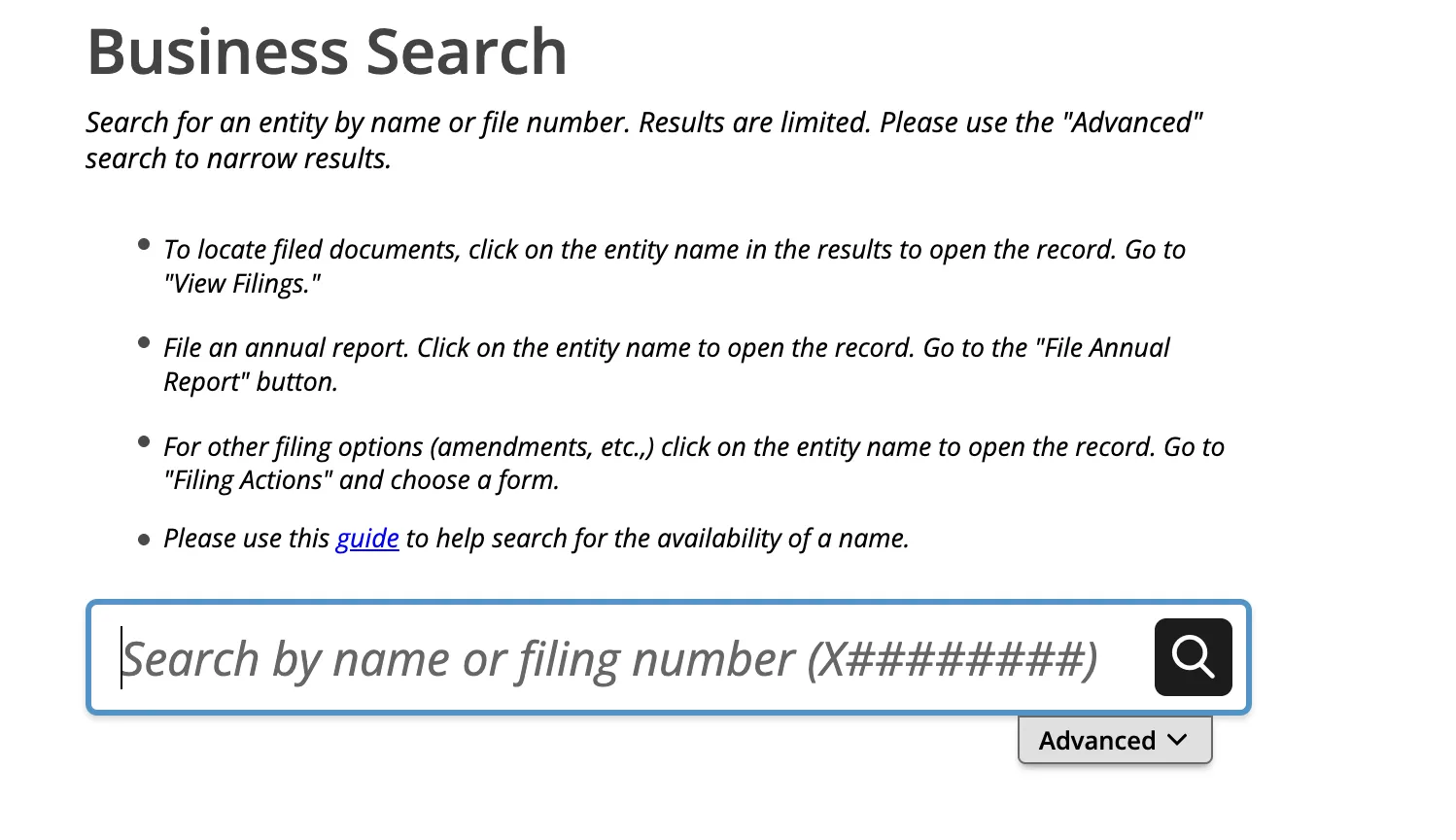
Choose Your Search Parameters
Type your desired business name into the text box. Choose one of the following search methods:
- Simple Search: Click the magnifying glass icon to run the query immediately.
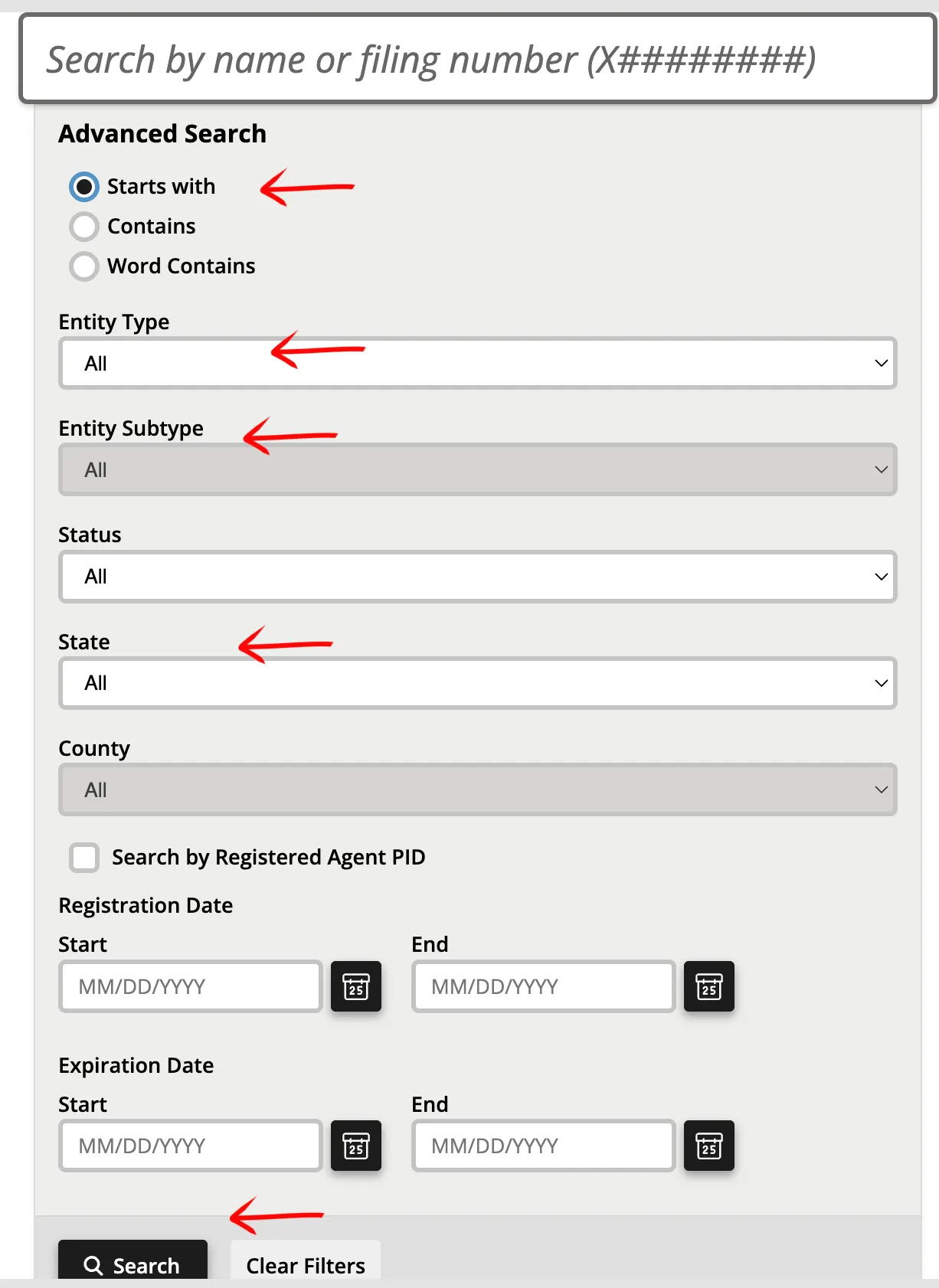
- Advanced Search: Select the Advanced tab to apply specific filters:
- Keyword Placement: Select “Starts With” or “Contains”.
- Entity Type
- Status (Active, Dissolved, etc.)
- State or County
- Registered Agent: Check the box if you are searching by agent name.
- Registration Date or Expiration Date ranges.
After setting your parameters, click the Search button.
Evaluate Query Results
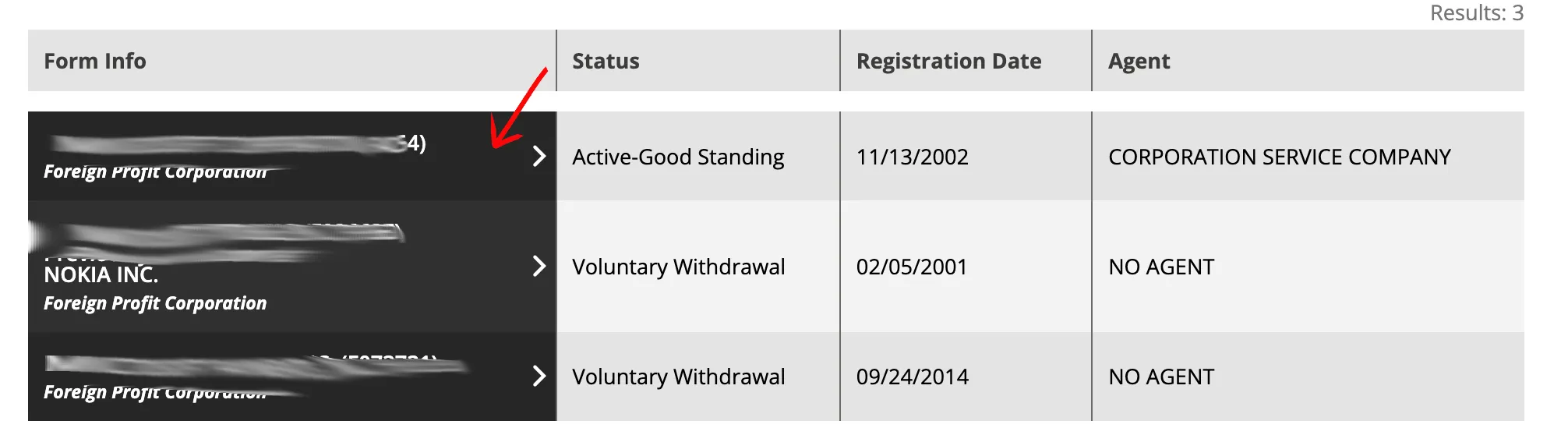
The system displays matching results in a table. Locate your target business entity and click on its name in the first column. The table summarizes the following fields:
- Business Name
- Form Info (Entity Type)
- Status (Active, etc.)
- Registration Date
- Agent (Registered Agent name)
Review Entity Details
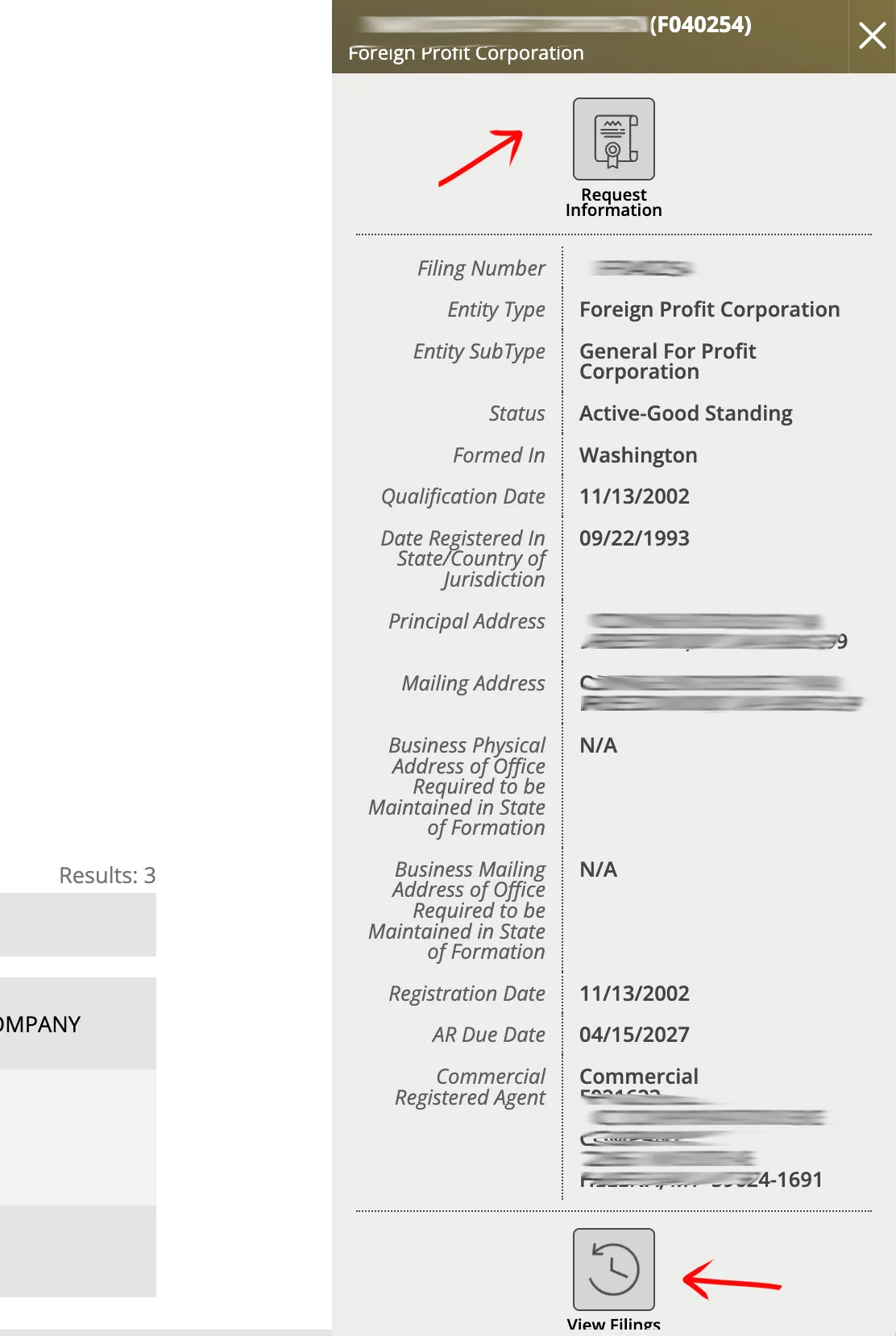
A detail panel opens on the right side of the screen. Review the displayed public information:
- Filing Number
- Entity Type & Entity Sub Type
- Status (shows Active or Inactive)
- Formed In & Qualification Date
- Date Registered in State/Country of Jurisdiction
- Principal Address & Mailing Address
- Registration Date
- AR Date (Last Annual Report Date)
- Commercial Registered Agent details
If the search results return no close matches for Montana, treat that as a preliminary screening signal only. Verify the name in the official state database, and wait for the state filing or name-reservation review before treating the name as accepted.
How to Interpret Montana Results
Montana’s Business Search can return records by business name, registered agent, or filing number. Open the detail page and compare the legal name, status, filing number, and commercial registered-agent details before deciding whether a result conflicts with your proposed name.
Montana name checks should start broad. Search the distinctive words with Contains, then use Starts With when the opening phrase matters. Do not assume that spacing, punctuation, capitalization, or an LLC/Inc. ending creates a distinguishable name.
Montana Business Name and Filing Notes
Montana’s annual-report process deserves special attention because fee-waiver language can change by filing cycle. Confirm the current portal message before relying on the fee amount, but still file the report when required.
- LLC Filing Fees: Filing the Articles of Organization online for a domestic Montana LLC costs $35.
- Annual Reports: Montana LLCs must file an annual report online by April 15 each year. The standard filing fee is $20. If filed after April 15, a late fee is applied, raising the total to $35. Note: The Montana Secretary of State has waived annual report fees through recent filing cycles; check the official portal to see if a waiver applies to your current filing year.
- Name Reservation: You can reserve a business name for 120 days by filing a Name Reservation application online. The fee is $10. This reservation is non-renewable.
- Foreign LLCs: To register an out-of-state LLC to do business in Montana, the filing fee is $70.
Common Mistakes
- Missing registered-agent matches: A name search is not the only useful Montana lookup; registered-agent searches can help identify related entities.
- Treating fee waivers as filing waivers: A waived annual-report fee does not mean the report itself can be skipped.
- Searching only the full legal name: Test the distinctive words with Contains before relying on an exact phrase.
- Including entity endings too early: LLC, L.L.C., Inc., and Corp. can narrow the search and hide similar records.
- Treating a clean search as approval: Montana makes the final name decision during filing or reservation review.
Sources Reviewed
- Montana Secretary of State Business Search Portal
- Montana Secretary of State Business Services Website
- Montana Secretary of State Fees Schedule
- Montana Secretary of State Business Renewal Help
Search beyond Montana
Company names are registered state by state, so a name that is taken in Montana may still be available elsewhere. The Secretary of State business search directory lists the official registry, agency contacts, and filing fees for all 50 states, the free LLC lookup guide covers name checks and LLC record details in every state, and our guide to nationwide business entity search explains how to check several states at once.
Registering in a nearby state instead? See the Idaho business entity search, Wyoming business entity search, and North Dakota business entity search guides.