
Quick Answer
Use the West Virginia Secretary of State Business Entity Search portal to run a West Virginia entity search by full or partial organization name. For name research, search the distinctive words and compare matching records before filing. A no-match result is only preliminary; final acceptance happens during the state’s filing or reservation review.
How to Search West Virginia Business Entity Records
The Business and Licensing Division of the West Virginia Secretary of State maintains the registrations of all corporations, LLCs, limited partnerships, and active businesses in the state. These public records are searchable for free online.
Access the Business Entity Search
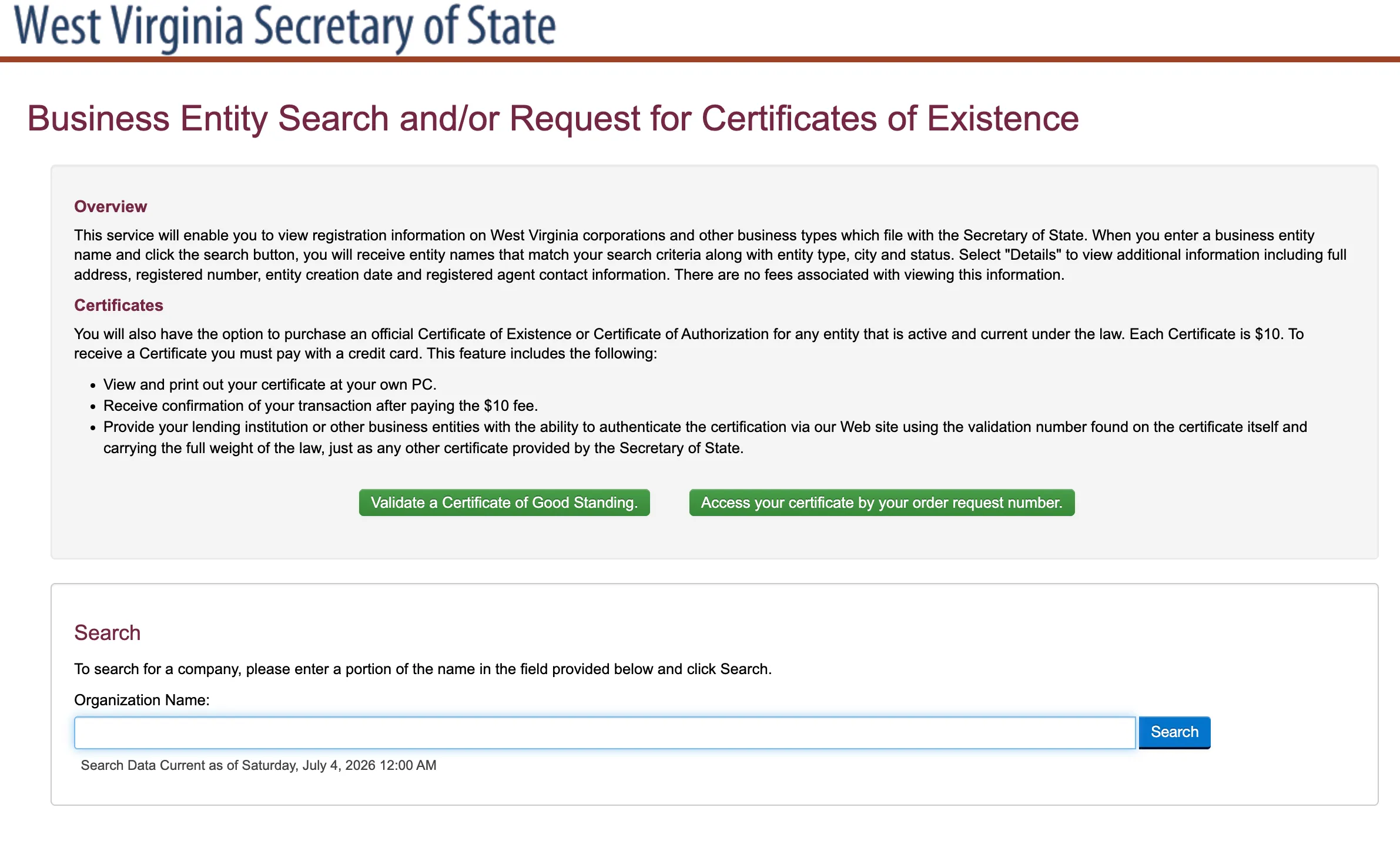
Go to the official West Virginia Secretary of State Business Entity Search portal to begin.
Submit the Entity Name
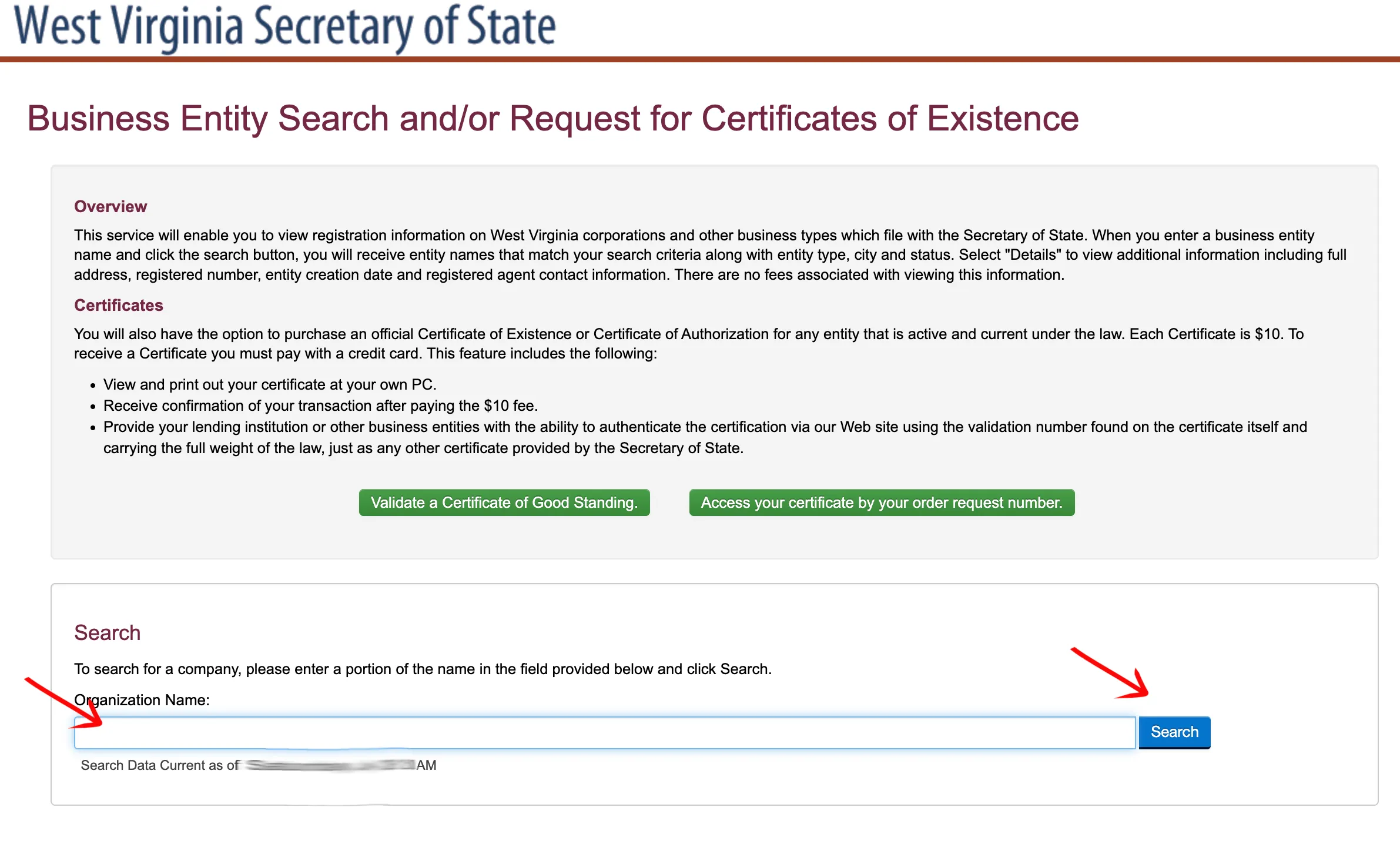
Locate the Organization Name text box. Type the name of the business or entity you are researching. If you do not have the full name, you may enter a partial name. Click the Search button to execute the query.
Review Search Results
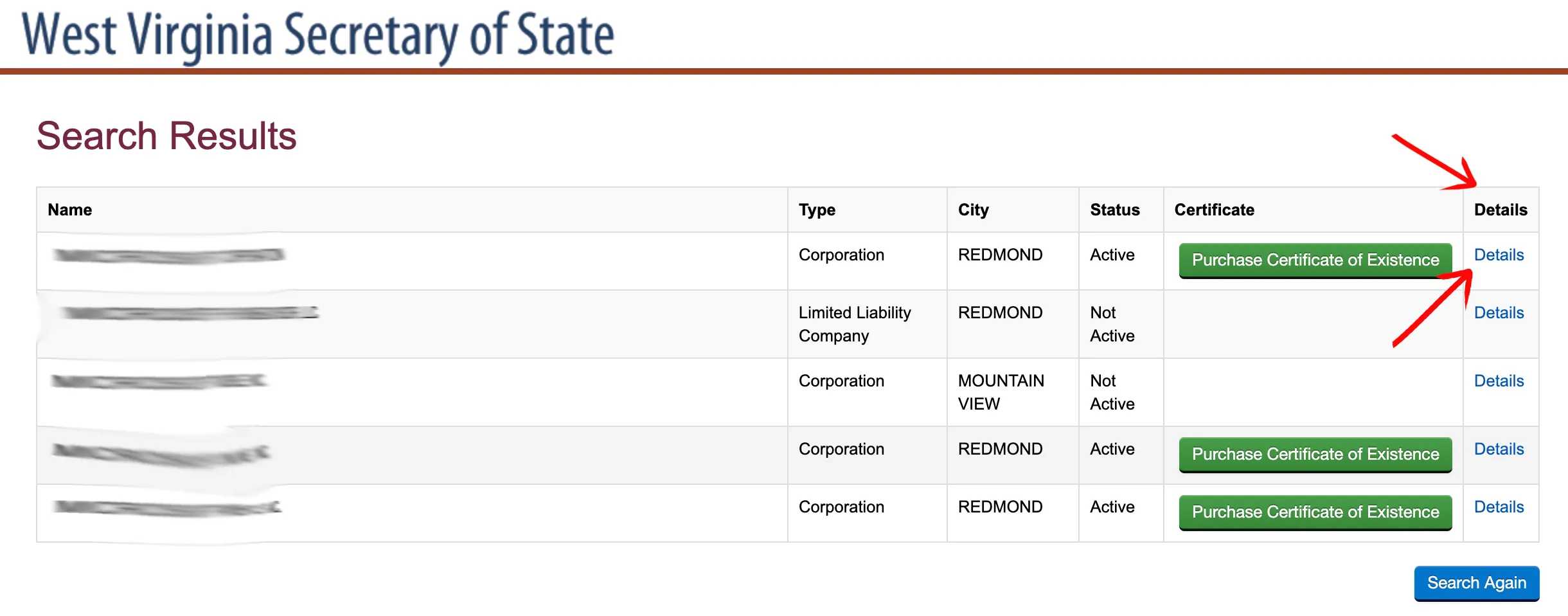
Scan the results list to locate the target business entity. The system displays the following columns for each entry:
- Name (linked to details)
- Type (e.g., Corporation, Limited Liability Company)
- City
- Status (e.g., Active, Not Active)
- Certificate (option to purchase a Certificate of Existence for $10)
- Details (link to detailed information)
To view additional details, click the Details button at the end of the relevant row.
Analyze Entity Details
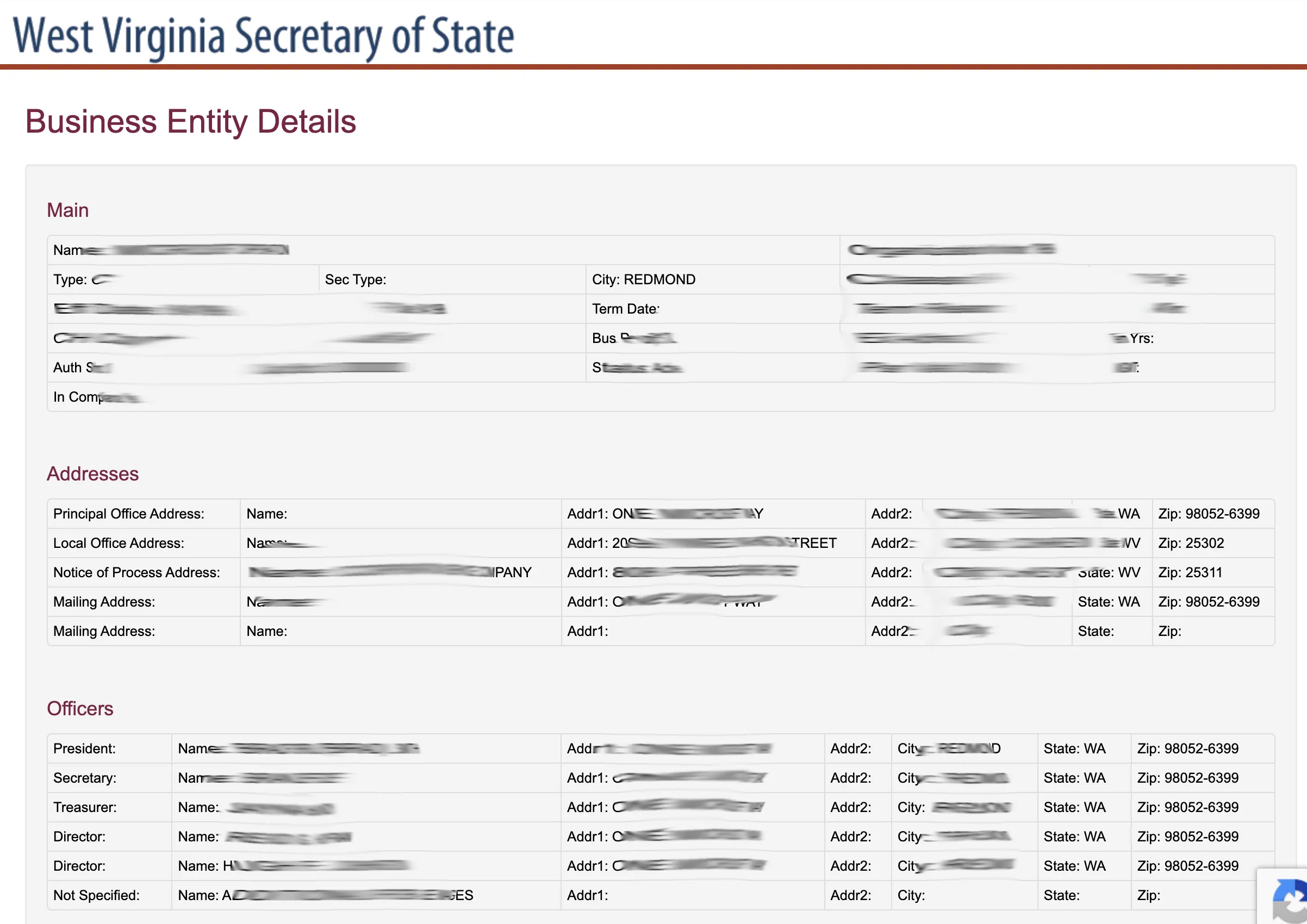
Review the primary business details on the Business Entity Details page. You can click on the tabs at the top to navigate between different categories of data:
- Main: Displays basic business identification, Organization Number, Entity Type, Incorporation Date, and Status.
- Addresses: Lists Principal Office Address, Local Office Address, and Mailing Address.
- Officers: Lists names and addresses of officers, directors, or managers.
- DBA’s: Lists any registered trade names or assumed names.
- Names / Mergers / Subsidiaries: Shows structural updates and historical name changes.
- Amendments / Dissolution: Contains history of organizational changes.
- Annual Reports: Shows compliance filing history and due dates.
From this page, you can also select the option to purchase a Certificate of Authorization, return to your search results, or start a new search.
If the search results return no close matches for West Virginia, treat that as a preliminary screening signal only. Verify the name in the official state database, and wait for the state filing or name-reservation review before treating the name as accepted.
How to Interpret West Virginia Results
A business search in West Virginia reveals key status and compliance indicators:
- Active: The business is in compliance with filing requirements, has paid its fees, and holds the exclusive right to use its name.
- Not Active: The entity has been dissolved, cancelled, or withdrawn. A dissolved name may eventually become available for new registrations.
- Name Distinguishability: Under West Virginia law, your proposed business name must be distinguishable from all other active names on file with the Secretary of State. Suffixes, punctuation, capitalization, or minor spacing differences are not enough to make a name distinguishable.
West Virginia Business Name and Filing Notes
Before filing in West Virginia, account for the Secretary of State’s LLC formation fee, name reservation window, annual report period, and foreign registration rules:
- LLC Filing Fees: Filing the Articles of Organization for a domestic West Virginia LLC costs $100.
- Name Reservation: You can reserve a unique name for up to 120 days before registration. The reservation fee is $15.
- Annual Reports: West Virginia LLCs must file an annual report each year between January 1 and June 30. The filing fee is $25 (online filings through the Business4WV portal add a $1 portal fee). Late filings are subject to penalties and can lead to administrative dissolution.
- Foreign LLCs: To register an out-of-state LLC to do business in West Virginia, you must file an Application for Certificate of Authority. The filing fee is $150 (or $151 online).
Common Mistakes
- Searching Only the Full Name: Searching only your exact planned name may overlook similar names that could cause the Secretary of State to reject your application. Always search for the core distinctive keywords.
- Including Suffixes in Search Input: Avoid typing entity designators (such as “LLC” or “Inc”) into the search box, as this will restrict results or yield false availability matches.
- Missing the Annual Report Window: West Virginia requires annual reports to be filed by June 30. Filing late results in penalty fees and eventual administrative dissolution of the business.
- Assuming Search Availability Equals Approval: A search returning no matches is a preliminary check. The Secretary of State Business and Licensing Division has the final authority to approve or reject your business name during filing.
Sources Reviewed
- West Virginia Secretary of State Business Entity Search Portal
- West Virginia Secretary of State Business and Licensing Division Website
- West Virginia Secretary of State Annual Reports Information
- West Virginia Secretary of State Limited Liability Companies Guide
- West Virginia Secretary of State Register a New Business Fee Schedule
Search beyond West Virginia
Company names are registered state by state, so a name that is taken in West Virginia may still be available elsewhere. The Secretary of State business search directory lists the official registry, agency contacts, and filing fees for all 50 states, the free LLC lookup guide covers name checks and LLC record details in every state, and our guide to nationwide business entity search explains how to check several states at once.