
Quick Answer
Use the Kentucky Secretary of State Business Entity Search portal to run a Kentucky entity search by business name, organization number, city, or ZIP code. For most name checks, start with a Business Name or Organization Number search using partial distinctive words, then open the detailed record before relying on a name. A clear search is only preliminary; final acceptance happens during Kentucky’s filing or reservation review.
How to Search Kentucky Business Entity Records
Kentucky business entity searches are conducted through the Secretary of State’s online search portal. The portal allows searches by name, number, or location, and supports advanced filtering options for detailed lookups.
Access the Kentucky Business Entity Search Page
Go directly to the official Kentucky Secretary of State Business Entity Search page at https://sosbes.sos.ky.gov/BusSearchNProfile/search.aspx to begin your query.
Enter Search Criteria
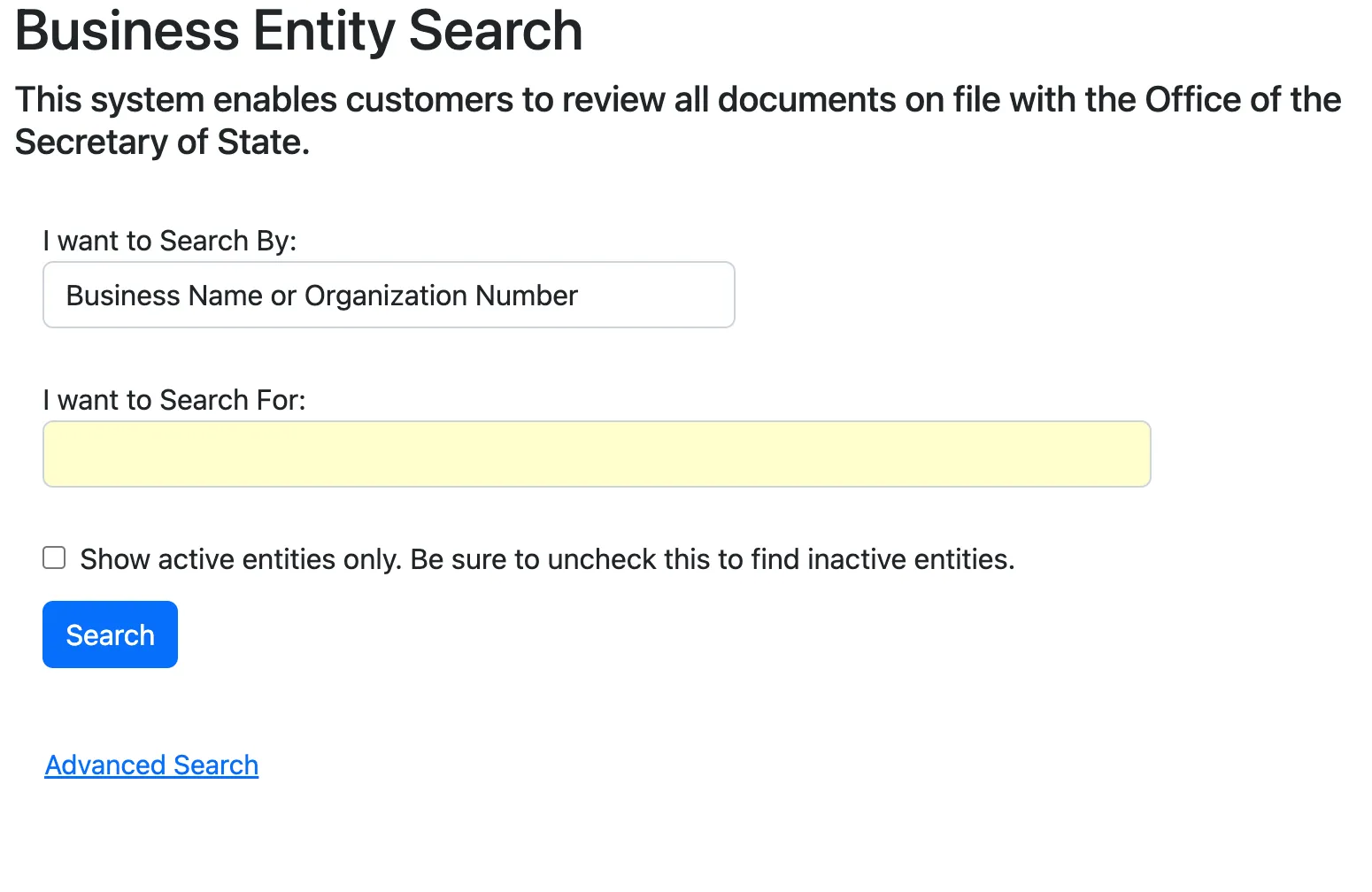
Select your search method from the “I want to Search By” dropdown menu:
- Business Name or Organization Number
- City Name of Principal Office
- Zip Code of Principal Office
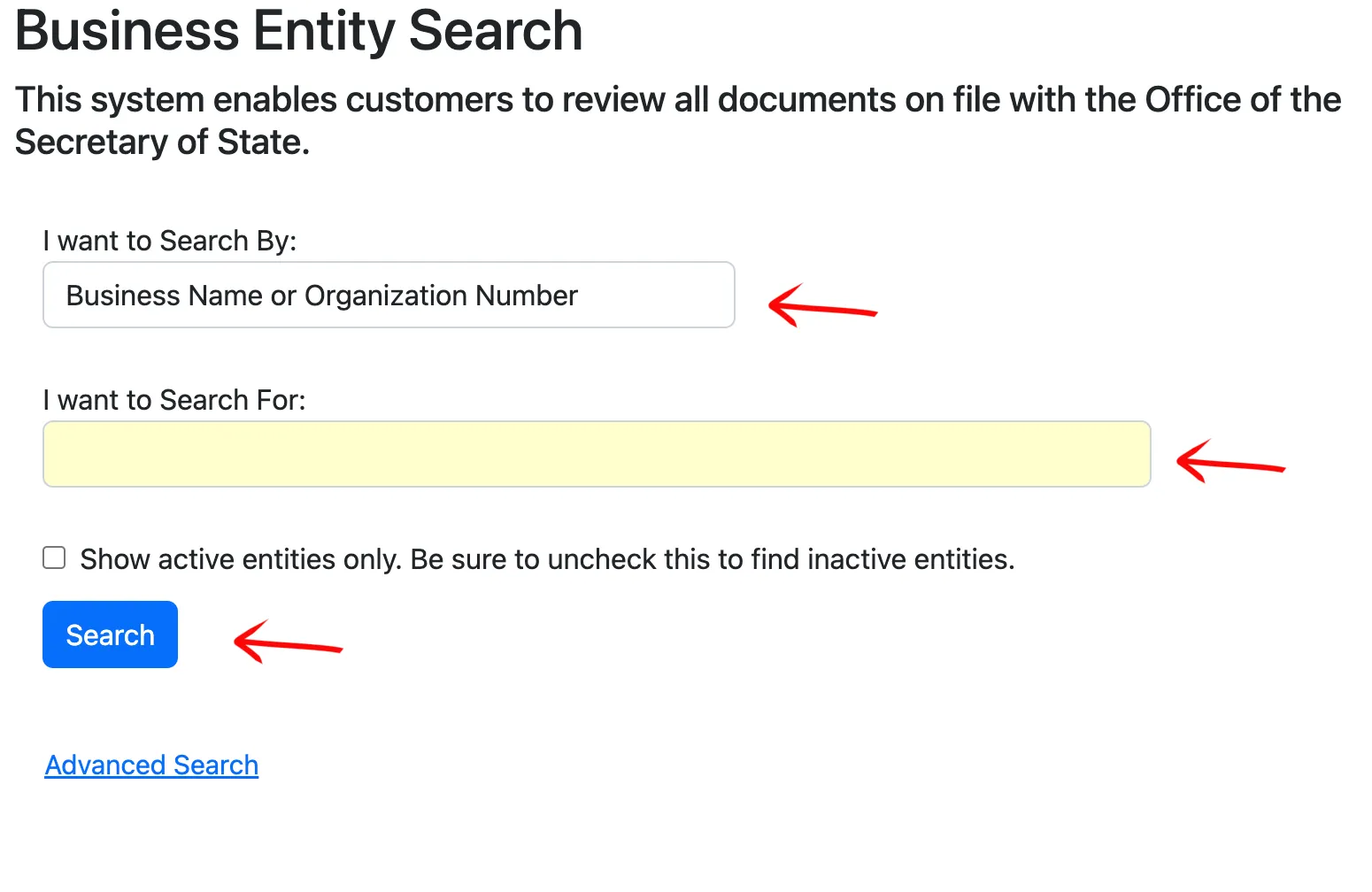
Enter your search query in the “I want to Search For” text box. Check “Show active entities only” if you wish to restrict the search, or leave it blank to view all matching records. Click the blue “Search” button to execute.
Use Advanced Search (Optional)
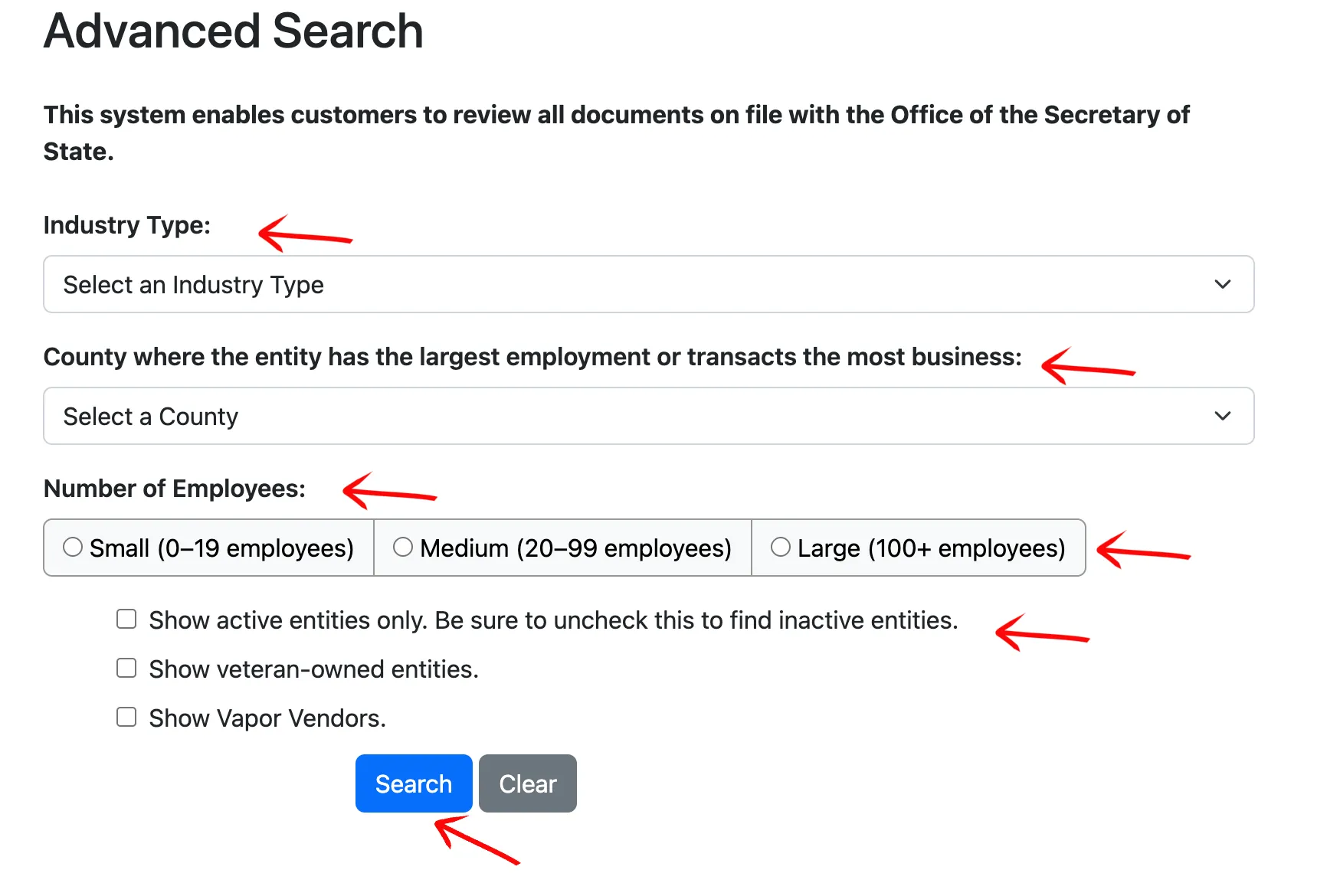
Click “Advanced Search” if you need to apply more specific filters to narrow your results. The advanced search page allows you to search by:
- Industry: Select the industry type and specific description from the dropdowns.
- County: Choose the county of the principal office.
- Employees: Select the employee count size (Small: 0-19, Medium: 20-99, Large: 100+).
- Restrictions: Restrict results to active, veteran-owned, or vapor vendor entities.
Click the blue “Search” button to execute the advanced query.
Find the Business Entity Record
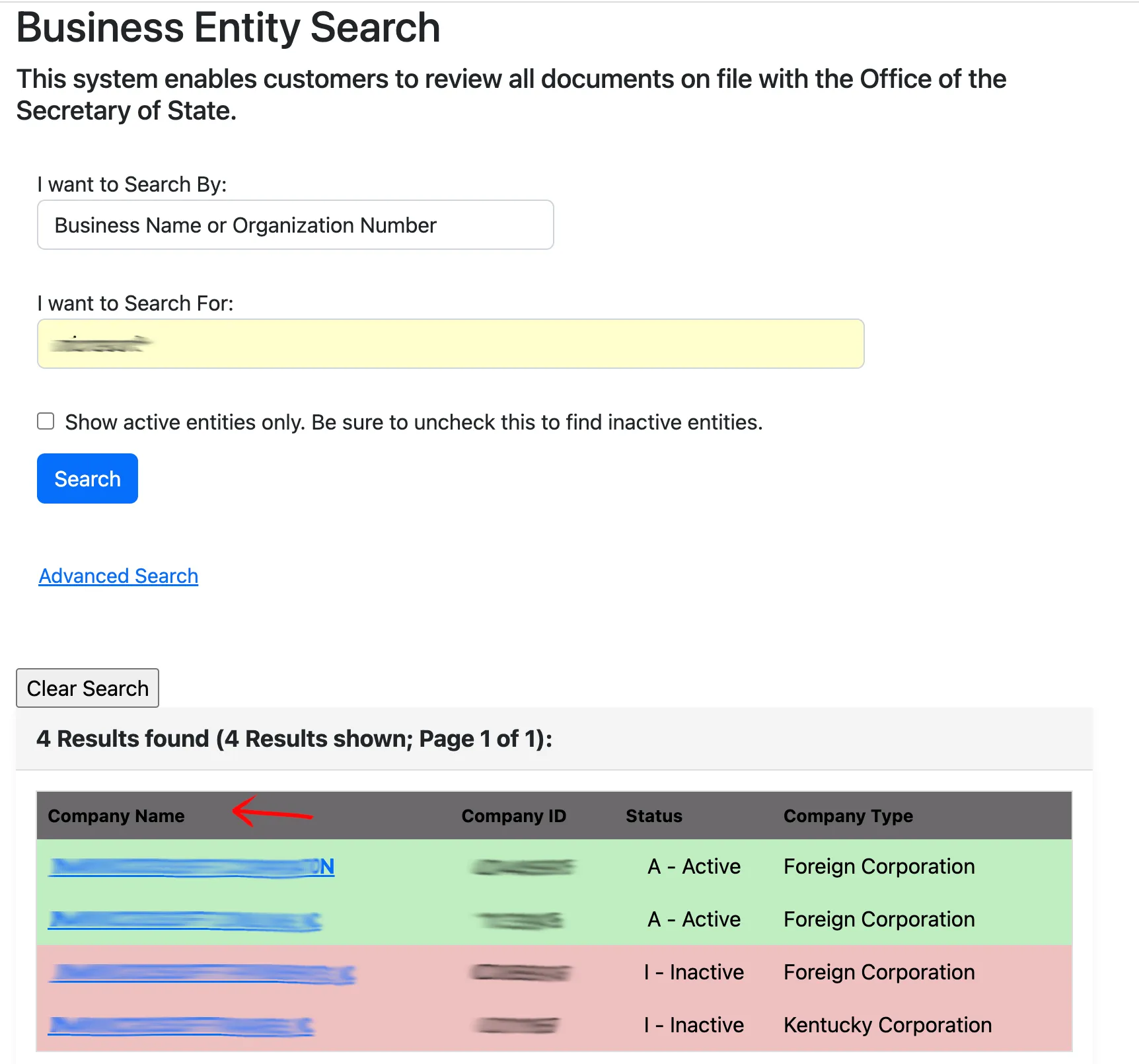
Review the search results table displayed below the query area. Each matching record lists:
- Company Name
- Company ID
- Status
- Company Type
Click on the blue, underlined company name in the first column to open the detailed record.
Review Entity Information
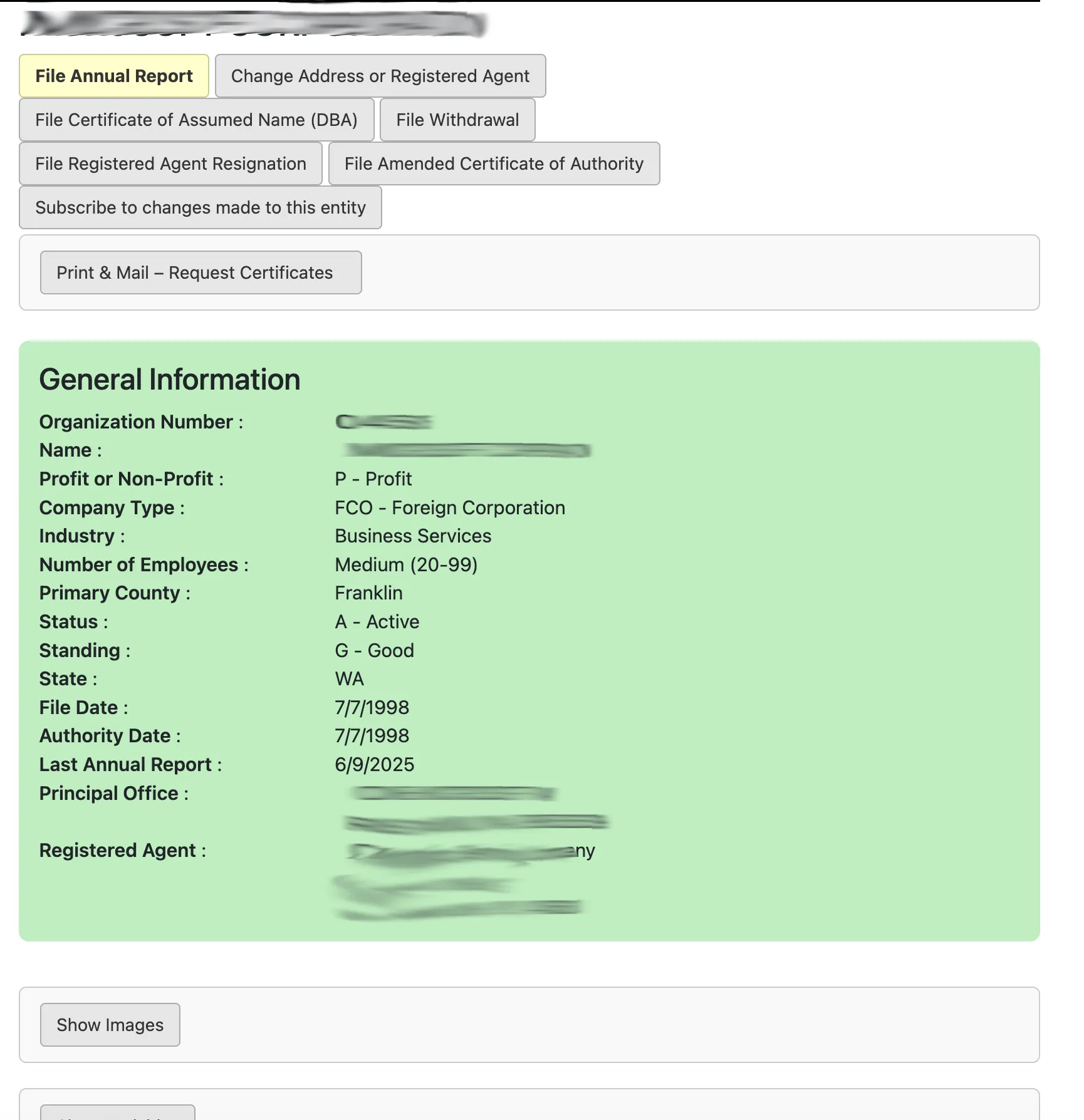
Examine the “General Information” section for the selected business. This page displays key details including:
- Organization Number
- Name and Profit or Non-Profit status
- Company Type and Industry
- Number of Employees and Primary County
- Status and Standing (e.g., Active and in Good Standing)
- State and File Date
- Principal Office and Registered Agent details
From this page, you can also access online filing services such as filing an Amended Annual Report, changing an address or registered agent, or filing a Certificate of Assumed Name.
Access Scanned Document Images
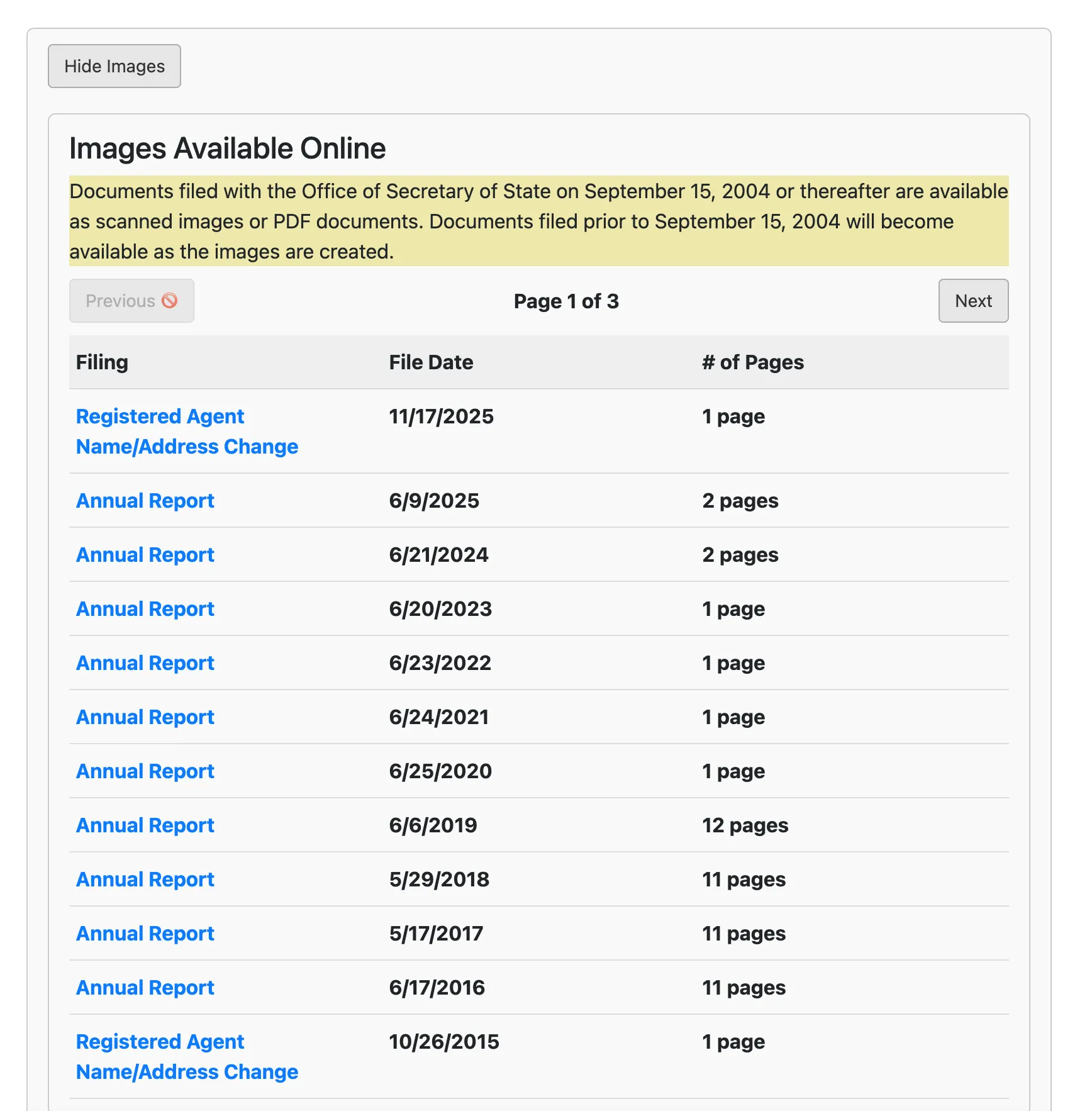
Click the “Show Images” button below the General Information block to display the “Images Available Online” table. This section lists all online filings since September 15, 2004, including document type (e.g., Annual Report, Registered Agent Change), file date, and page count. Click the links in the “Filing” column to open and view the PDF copies.
Check Activity History
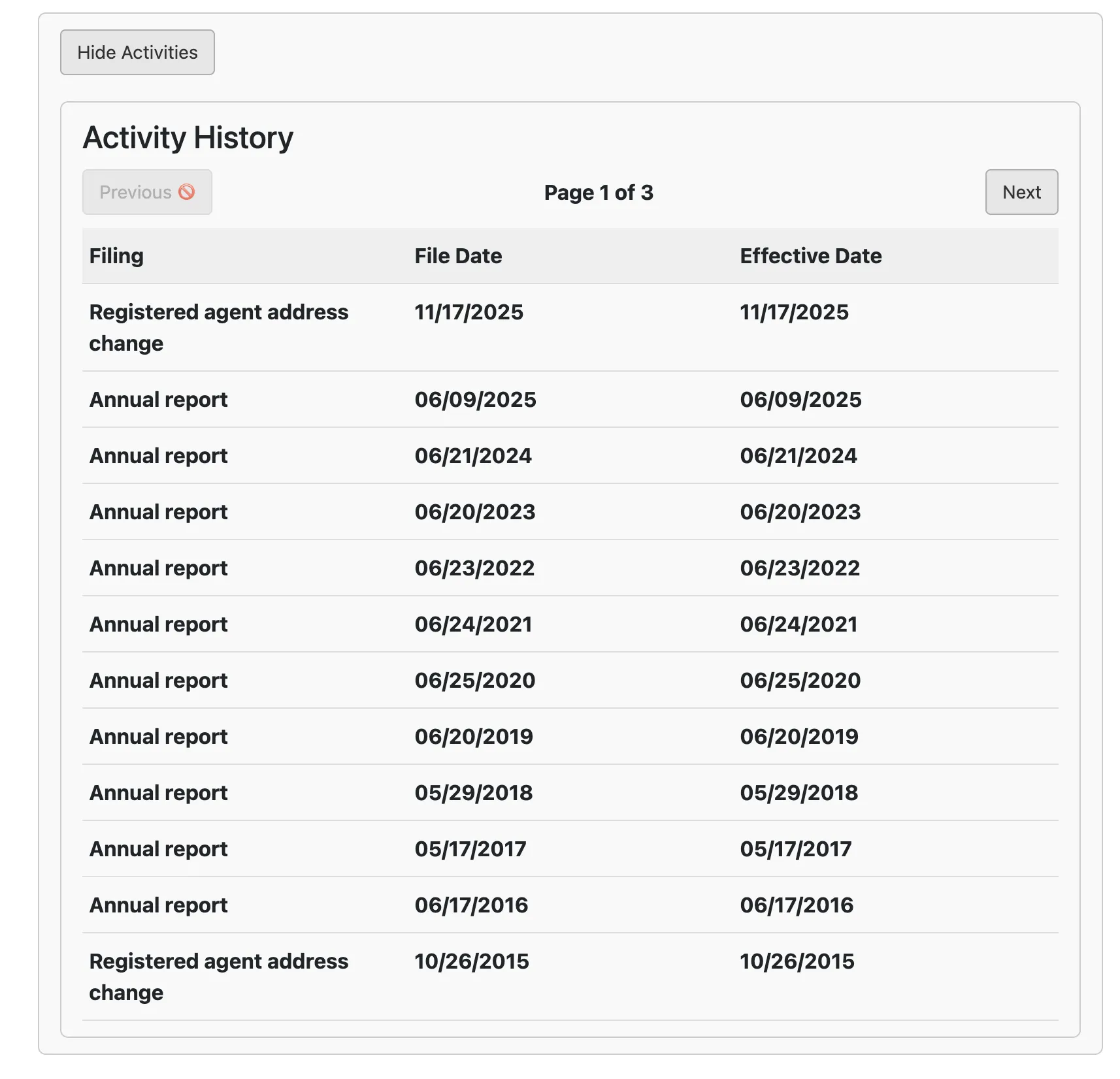
Click the “Show Activities” button to display the “Activity History” table. This section outlines the record’s filing timeline, listing the document type (e.g. Annual report, Registered agent address change), file date, and effective date.
View Current Officers
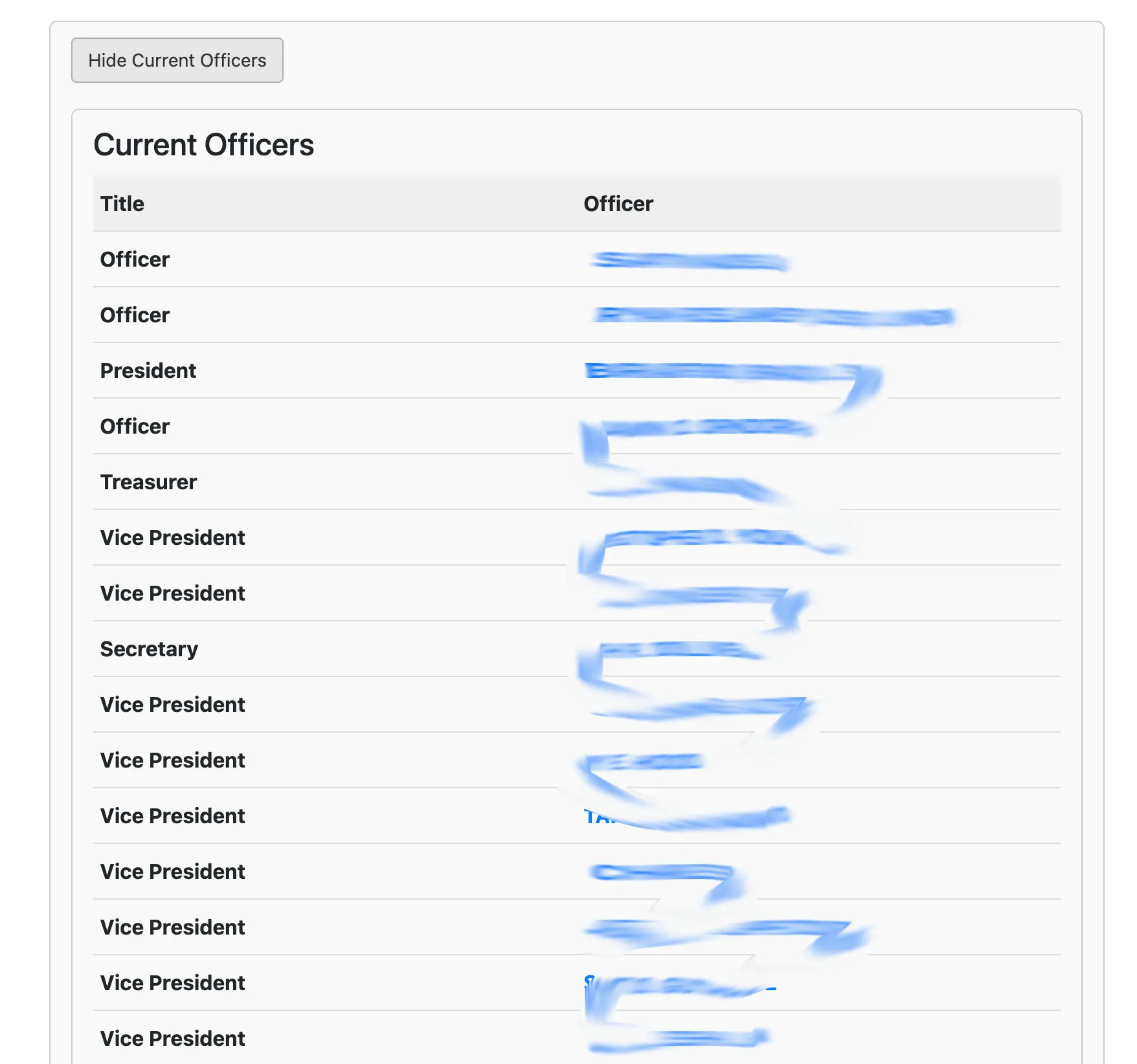
Click the “Show Officers” button (labeled as “Officers”) to view a table of the current corporate officers on file, detailing titles (such as President, Secretary, Treasurer, Vice President, Director) and their respective names.
Check Microfilm Records
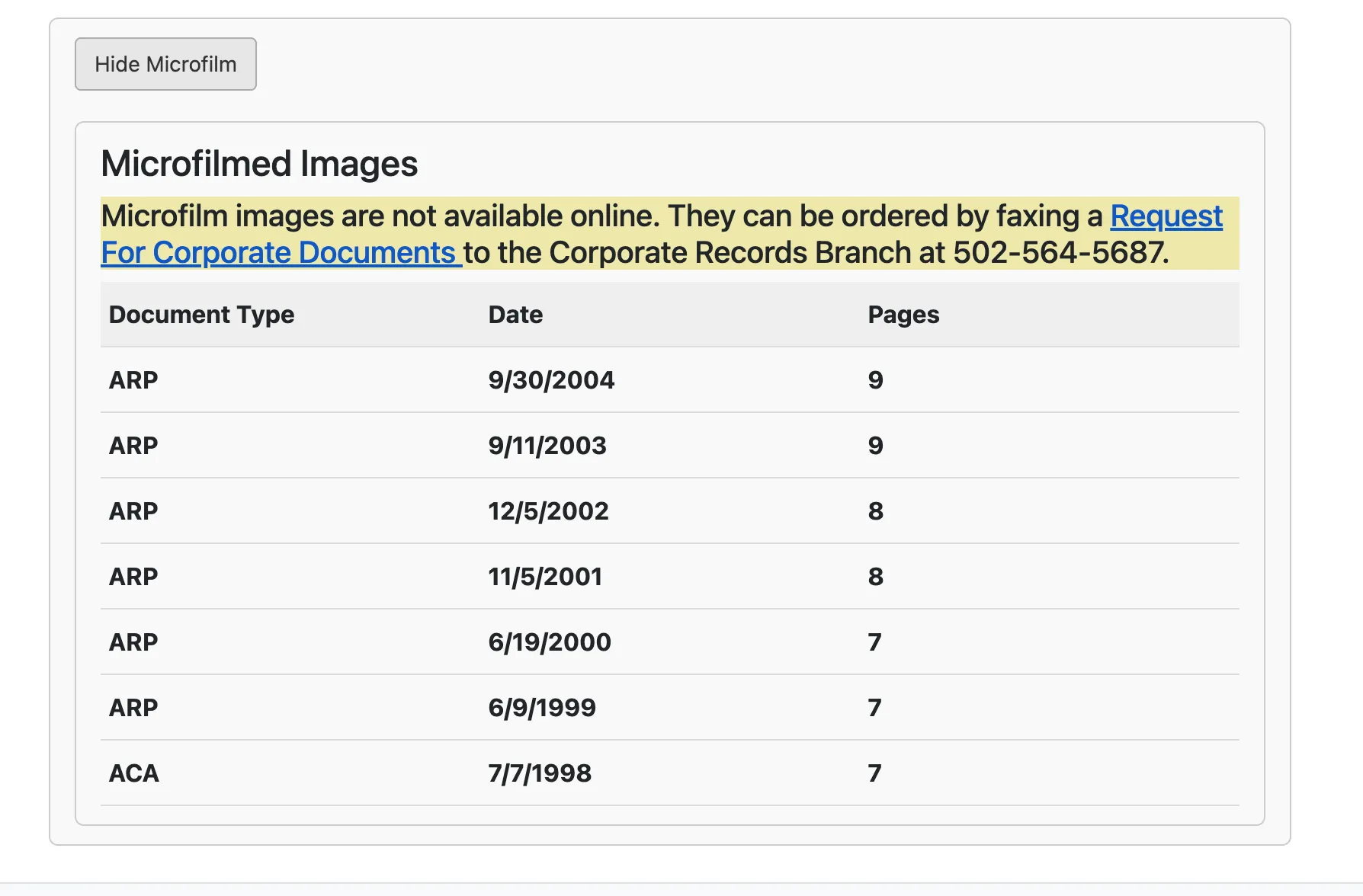
Click the “Show Microfiche” button (labeled as “Microfiche Records”) to view a list of historical microfilmed images filed prior to September 15, 2004, listing document type, date, and page count. These images cannot be viewed online and must be ordered by faxing a request.
If the search results return no close matches for Kentucky, treat that as a preliminary screening signal only. Verify the name in the official state database, and wait for the state filing or name-reservation review before treating the name as accepted.
How to Interpret Kentucky Results
A Kentucky result is most useful after you open the organization profile. The profile can show the organization number, current status, registered agent, principal office, officers or managers, annual report history, and microfiche references for older records. Use those details to separate true name conflicts from unrelated records with similar wording.
Kentucky requires names to be distinguishable from registered entities, so compare the core wording before LLC, Inc., Corp., and similar endings. If a result looks old, do not rely on the result row alone; review the profile status and annual report history before deciding whether the name is relevant.
Kentucky Business Name and Filing Notes
Kentucky separates name reservation, assumed-name filings, annual reports, and formation filings. A public search can inform each step, but it does not reserve the name or update the company’s standing.
- LLC Filing Fees: Filing Articles of Organization for a domestic Kentucky LLC costs $40.
- Name Reservation: If you want to reserve a name before filing, you can submit an Application for Reservation of Name. A name reservation is effective for 120 days and costs $15. Name reservations can be renewed.
- Annual Reports: Kentucky business entities must file annual reports between January 1 and June 30 of each year following formation. The filing fee is $15.
- DBAs / Assumed Names: If you plan to conduct business under a name other than your formal legal name, you must file a Certificate of Assumed Name with the Secretary of State.
Common Mistakes
- Ignoring the organization number: Use the organization number to confirm you opened the right Kentucky record.
- Skipping annual report history: A status or standing issue may be tied to missed annual reports rather than the entity name itself.
- Confusing assumed names with legal names: A Certificate of Assumed Name is not the same as forming or reserving the legal entity name.
- Assuming a no-match search means approval: Kentucky makes the final name decision during filing or reservation review.
- Missing the June 30 annual report window: Kentucky annual reports are due between January 1 and June 30.
Sources Reviewed
- Kentucky Secretary of State Business Entity Search
- Kentucky Secretary of State Business Services
- Kentucky Secretary of State Business Filings Fees
- Kentucky Secretary of State Annual Reports
- Kentucky Secretary of State Online Services
Search beyond Kentucky
Company names are registered state by state, so a name that is taken in Kentucky may still be available elsewhere. The Secretary of State business search directory lists the official registry, agency contacts, and filing fees for all 50 states, the free LLC lookup guide covers name checks and LLC record details in every state, and our guide to nationwide business entity search explains how to check several states at once.
Registering in a nearby state instead? See the Ohio business entity search, Tennessee business entity search, and Indiana business entity search guides.