
Quick Answer
Use the Michigan MiBusiness Registry portal from LARA to run a Michigan entity search by business name, filing number, individual name, resident agent, or corporation card file. For name research, use the Name or filing number field, apply the Name Availability filter when appropriate, and review similar records for conflicts. A no-match result is only preliminary until Michigan reviews the filing or reservation.
How to Search Michigan Business Entity Records
Michigan business registrations are maintained by the Corporations Division of the Michigan Department of Licensing and Regulatory Affairs (LARA). LARA provides a free online search tool through its MiBusiness Registry portal to verify name availability, check an entity’s standing, and access filing history.
Access the LARA Business Search Portal
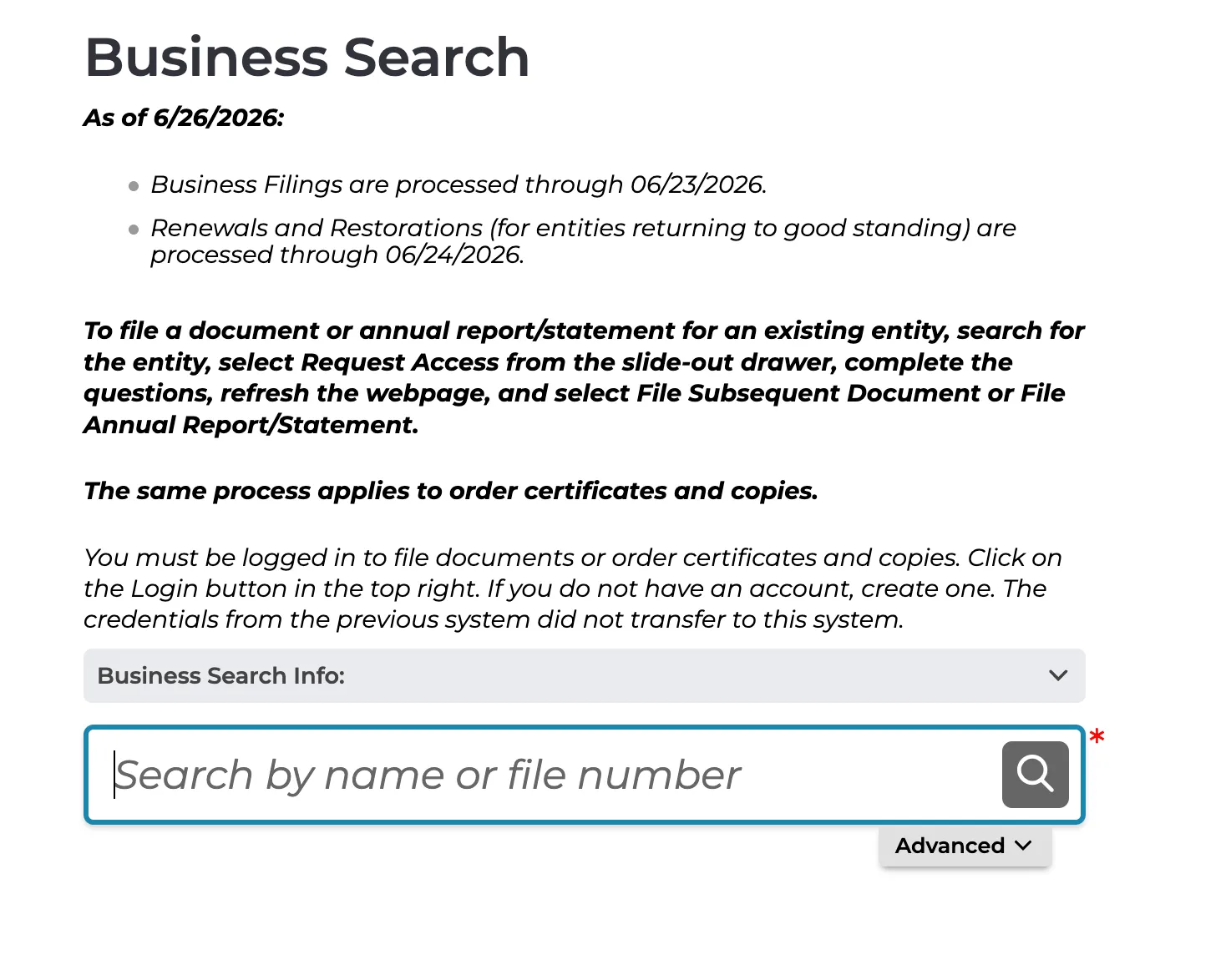
Go to the official Michigan LARA Business Search page to begin. The landing page displays a search box where you can lookup business entities.
Choose Your Search Parameters
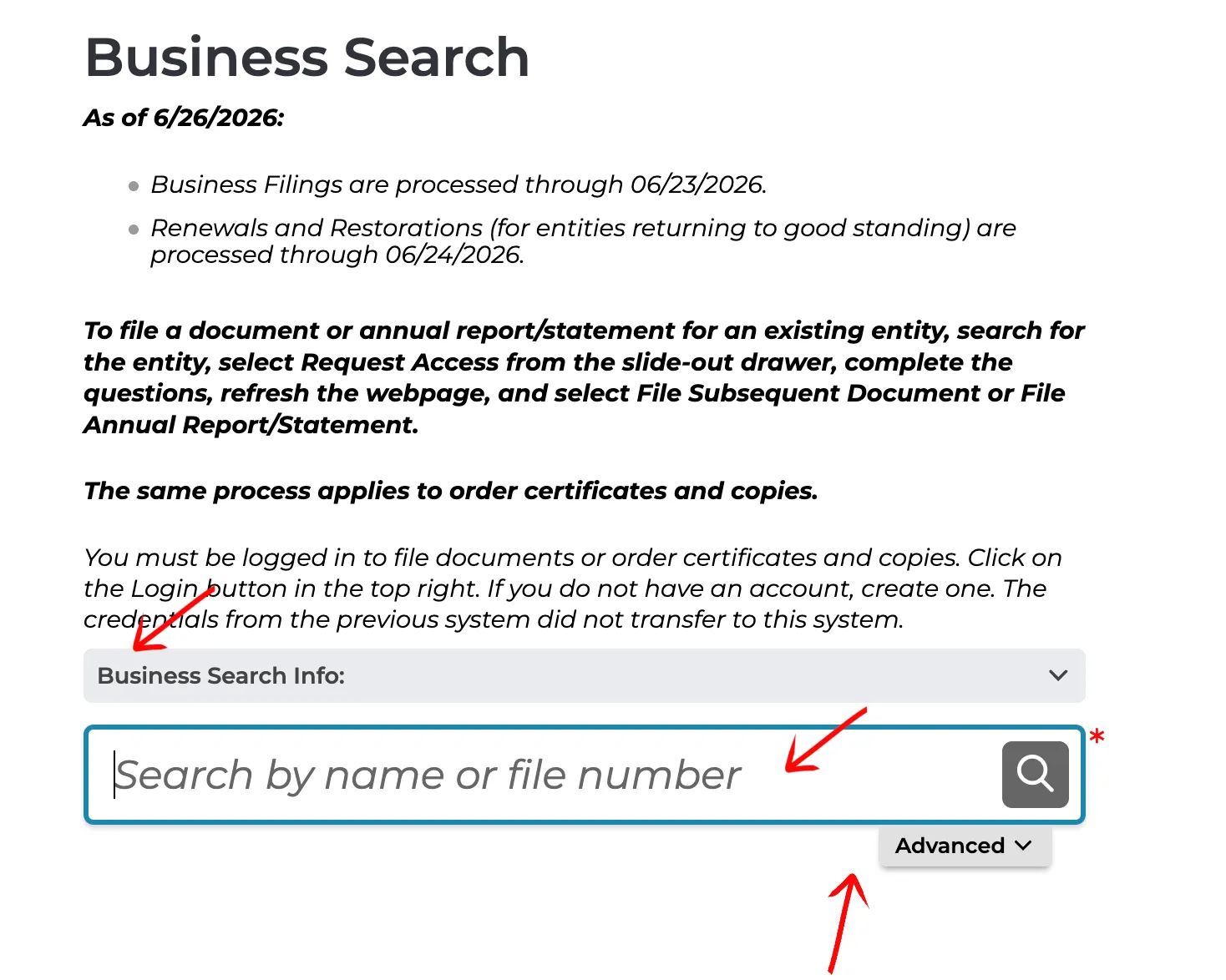
Type the target business name into the search box labeled “Search by name or file number.” You can click the magnifying glass icon to run a basic search immediately, or click the “Advanced” tab to expand and refine your search parameters.
Apply Advanced Search Filters (Optional)
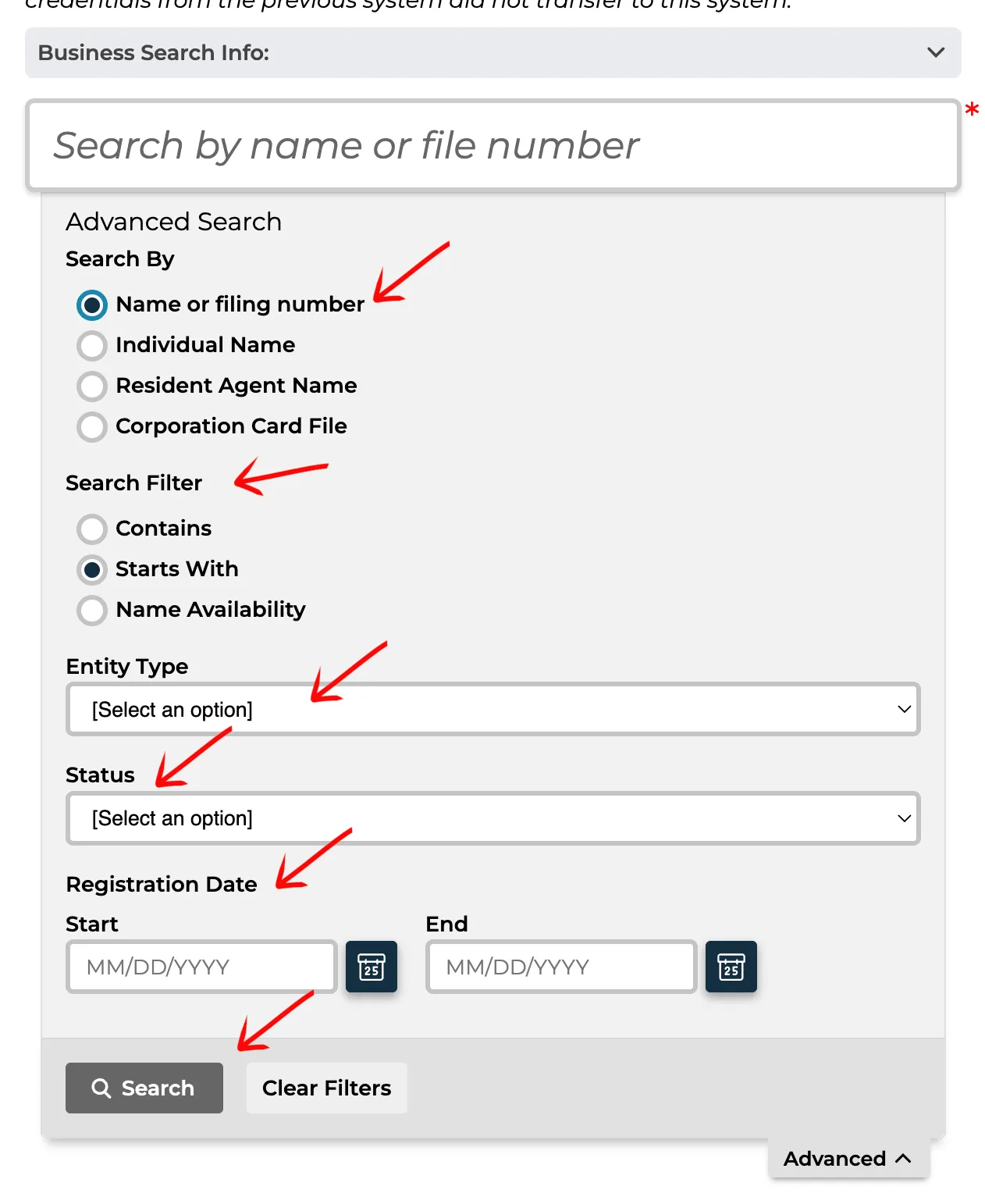
If you select the “Advanced” tab, use the radio buttons under “Search By” to specify your search type:
- Name or filing number
- Individual Name
- Resident Agent Name
- Corporation Card File
Filter the search criteria using the “Search Filter” options:
- Contains
- Starts With
- Name Availability
Further define the entity using the dropdown menus for Entity Type and Status. You can also enter a registration date range if applicable (Start and End dates). Click the Search button once all parameters are specified.
Locate the Entity in the Results Table
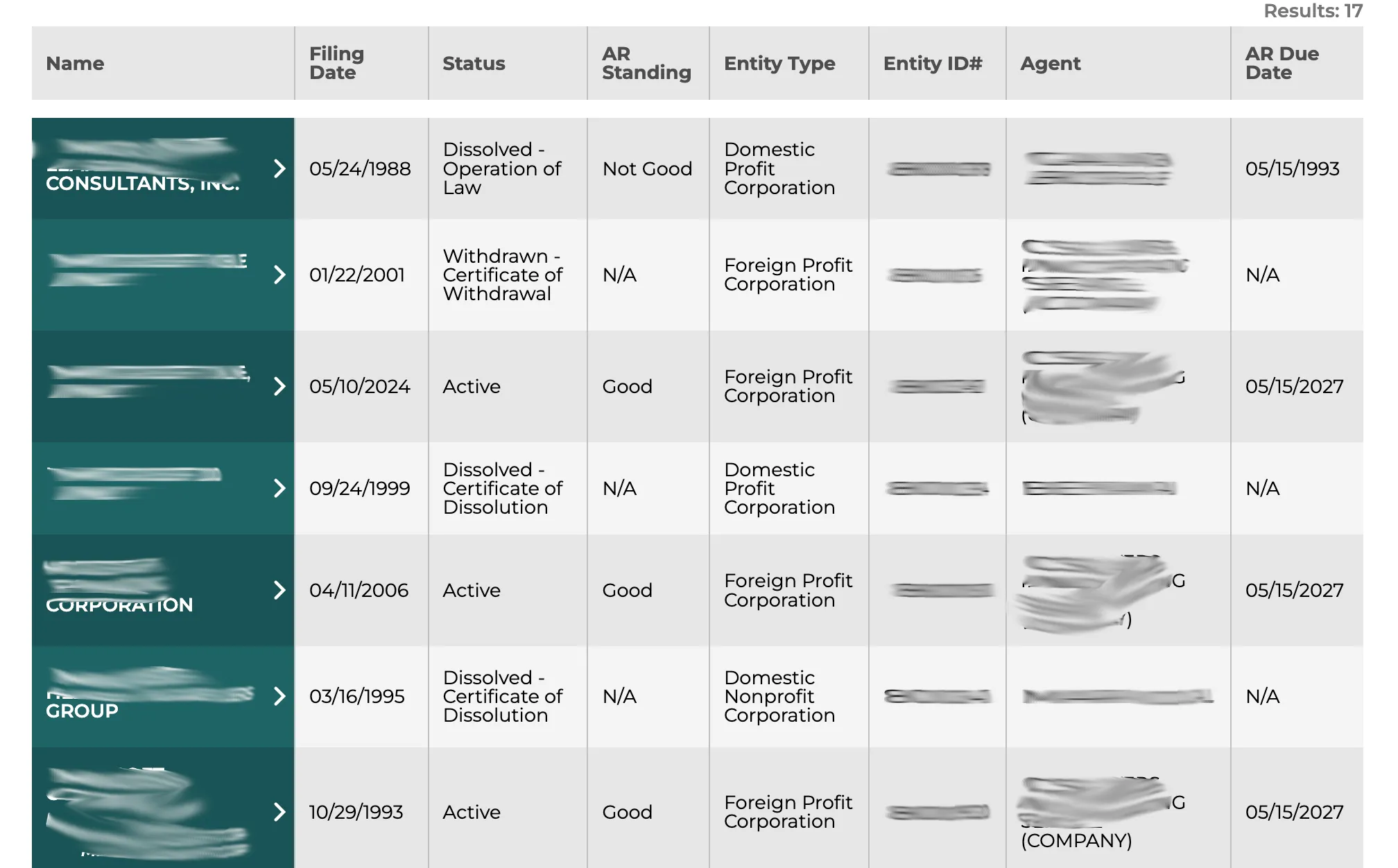
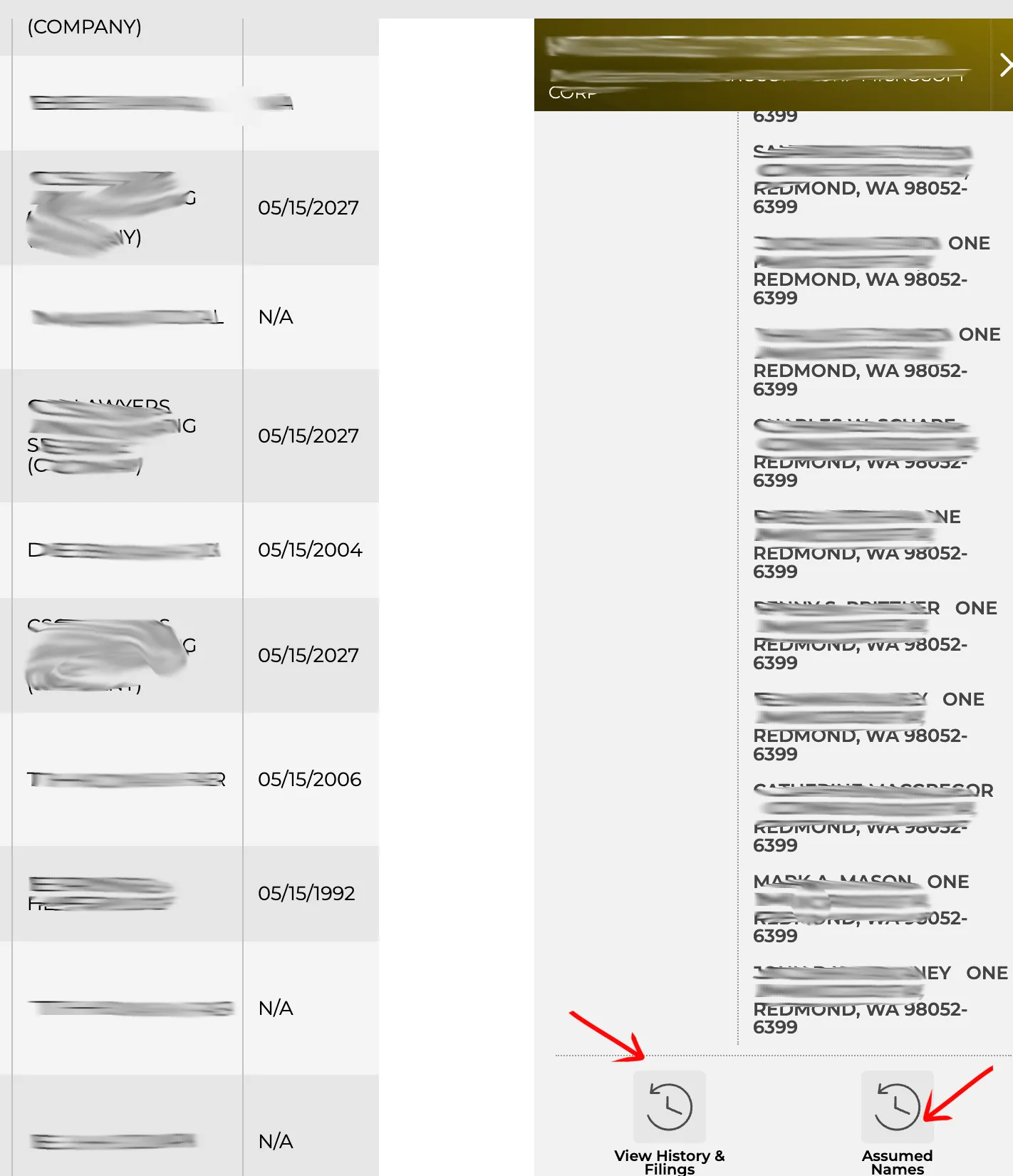
Review the results table located below the search area. The entities matching your search parameter appear with their names in the first column. You can sort each column in ascending or descending order. Locate the specific entity name and click on it. The table details include:
- Name
- Filing Date
- Status
- AR Standing (Annual Report compliance status)
- Entity Type
- Entity ID#
- Agent
- AR Due Date
Review the Detailed Entity Summary
After selecting a name from the table, a tab opens on the right side of the page displaying additional details for the entity:
- Entity Name
- Identification #
- Jurisdiction
- Entity Type
- Entity Status
- AR Standing
- Common Shares
- AR Due Date
- Initial Filing Date
- Last Report with Officers and Directors
- Resident Agent Name
- Registered Office Street Address
- Inactive Date
- Total Authorized Shares
- Shares Attributable to Michigan
- Current Period Apportionment %
- Current Period % Year End
Two buttons below this information allow you to access the history and alternative names of the entity.
Inspect Filing History and Download Documents
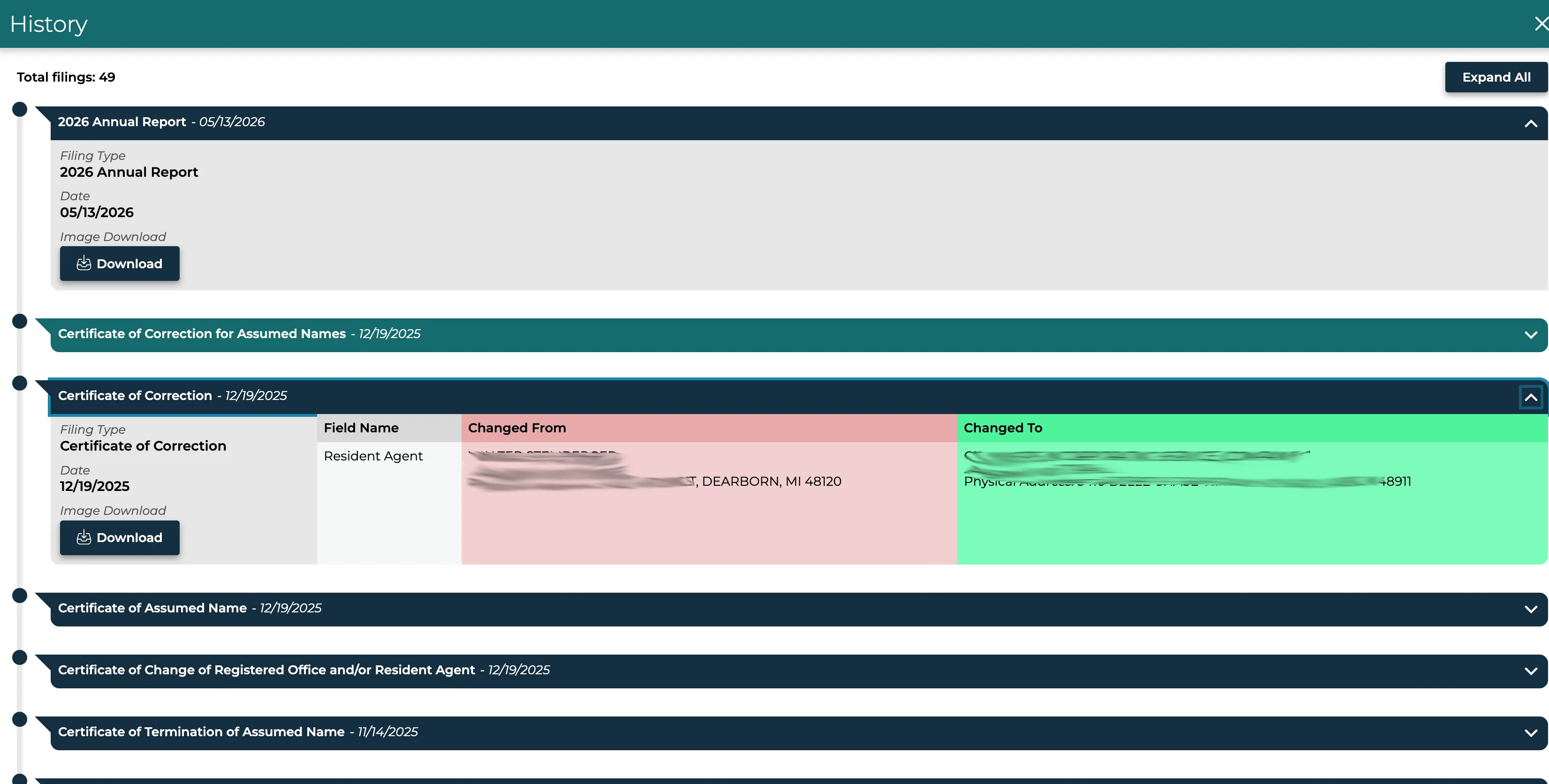
Click the View History & Filings button to open a pop-up window containing rows of tabs. Expand all tabs simultaneously using the button at the top right, or click the arrow at the end of an individual filing row to view specific details:
- Filing Type
- Date
- Image Download (Click the Download button to view and retrieve the official PDF copy of the filing document)
Check Registered Assumed Names
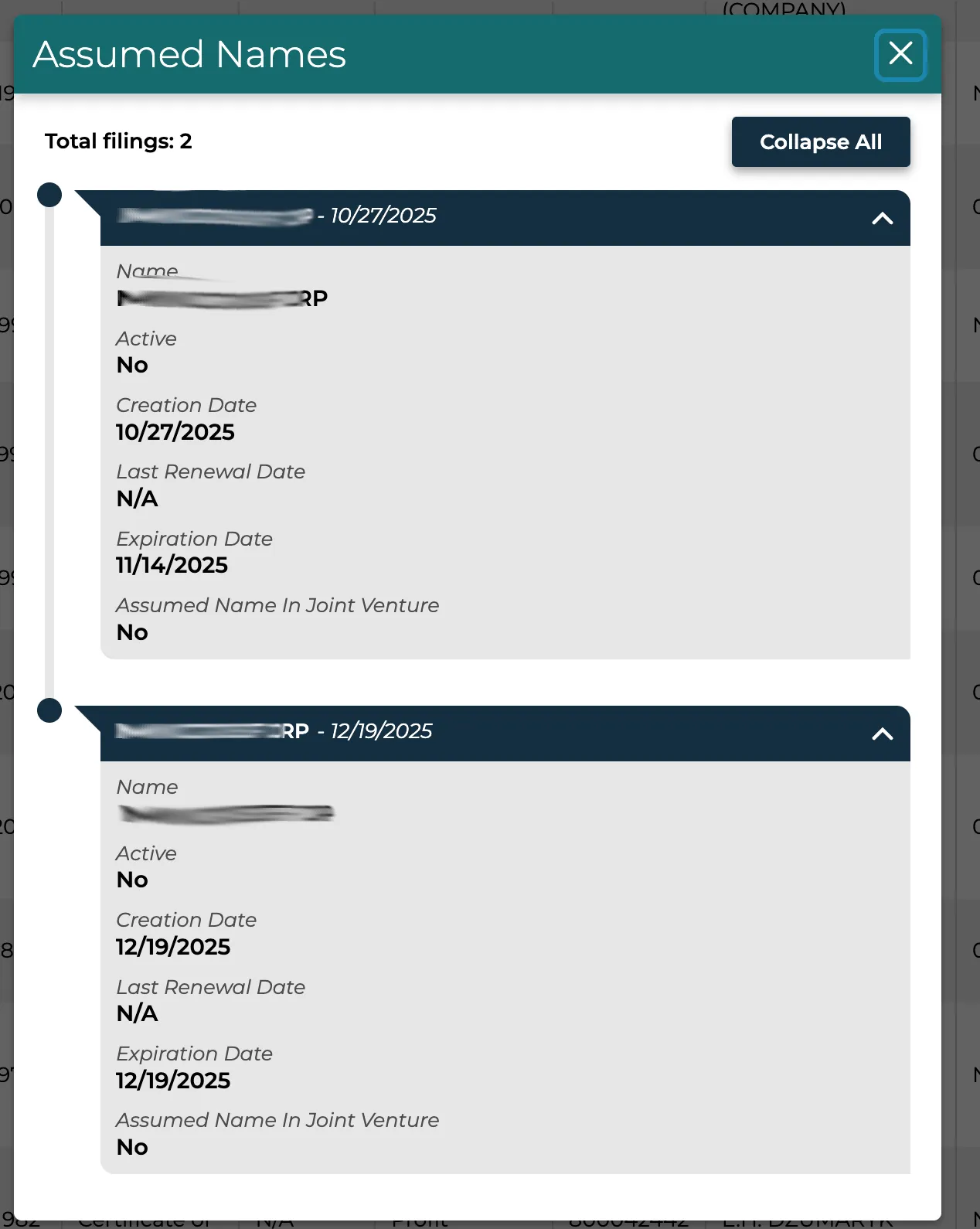
Click the Assumed Names button to open a pop-up window showing the assumed names (DBAs) the entity operated under. Select a name to view the following pieces of information:
- Name
- Active (Yes/No status)
- Creation Date
- Last Renewal Date
- Expiration Date
- Assumed Name in Joint Venture
If the search results return no close matches for Michigan, treat that as a preliminary screening signal only. Verify the name in the official state database, and wait for the state filing or name-reservation review before treating the name as accepted.
How to Interpret Michigan Results
A Michigan business search helps you determine whether a proposed name is available or check if a registered entity is in compliance:
- Active (Good Standing): The entity is in full compliance, has filed its required annual statements, and holds the exclusive right to use its name in Michigan.
- Not Good Standing / Inactive: For an LLC, “Not Good Standing” means it has lost its compliance status and its name is available for another entity to use. The LLC still exists and may continue doing business; this status does not mean it has been dissolved.
- Distinguishability: Under Michigan law, a proposed business name must be distinguishable from all other active registered names on file with LARA. Capitalization, spacing, punctuation, and corporate designators (such as LLC, Inc., Corp.) do not make a name distinguishable.
Michigan Business Name and Filing Notes
Michigan MiBusiness search is the name and record lookup step; formation filings, assumed-name work, and annual statements remain separate LARA workflows:
- LLC Filing Fees: Filing the domestic Articles of Organization for a Michigan LLC costs $50.
- Name Reservation: You can reserve an available business name for 180 days for an LLC by filing an Application for Reservation of Name. The reservation fee is $25.
- Annual Statements: Most Michigan LLCs must file an annual statement each year by February 15. The filing fee is $25. LLCs formed on or after October 1 of any year are exempt from filing a statement on the immediately following February 15.
- Professional LLCs (PLLCs): A PLLC must file a combined Annual Report and Annual Statement and pay a $75 filing fee by February 15. A $50 late penalty applies if received after that deadline. This penalty applies to PLLCs, not regular LLC annual statements.
- Loss of Good Standing: After an LLC misses annual statements for two consecutive years, LARA must send a notice explaining the consequences. If the LLC does not file all missing statements and pay the applicable fees within 60 days after the notice is sent, it loses good standing. The LLC remains in existence and may continue doing business, but its name becomes available for another entity to use.
- Assumed Names (DBAs): If your business operates under a name other than its legal name, you can register an assumed name with LARA. The filing fee for an assumed name is $25, and registrations must be renewed every five years.
Common Mistakes
- Failing to Search for Similar Names: Running a search only for the exact business name may miss closely matching entries. Search using a distinctive keyword of your name to spot potential conflicts.
- Including Suffixes in Search Queries: Do not include designators like “LLC” or “Incorporated” in your search query, as they are ignored by the state and can prevent the system from matching other relevant names.
- Missing the Annual Statement Deadline: Keep up with the February 15 filing deadline and respond to any LARA notice. Two consecutive years of missing statements, followed by an unresolved 60-day notice period, lead to loss of good standing and name protection. The LLC is not automatically dissolved.
- Assuming Search Availability Equals Official Approval: LARA conducts a manual review of all filings. A successful database search does not guarantee that the Corporations Division will approve the name during formation.
Sources Reviewed
- Michigan LARA Corporations Online Filing System (COFS) Search
- Michigan LARA Corporations Division
- Michigan LARA Annual Reports and Annual Statements
- Michigan LARA Naming a Limited Liability Company
- Michigan LARA Limited Liability Company Forms
- Michigan LLC Act § 450.4207a: Good Standing
Search beyond Michigan
Company names are registered state by state, so a name that is taken in Michigan may still be available elsewhere. The Secretary of State business search directory lists the official registry, agency contacts, and filing fees for all 50 states, the free LLC lookup guide covers name checks and LLC record details in every state, and our guide to nationwide business entity search explains how to check several states at once.
Registering in a nearby state instead? See the Ohio business entity search, Indiana business entity search, and Wisconsin business entity search guides.