
Quick Answer
Use the Washington Secretary of State CCFS Corporation Search to run a Washington entity search by business name or UBI number. For name research, enter the proposed wording, choose Starts With or Contains, and compare matching registered entities. A clear search is only preliminary; final acceptance happens during Washington’s filing or reservation review.
How to Search Washington Business Entity Records
The Corporations and Charities Division of the Washington Secretary of State maintains the registration of all corporations, LLCs, limited partnerships, and charities in the state. You can access these public records for free online.
Access the Search Portal
Go to the official Washington Corporations Search tool to begin.
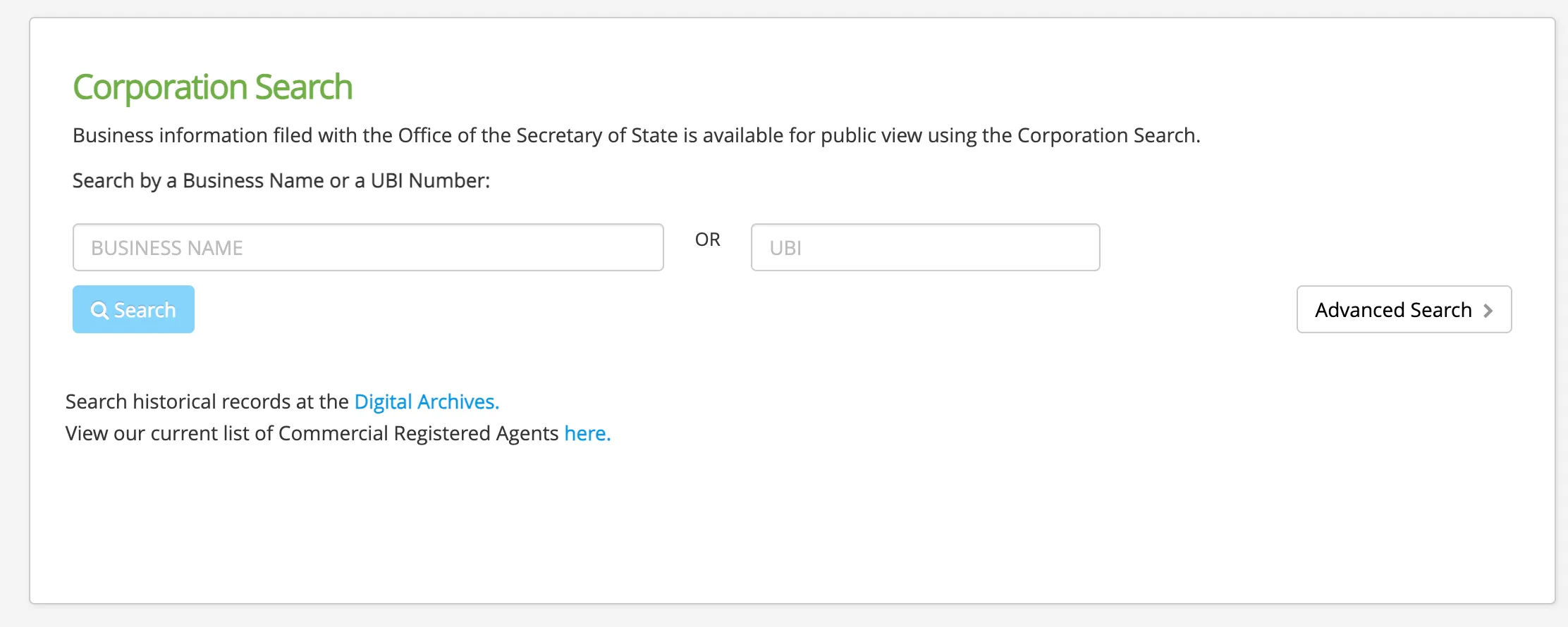
Enter Search Criteria
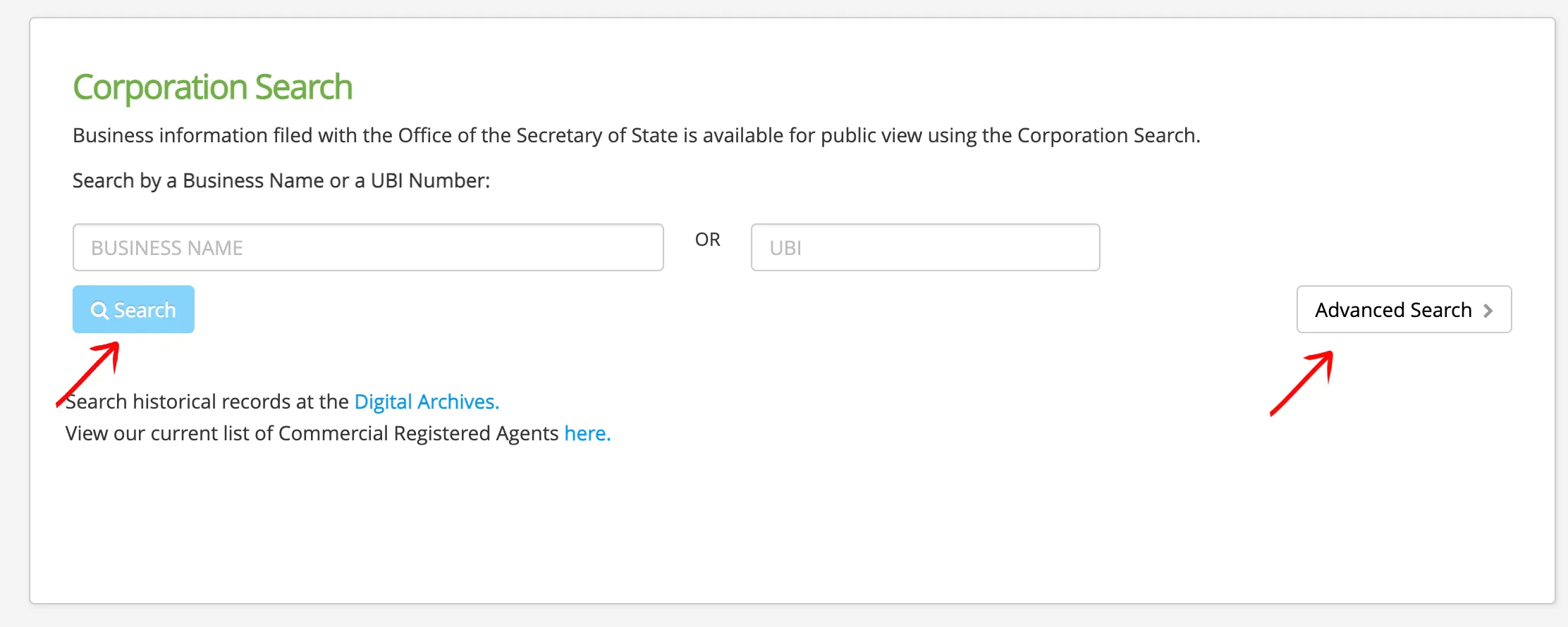
Type the target business name or UBI number into the designated search box. Select the radio button to search by Business Name or UBI. Click Advanced Search > to expand additional filters (such as date range, registered agent, or governors) if needed. Click the Search button to execute the query.
Review Search Results
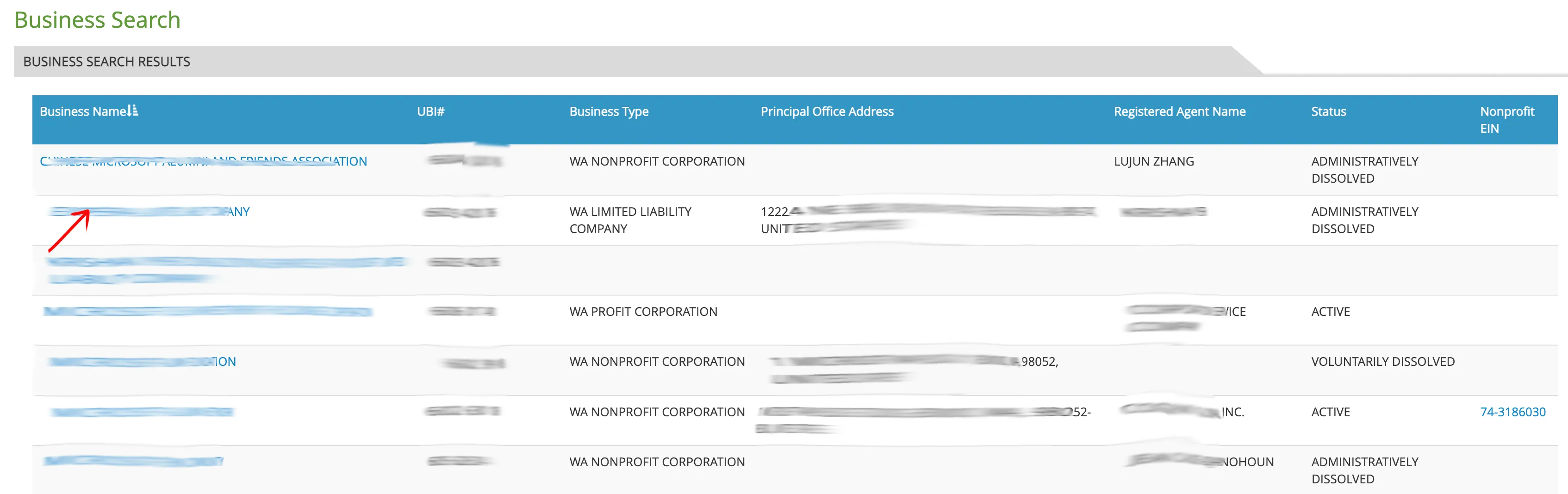
Analyze the matching records returned in the results table. The table displays:
- Business Name
- UBI# (Unified Business Identifier)
- Business Type (e.g., WA Profit Corporation, WA Limited Liability Company)
- Principal Office Address
- Registered Agent Name
- Status (e.g., Active, Administratively Dissolved)
Click directly on the target business name in the first column to open its detailed record page.
Examine Entity Details
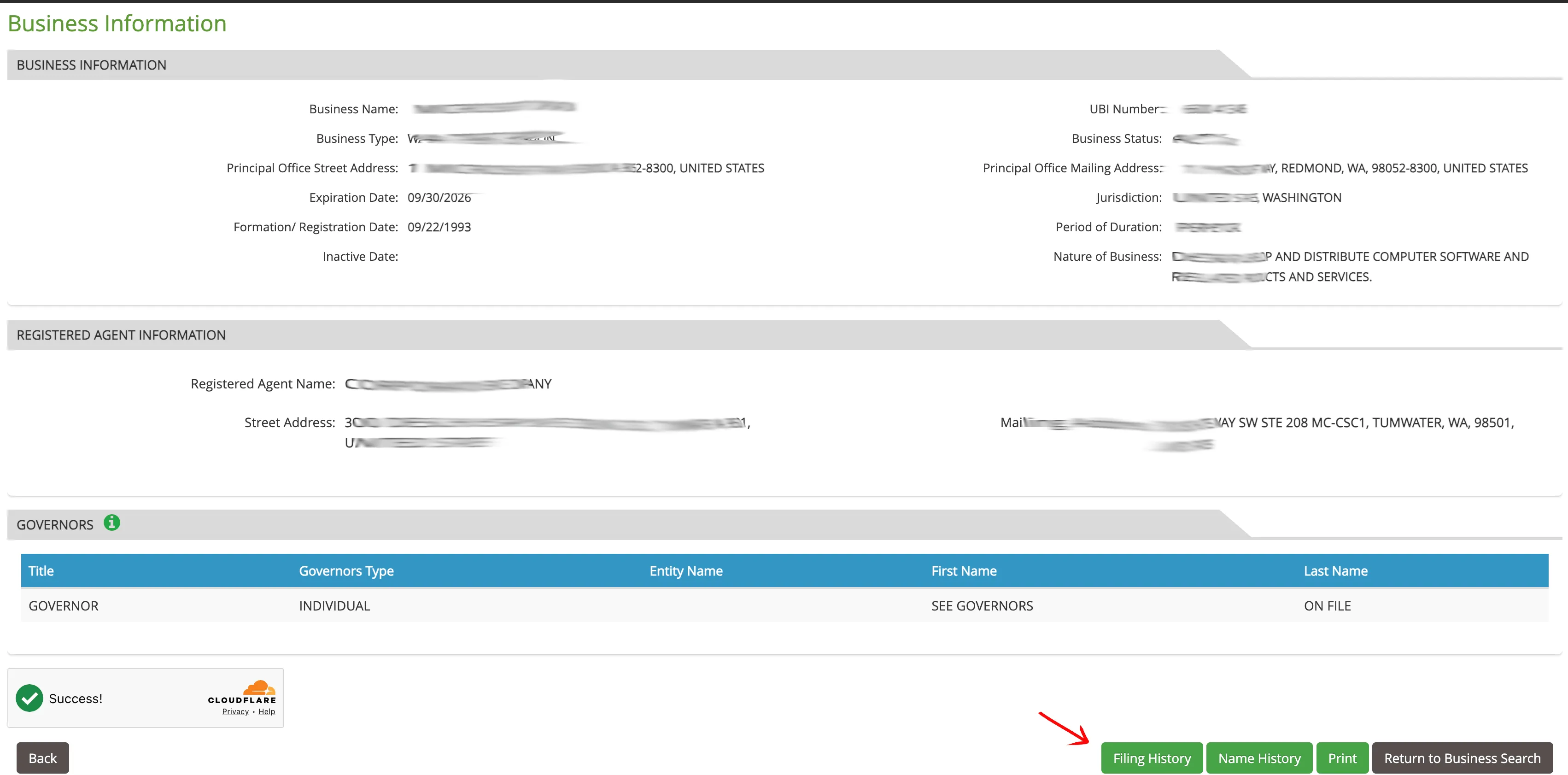
Examine the comprehensive record page to verify the company’s status and management. The details are organized into sections:
- Business Information: Displays the Business Name, Business Type, UBI Number, Status, Expiration Date, Formation/Registration Date, Period of Duration, and Nature of Business.
- Registered Agent Information: Shows the Agent Name, physical address, and mailing address.
- Governors: Lists names and titles of managers, directors, or officers.
Use the menu buttons at the bottom of the page to access Filing History, Name History, or to print the record (Print).
Access Account Creation
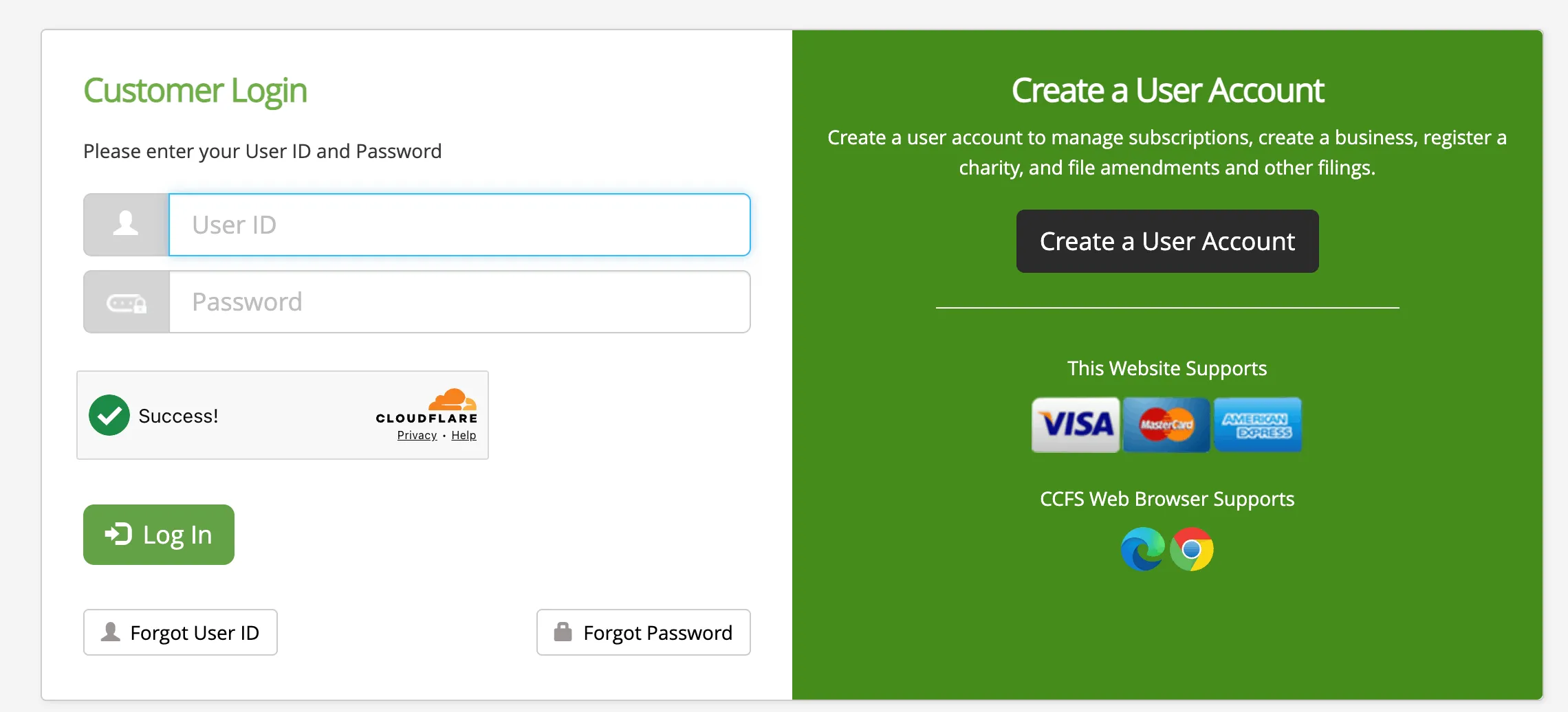
To register a new business or file official documents, navigate to the Customer Login screen and select the Create a User Account button.
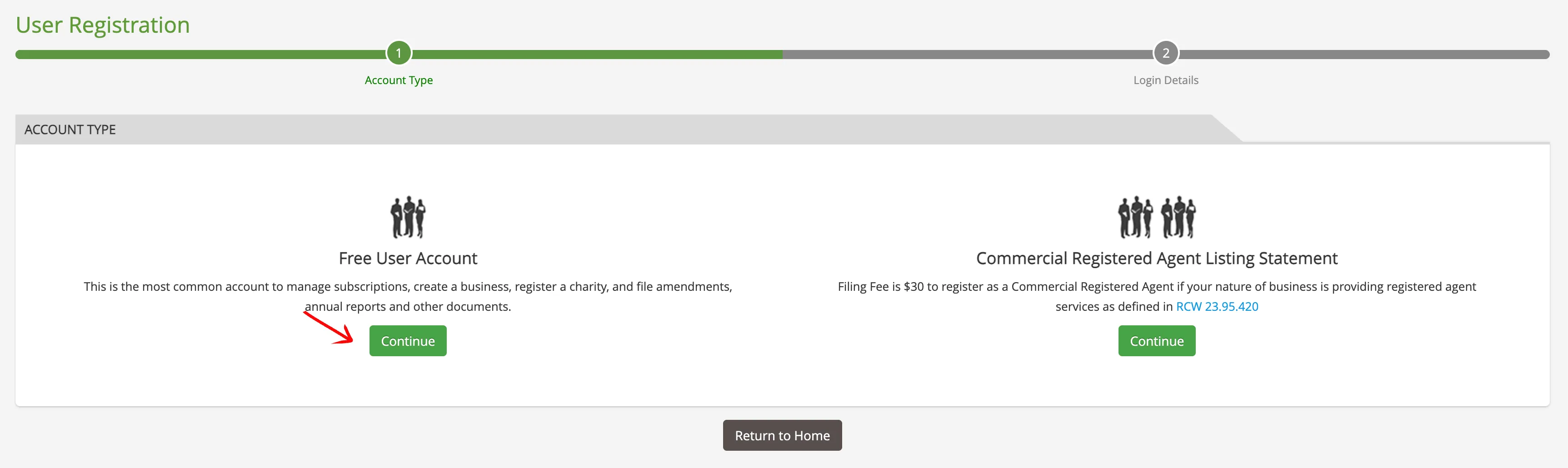
Select Account Type
Click the Continue button under Free User Account to proceed with creating a standard user login (or select Commercial Registered Agent if you provide agent services).
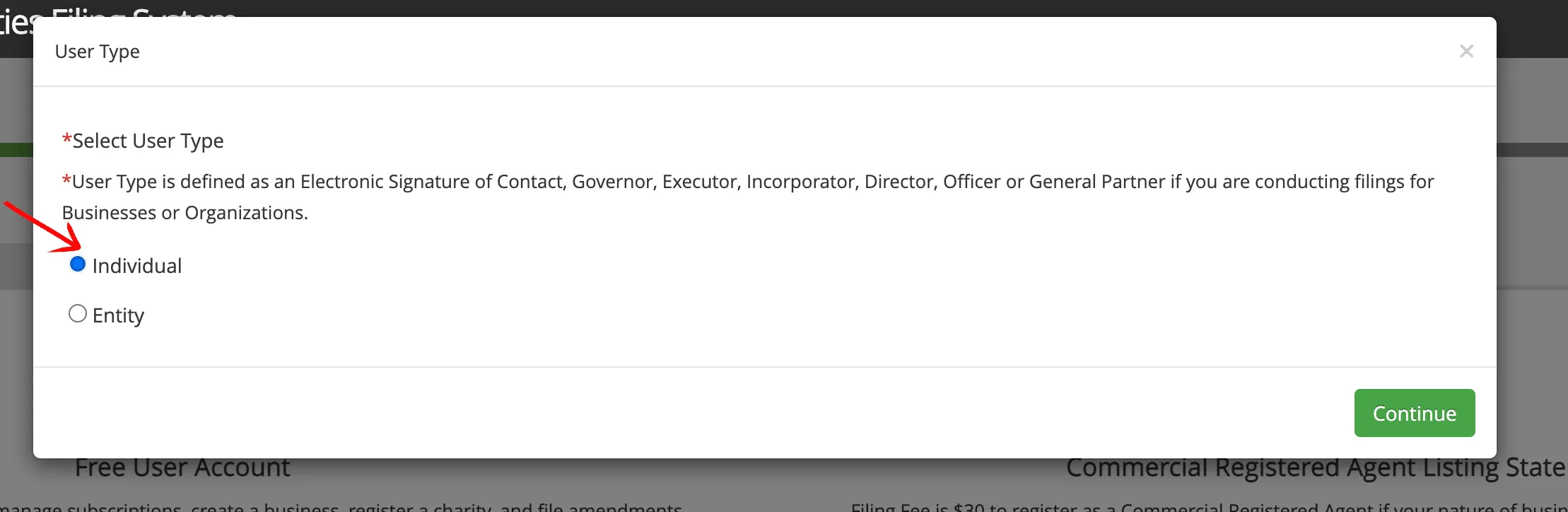
Select User Type
Select the appropriate radio button to indicate if the account is for an Individual or an Entity. Click Continue to proceed.
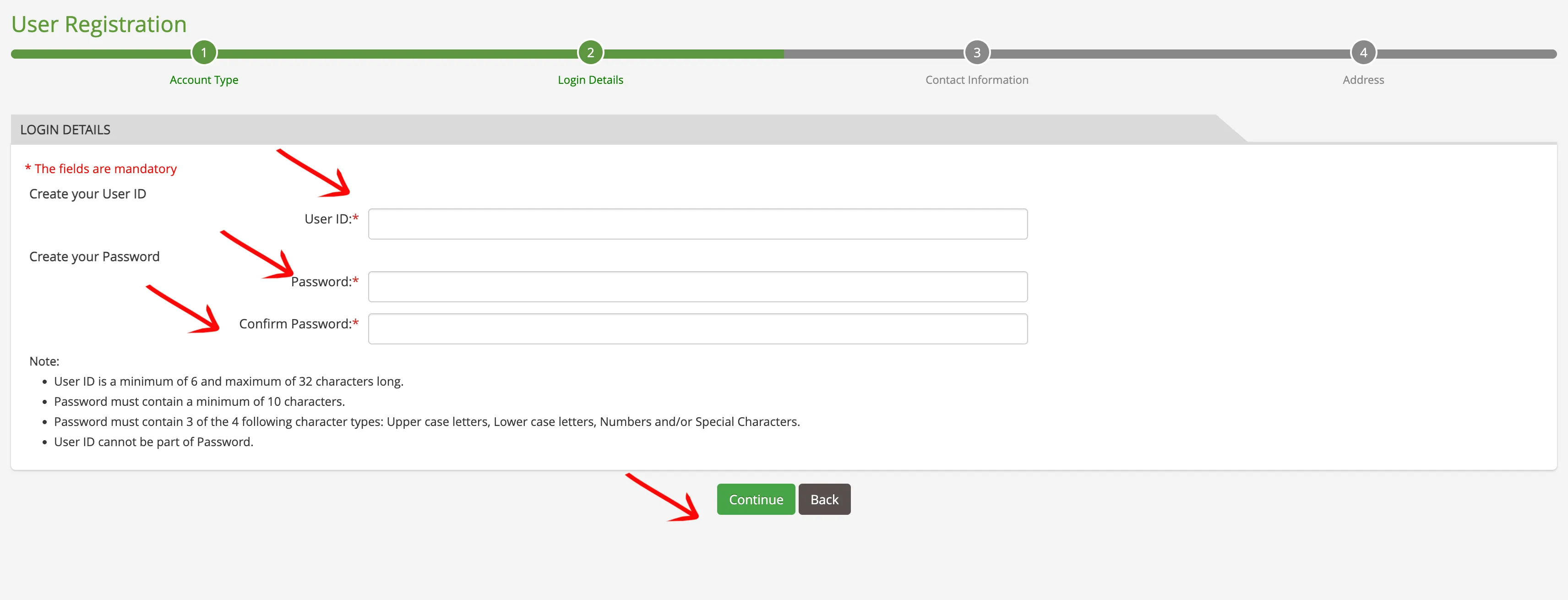
Set Login Credentials
Enter your preferred credentials in the required fields:
- User ID (minimum of 6 characters)
- Password (minimum of 10 characters, including uppercase, lowercase, numbers, or symbols)
- Confirm Password
Click the Continue button.
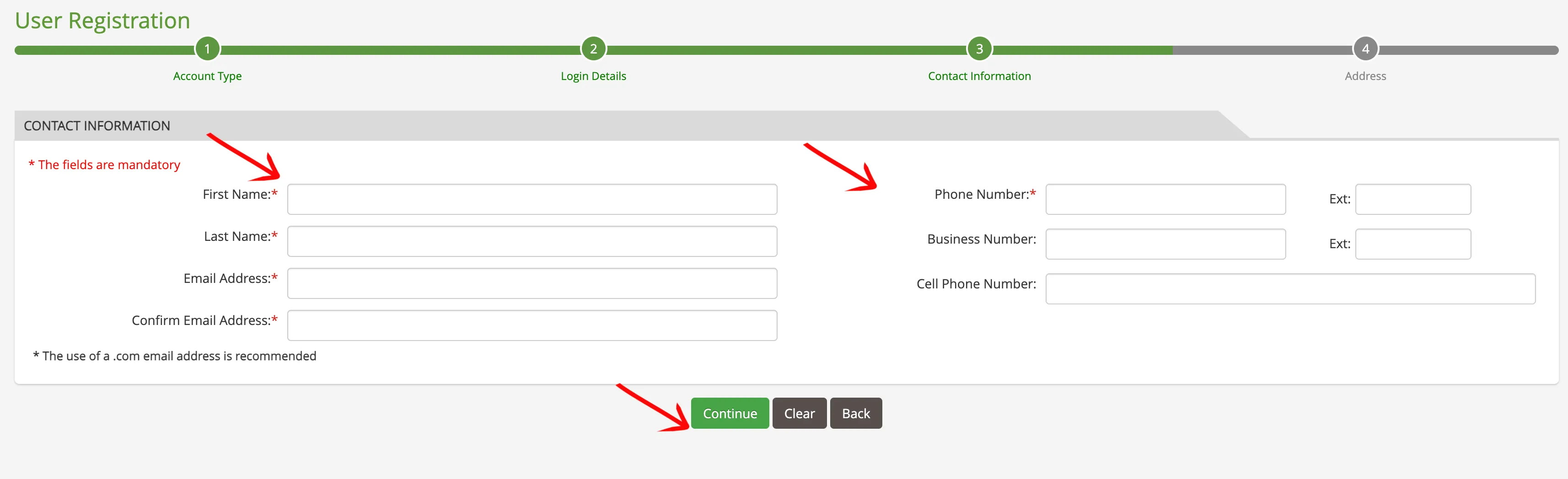
Provide Contact Details
Fill in your personal contact details:
- First Name and Last Name
- Email Address (and Confirm Email Address)
- Phone Number
Click the Continue button.
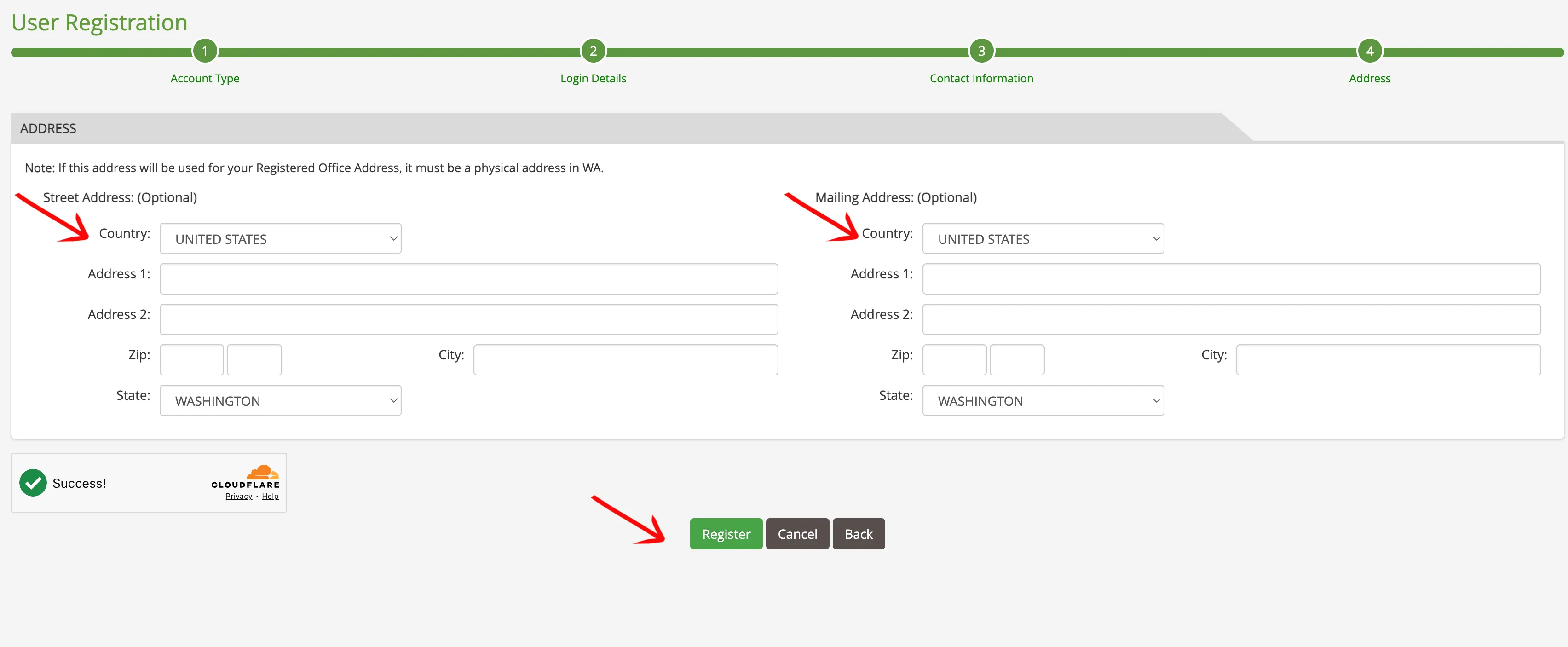
Provide Address Information
Enter your full physical and mailing address details:
- Street Address
- City, State (select Washington if registering a WA office), and Zip Code
- Mailing Address
Click the Register button to submit your request.
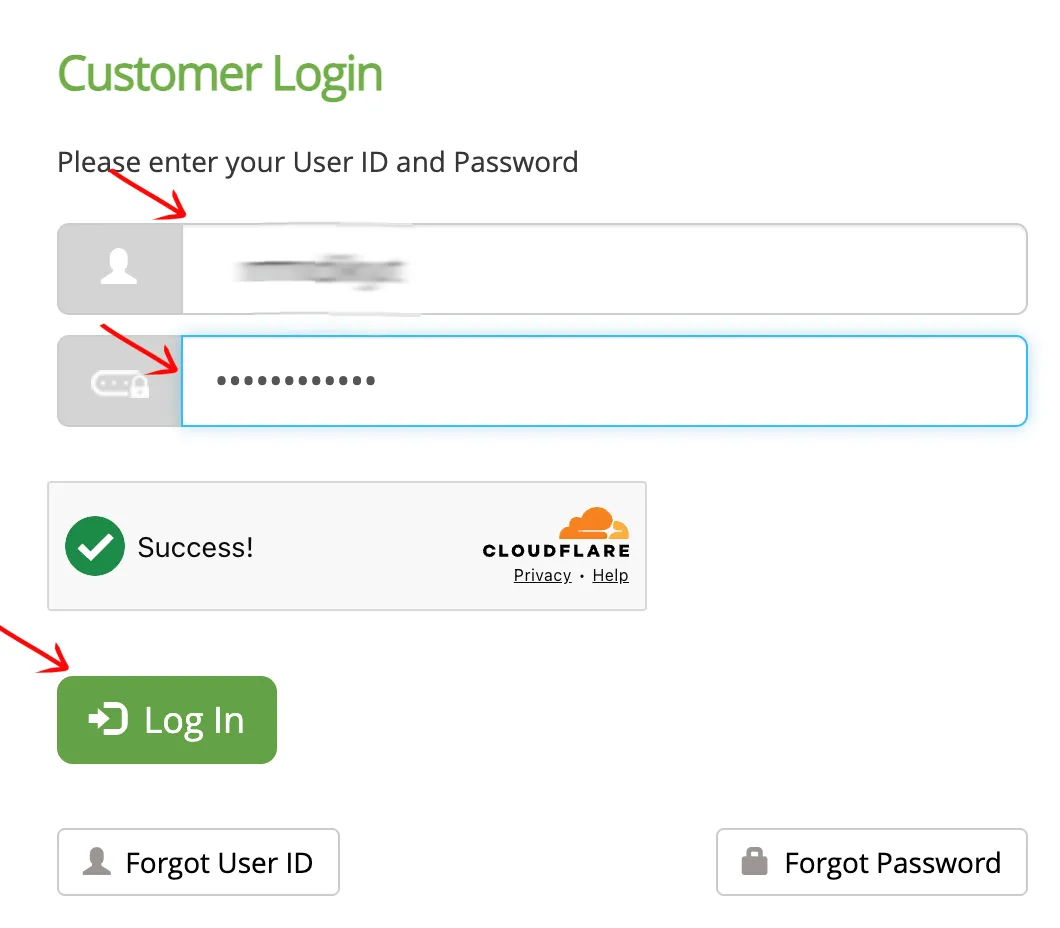
Activate and Log In
Check your email inbox for an activation link from the Secretary of State. Follow the link to activate your credentials, then return to the sign-in screen to log into your verified account.
If the search results return no close matches for Washington, treat that as a preliminary screening signal only. Verify the name in the official state database, and wait for the state filing or name-reservation review before treating the name as accepted.
How to Interpret Washington Results
A business search in Washington reveals status and compliance indicators:
- Active: The business is compliant with its annual reporting requirements and holds the exclusive right to use its name.
- Administratively Dissolved / Inactive / Voluntarily Dissolved: The entity is no longer active in the state. Dissolved names may become available for registration, but there may be statutory waiting periods or reinstatement privileges.
- Name Distinguishability: A proposed business name must be distinguishable from all other active registered names on file with the Washington Secretary of State. Differences in spacing, punctuation, capitalization, or entity designators (e.g., from LLC to Corporation) are not enough to make a name distinguishable.
Washington Business Name and Filing Notes
Before filing in Washington, compare the Secretary of State’s online and mail fees, name reservation period, annual report timing, and foreign registration costs:
- LLC Filing Fees: Filing the Certificate of Formation for a domestic Washington LLC costs $180 by mail, or $200 online (includes a $20 online processing fee).
- Name Reservation: You can reserve a unique name for up to 180 days before registration. The reservation fee is $30.
- Annual Reports: Domestic Washington LLCs must file an annual report each year by the last day of their anniversary month of formation. The online filing fee is $70.
- Foreign LLCs: Registering an out-of-state LLC to do business in Washington requires a Foreign Registration Statement. The registration fee is $180 by mail, or $200 online.
Common Mistakes
- Searching Only the Full Name: Searching only your exact planned name may overlook similar names that could cause the Secretary of State to reject your application. Always search for the core distinctive keywords.
- Including Suffixes in Search Input: Avoid typing entity designators (such as “LLC” or “Inc”) into the search box, as this will restrict results or yield false availability matches.
- Missing the Annual Report Deadline: Washington requires annual reports by the last day of the anniversary month of formation. Late filings result in a penalty fee and eventually lead to administrative dissolution.
- Assuming Search Availability Equals Approval: A search returning no matches is a preliminary check. The Corporations Division has the final authority to approve or reject your business name during filing.
Sources Reviewed
- Washington Secretary of State Corporations and Charities Filing System
- Washington Secretary of State Corporations & Charities Division Website
- Washington Corporations FAQ & Fee Schedule
- Washington Secretary of State LLC Filing Forms and Information
- Washington State Legislature Business Fees Statute (WAC 434-112-085)
Search beyond Washington
Company names are registered state by state, so a name that is taken in Washington may still be available elsewhere. The Secretary of State business search directory lists the official registry, agency contacts, and filing fees for all 50 states, the free LLC lookup guide covers name checks and LLC record details in every state, and our guide to nationwide business entity search explains how to check several states at once.