
Quick Answer
Use the New Mexico Secretary of State Business Search portal to run a New Mexico entity search by business name, keyword, or business ID. For name research, enter the proposed wording, use advanced filters when needed, and compare matching registered names before filing. A clear search is only preliminary; final acceptance happens during the state’s filing or reservation review.
How to Search New Mexico Business Entity Records
New Mexico business registrations are administered by the Business Services Division of the New Mexico Secretary of State. The department provides a free online filing portal to search registered business entities and verify details.
Access the Search Portal
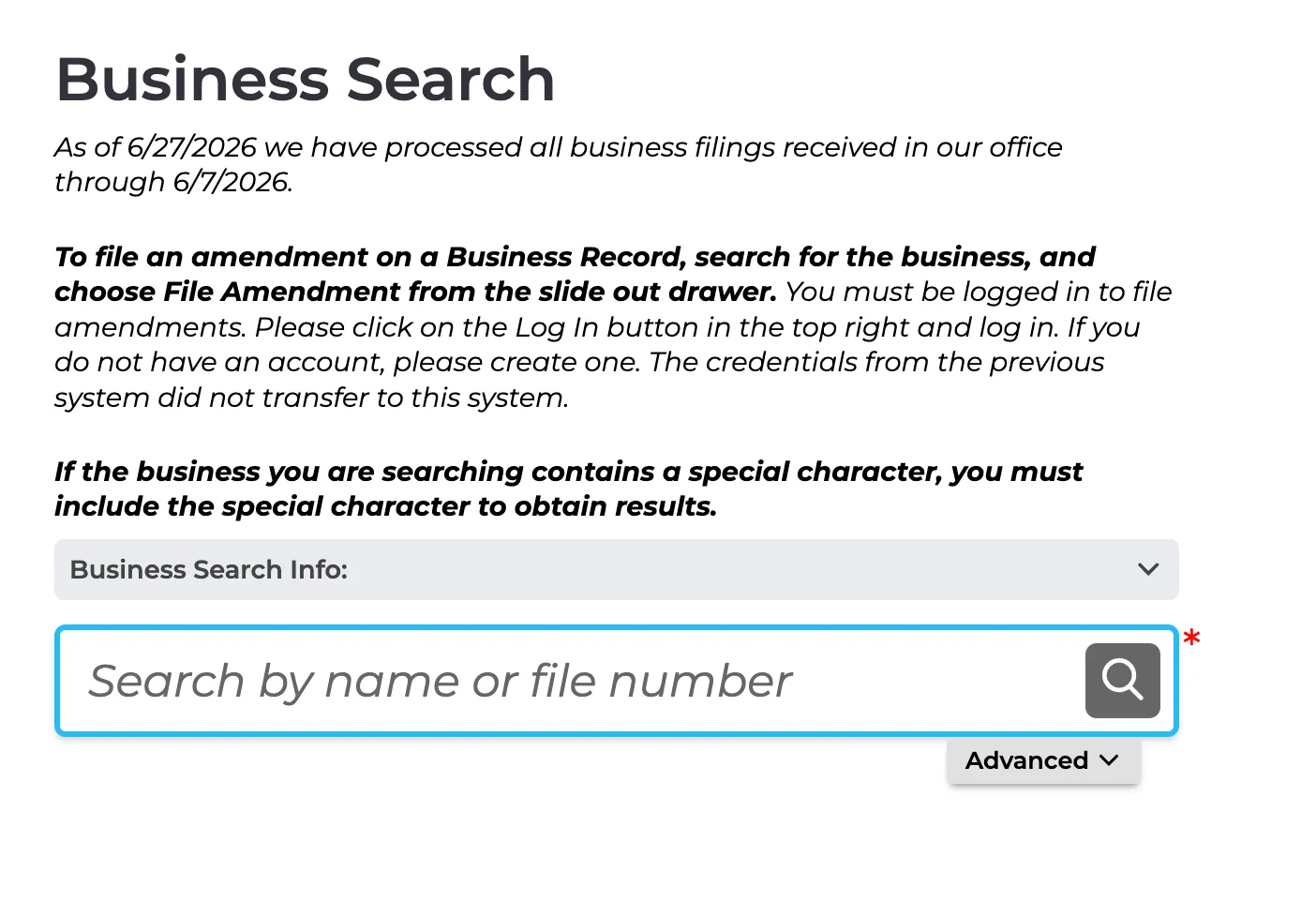
Go to the official New Mexico Business Search page to begin.
Locate Advanced Search Options
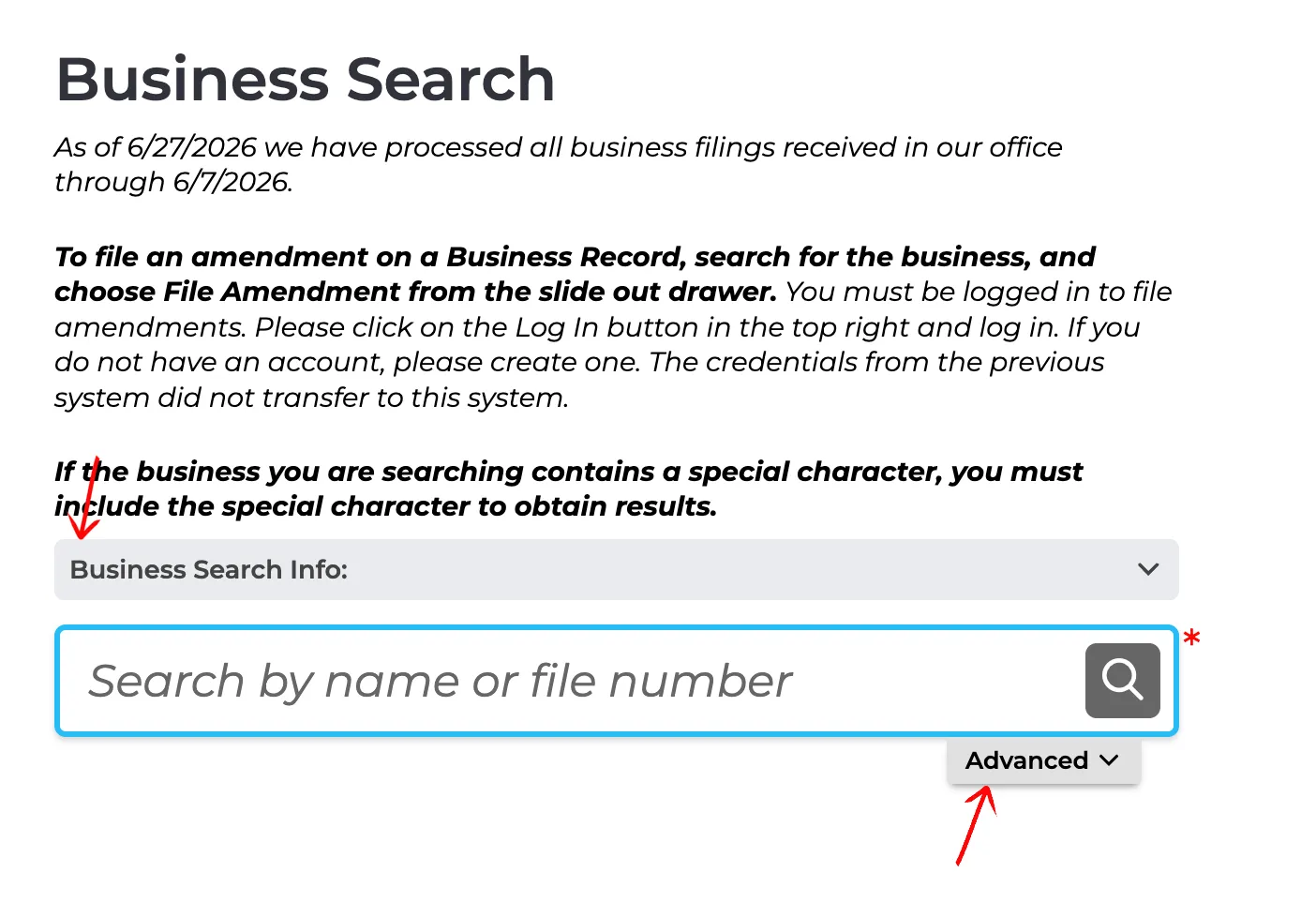
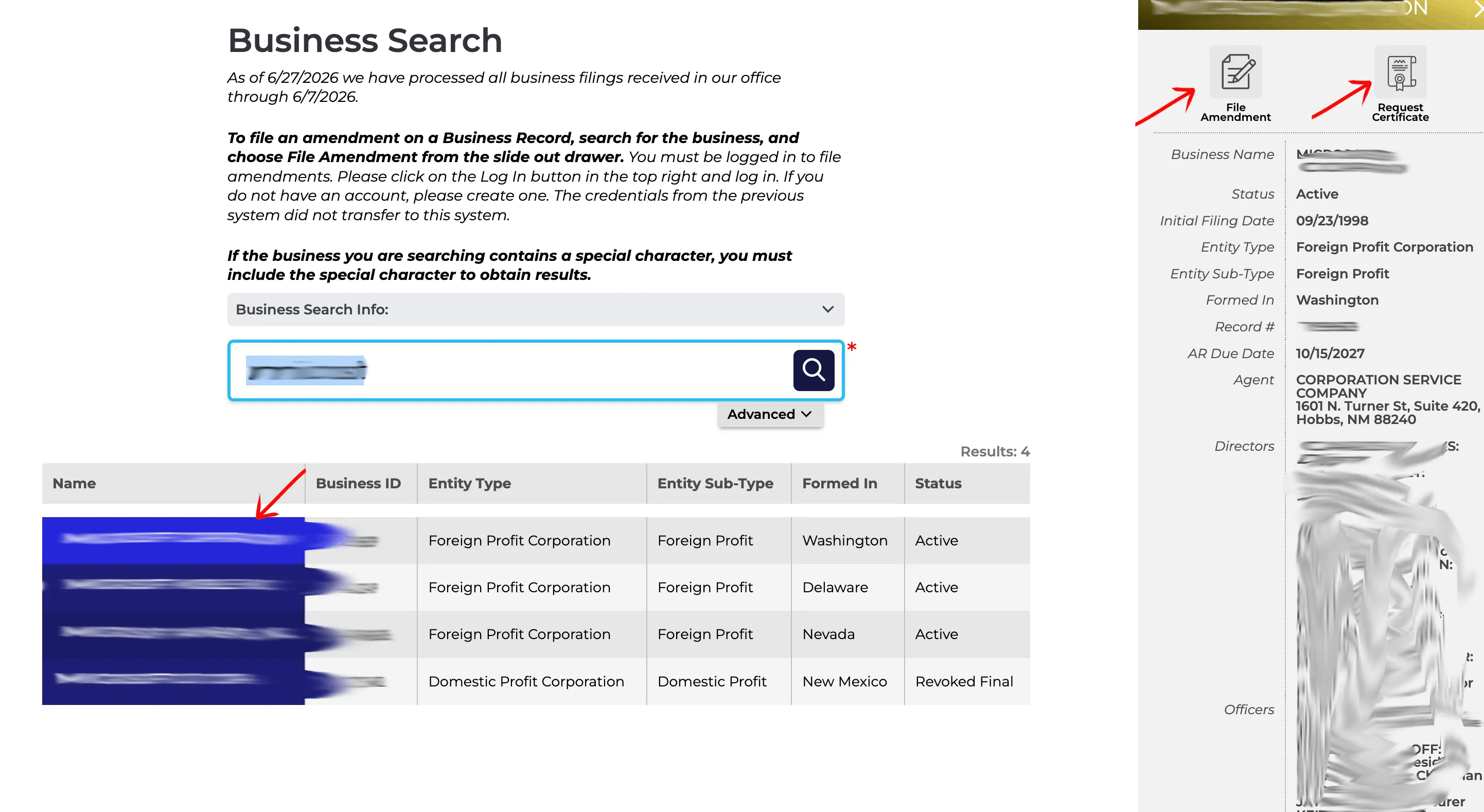
On the search landing page, you can perform a quick search using the main search bar or access advanced filters. Click the Advanced button under the search bar to expand the search panel.
Enter Search Criteria
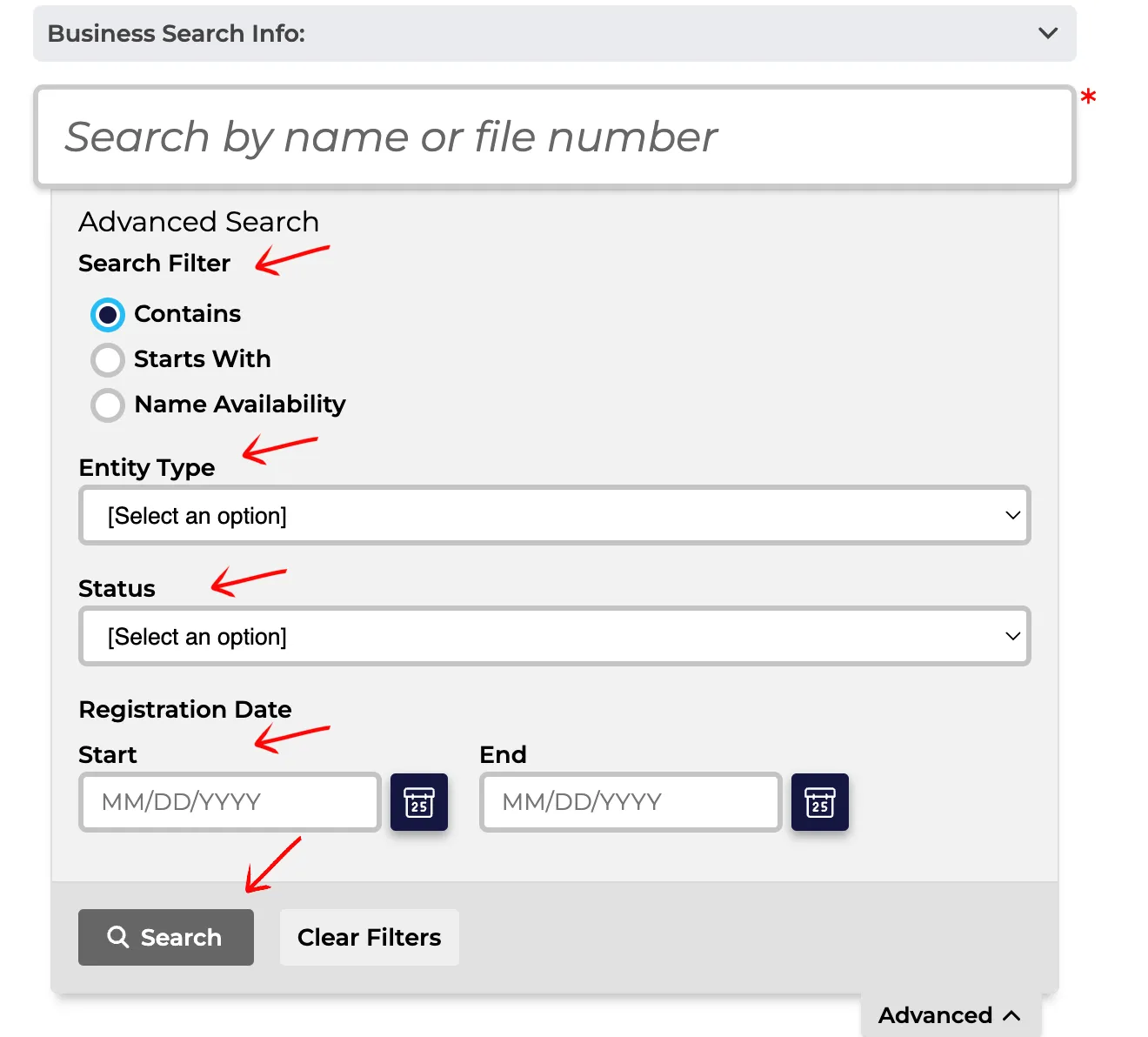
Configure your query within the Advanced Search panel:
- Select a radio button to define the term match: Contains, Starts With, or Name Availability.
- Use the dropdown menus to filter by Entity Type and Status.
- Specify the registration date range using the Start and End fields if needed.
Type your target name and click the Search button to execute the query.
Review the Results Table
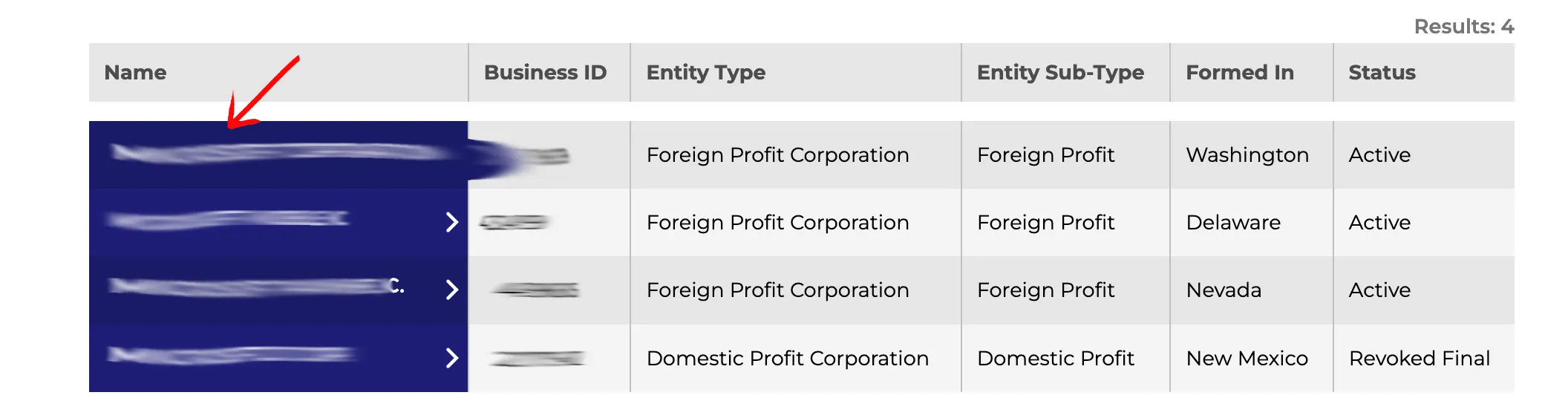
Look below the search tool to find the generated table of results. You can sort every column in ascending or descending order by clicking the arrows in the column headings. Review the table columns to locate the entity:
- Name
- Business ID
- Entity Type
- Entity Sub-Type
- Formed In
- Status
Click the specific business name in the first column to open the details page.
View Entity Details
Selecting an entity opens a slide-out drawer on the right side of the screen. This panel displays essential details including Business Name, Status, Initial Filing Date, Entity Type, Record #, and Registered Agent. To see filings, click the View History button below the details.
Review Filing History
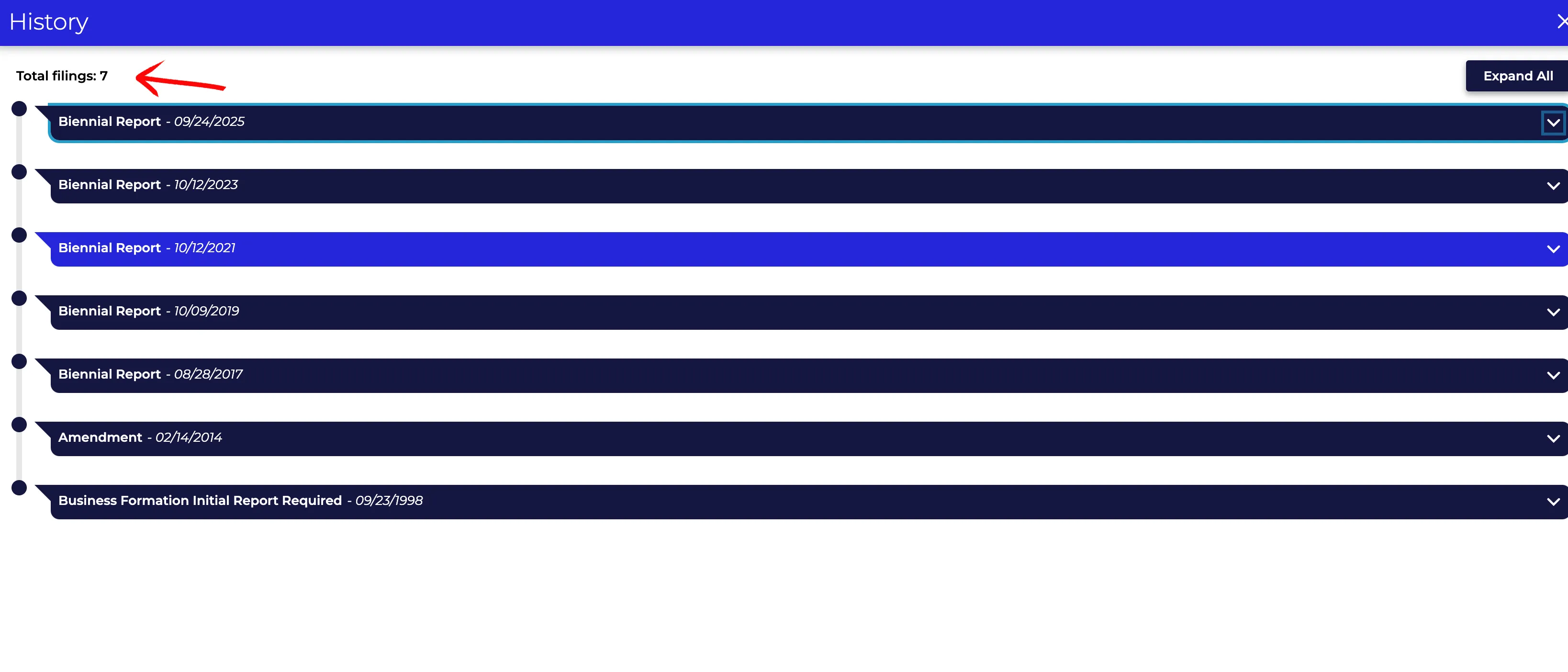
The filing history view opens, organizing all biennial reports, amendments, and formation documents into collapsible rows. You can:
- Click the down arrow at the end of any row to view individual filing details.
- Click the Expand All button to open all filings at once.
- Click the X in the upper right corner to close the history view and return to the previous screen.
If the search results return no close matches for New Mexico, treat that as a preliminary screening signal only. Verify the name in the official state database, and wait for the state filing or name-reservation review before treating the name as accepted.
How to Interpret New Mexico Results
A New Mexico business search helps you verify registration details or determine name availability:
- Active: The business is registered and in good standing with the state, holding the exclusive right to use its name.
- Revoked Final / Dissolved: The business registration has ended, typically due to voluntary dissolution or administrative revocation for failing to maintain a registered agent or file required reports (for corporations). These names may become available for registration.
- Name Availability & Distinguishability: New Mexico law requires a proposed business name to be distinguishable from all other active registered names, including LLCs, corporations, and partnerships. Spacing, punctuation, capitalization, and entity designators (like LLC, L.L.C., Inc., or Corp.) do not make a name distinguishable.
New Mexico Business Name and Filing Notes
New Mexico search supports public-record lookup, while organization filings, reservations, and future amendments remain separate Secretary of State portal actions:
- LLC Filing Fees: Filing the Articles of Organization online for a domestic New Mexico LLC costs $50.
- Name Reservation: You can reserve a business name for 120 days by filing an Application for Reservation of Name. The fee is $20.
- Annual Reports: New Mexico LLCs are not required to file annual reports or pay annual renewal fees. However, domestic and foreign corporations must file reports biennially.
- Foreign LLCs: To register an out-of-state LLC to do business in New Mexico, the initial filing fee is $100.
Common Mistakes
- Searching Only for the Exact Proposed Name: Always run broad searches using just the core keyword of your proposed name. If you only search for the exact phrase, you might miss closely matching active names that the state will reject as indistinguishable.
- Including LLC Suffixes in Search Queries: Do not type designators like “LLC” or “L.L.C.” into the search form. The system ignores suffixes, and adding them can restrict results or return false matches.
- Assuming LLCs Have Annual Filing Fees: New Mexico is one of the few states that does not charge annual fees for LLCs. Do not fall victim to third-party mailings demanding annual report fees for your LLC.
- Assuming Availability Equals Official Approval: A search showing no matching results is a preliminary indicator of availability, but only the Secretary of State can officially approve your name when they process your filing.
Sources Reviewed
- New Mexico Secretary of State Business Search
- New Mexico Secretary of State Business Services Division
- New Mexico Limited Liability Company Act, NMSA 1978 Chapter 53, Article 19
- New Mexico Secretary of State Contact Info
Search beyond New Mexico
Company names are registered state by state, so a name that is taken in New Mexico may still be available elsewhere. The Secretary of State business search directory lists the official registry, agency contacts, and filing fees for all 50 states, the free LLC lookup guide covers name checks and LLC record details in every state, and our guide to nationwide business entity search explains how to check several states at once.
Registering in a nearby state instead? See the Texas business entity search, Arizona business entity search, and Colorado business entity search guides.